

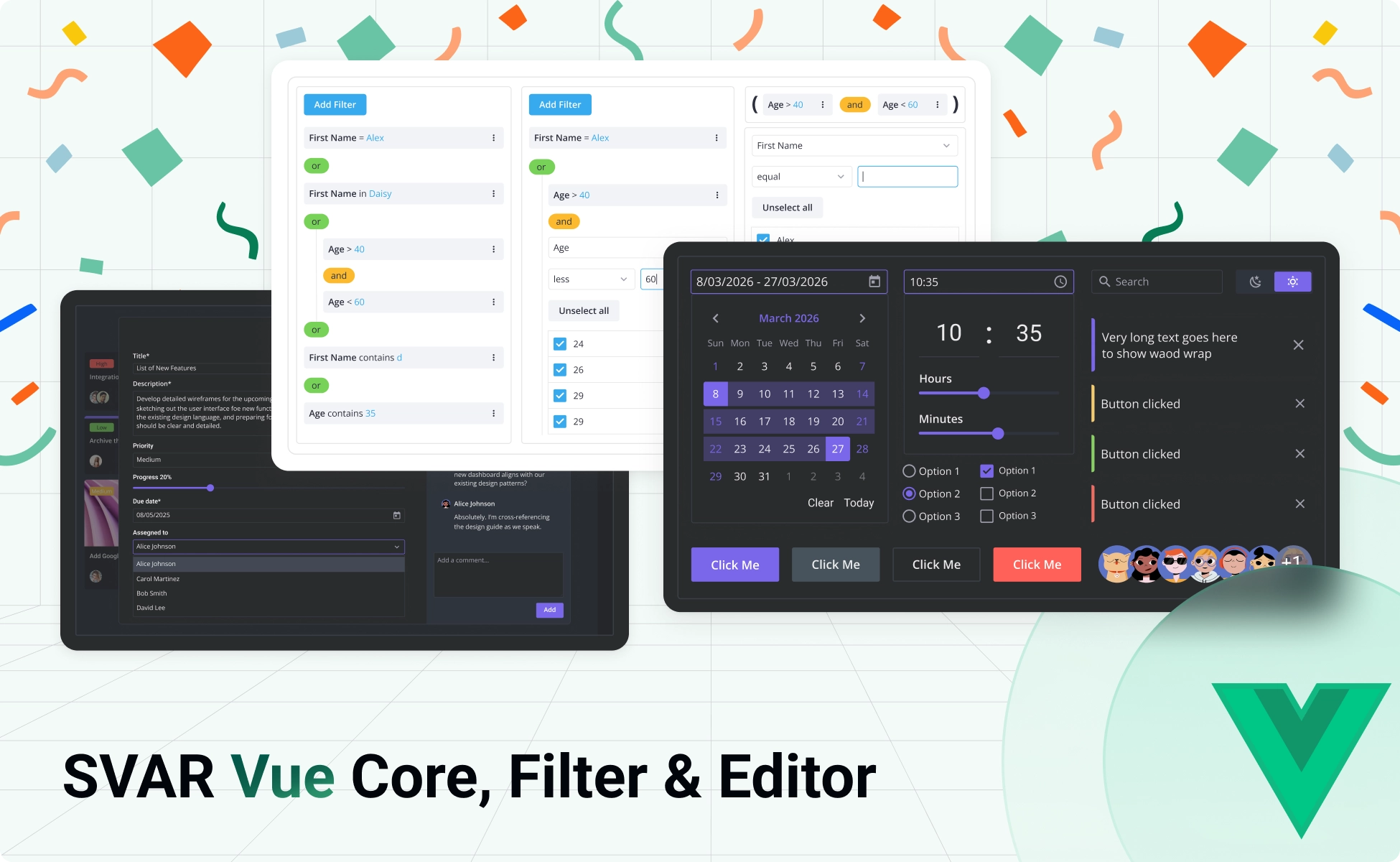
After building production-ready component libraries for Svelte and React, we’re excited to announce the release of SVAR components for Vue 3.
The release includes free, open-source components for building interactive web interfaces:
- SVAR Vue Core - UI library of 30+ components for data-driven interfaces
- SVAR Vue Editor - Configurable edit forms for any structured data
- SVAR Vue Filter - A complete filtering toolkit, from compact bars to query builders and YouTrack-like inputs with natural language search
All three are Vue-native, TypeScript-ready, and built to work together or independently, depending on what your project needs.
The components are open-source and free-to-use under the MIT license. You can find them on our GitHub page - as usual, we’d appreciate a star 🌟
SVAR Vue Core Library
The Core library is the foundation of the SVAR Vue library. It gives you a complete toolkit for building high-quality interfaces — from simple form controls to calendar pickers, modals, and navigation patterns.
🔹 What’s included: buttons, checkbox, radio, select, calendar & datepicker, tabs, notifications, modals, sidebar panel, and more. Menu, Toolbar, Comments, and Tasklist components are available as separate add-on packages, so you only ship what you actually use.
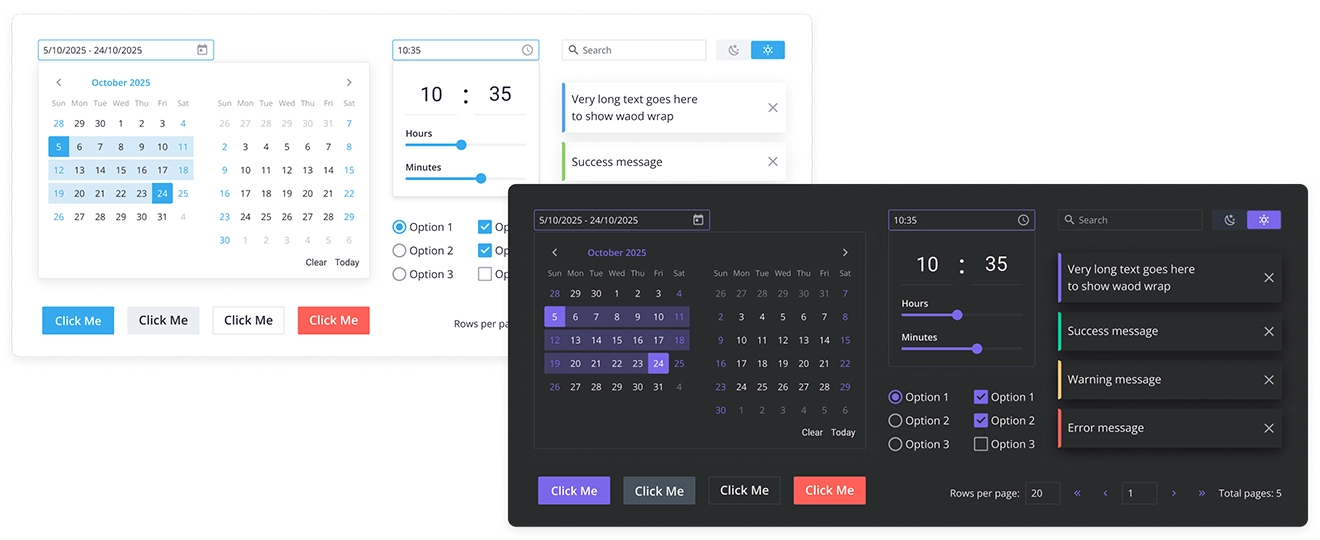
Why choose SVAR Vue Core:
- Pure Vue codebase: with SVAR Vue components, you get full customization using the Vue you already know. The source code is right there, readable and modifiable without learning anything new.
- Fast with large datasets: all the components are designed for data-intensive apps, supporting virtualization and dynamic loading.
- Easy styled with CSS: ready-made light and dark themes with the ability to customize.
- Flexible API: the clean API logic and Vue-first codebase help you get started quickly.
- Localization: change the language and date format to match your users’ preferences.
SVAR Vue Core library can be installed via npm:
npm install @svar-ui/vue-coreHere is a simple example of how the button element can be added to the page:
<script setup>import { Button, Willow } from "@svar-ui/vue-core";</script>
<template> <Willow>   <!-- Place your entire application code here -->   <Button>Click Me</Button> </Willow></template>
Find further installation details in the Vue Core docs.
SVAR Vue Editor
Our Vue Editor component lets you build rich edit forms without reinventing form architecture. Attach it to any data structure — user profiles, product records, table rows — and configure its layout, validation, and display mode through a developer-friendly API. It integrates natively with all SVAR Core controls, including Comments and Tasklist.
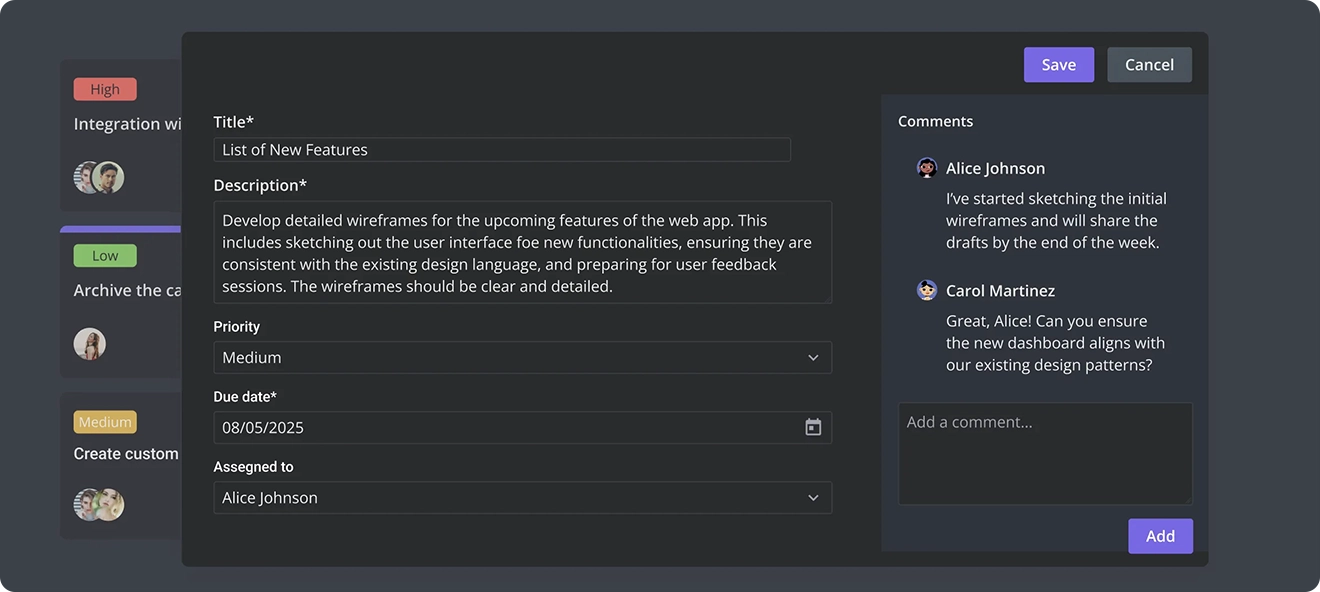
Why choose SVAR Vue Editor:
- Three display modes: popup, sidebar, or inline.
- Compact layout: one or two column layouts.
- Ready for complex forms: collapsible, accordion, and modal-style sections.
- Built-in toolbar: configurable toolbar for user actions.
- Data validation: required fields and custom validation.
- Form saving options: auto-save or on-action save (for example, on button click).
Whether you need inline editing inside a table, a contextual sidebar that appears on row click, or a popup form for quick updates, SVAR Vue Editor handles the display logic so you can focus on your data model.
Install the Editor component via npm and get started with the detailed docs.
npm install @svar-ui/vue-editorHere is an example of a basic editor form with preloaded data:
<script setup>import { Editor, Willow } from "@svar-ui/vue-editor";
const items = [  { comp: "text",     key: "name",  label: "Name" },  { comp: "textarea", key: "descr", label: "Description" },  { comp: "checkbox", key: "admin", label: "Is Admin" }];
const values = {  name: "John Doe",  descr: "Lorem ipsum dolor sit amet",  admin: true};</script>
<template>  <Willow>    <Editor :items="items" :values="values" />  </Willow></template>
SVAR Vue Filter
The Vue Filter library includes four specialized components, each designed for a specific filtering use case – from the compact input to query builder with nested AND/OR logic, or syntax query & natural language filter bar.
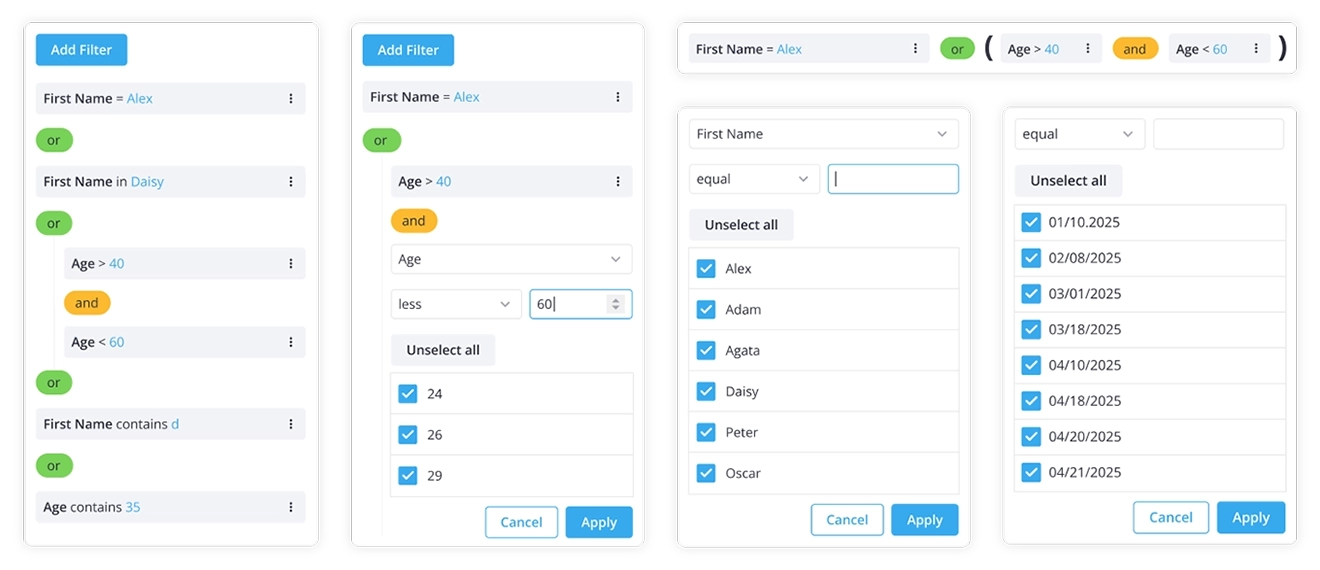
🔹 What’s included:
- FilterBar — a compact inline search bar, perfect for simple in-line filtering
- FilterEditor — a standalone filter for editing rules on a single field
- FilterBuilder — a full visual query builder for complex AND/OR logic trees, ideal for admin dashboards and complex filtering scenarios
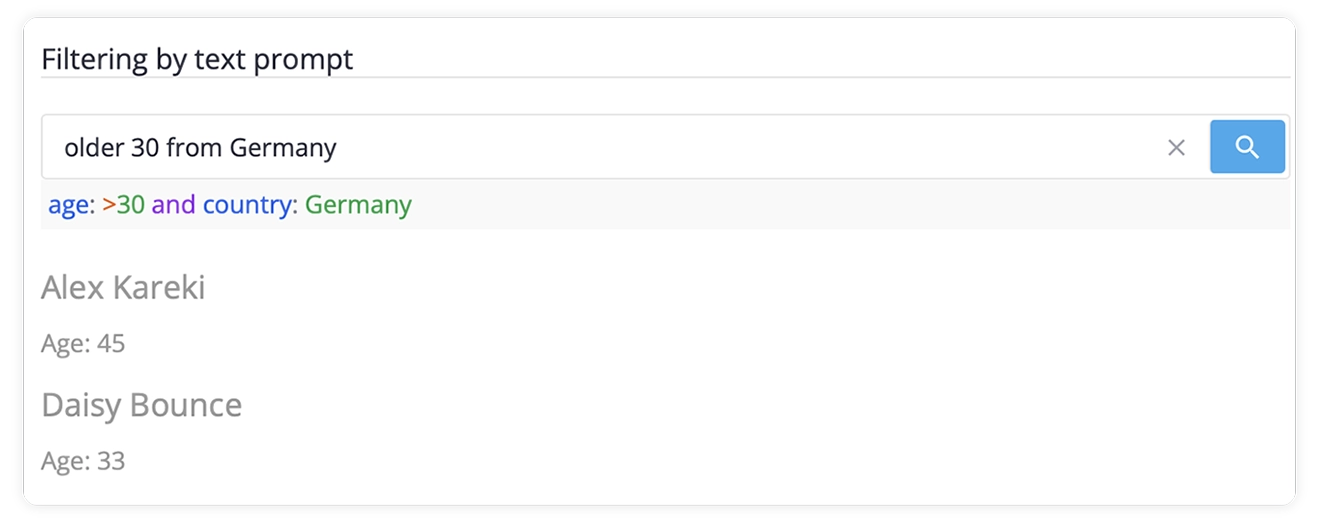
- FilterQuery – a YouTrack-like input with autocomplete, syntax highlighting, and optional natural language mode
FilterQuery’s natural language mode deserves a special mention: it connects to an AI/NLP endpoint to convert free-text like tasks created last week assigned to me into structured filter rules. Ready-made Go backend services are included for both SQL output and NLP processing.
Why choose SVAR Vue Filter:
- Multiple components: choose the component for your specific filtering UI
- Complex filtering logic: add query builder logic and intuitive interface out of the box
- Easy integration: connect the filter to any data source (table, lists, etc)
- Syntax query: user-friendly filter input with syntax highlighting and autocomplete
- AI-powered natural language search: let users find what they need with conversational text
Install SVAR Vue Filter library with npm and find more details in the docs:
npm install @svar-ui/vue-filterWhat’s Next for SVAR Vue
SVAR Vue Core, Editor and Filter are the first step and the base for our further Vue releases. These three packages can be integrated with SVAR Vue DataGrid and Gantt chart components that are coming soon.
We’re already working on bringing the rest of the SVAR Vue lineup in this order:
- Vue data grid — high-performance data grid with sorting, filtering, in-cell editing
- Vue Gantt chart — project & timeline management tool
- Vue file manager — file browsing & management UI
🔹 Sign up to SVAR Vue newsletter not to miss the next release!
We’re glad to finally offer SVAR components to Vue developers. Try out the packages, dig into the docs, and let us know what you think. The full SVAR ecosystem is built around one idea: the best component library is the one that helps you ship the apps with the code you already know.
Happy coding!