

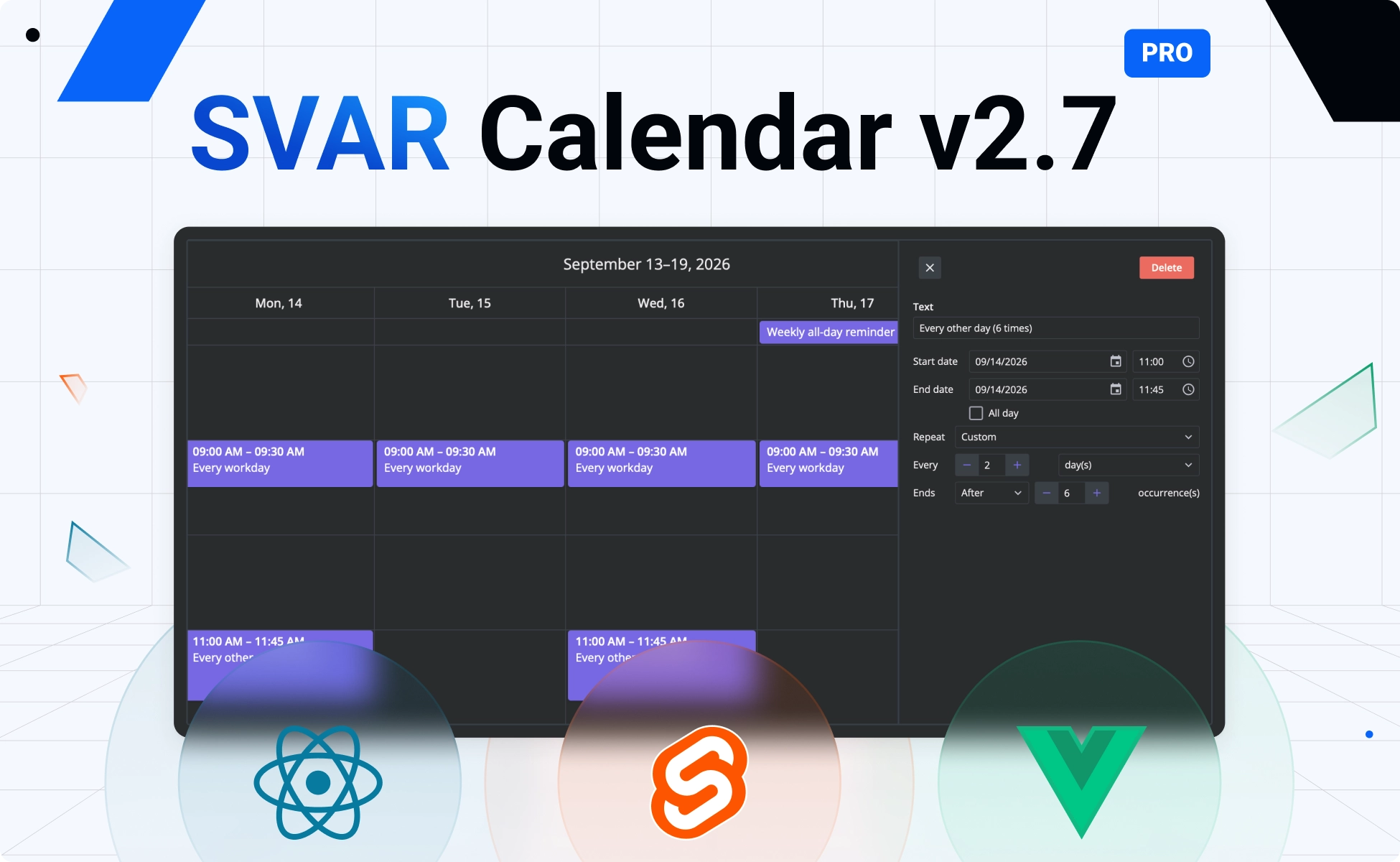
Today we’re happy to announce version 2.7 of SVAR Calendar, our framework-native event calendar component for React, Svelte, and Vue. It helps you build either a simple drag-and-drop event planner or a scheduler with multiple views, resource management, and built-in workflows for common business scenarios.
Version 2.7 adds a compact layout for mobile devices and several UX improvements to the open-source edition, along with new PRO features for production-grade scheduling systems such as booking calendars, resource planners, and staff scheduling tools.
Here are the key new features in the open-source version of SVAR Calendar 2.7:
- Mobile support: compact layout, responsive toolbar and fullscreen editor
- Event editor enhancements: rich text & file upload
- Drag-in of external items
- Import from Excel
- Expanded rows for more events in Month view
The PRO Edition adds:
- Dynamic loading
- Editable recurring events
- Timezone support
- Multi-resource events
- Combined scales for Resource view
- Undo/redo support
- Export to PDF, PNG & Excel
What’s New in the Open Source Calendar
After the initial release, we’ve added responsiveness and new UX features to the MIT edition of SVAR Calendar to make it more suitable for modern web apps. Before looking at the new features, here is a breaking change introduced in v2.7:
Responsive mobile support
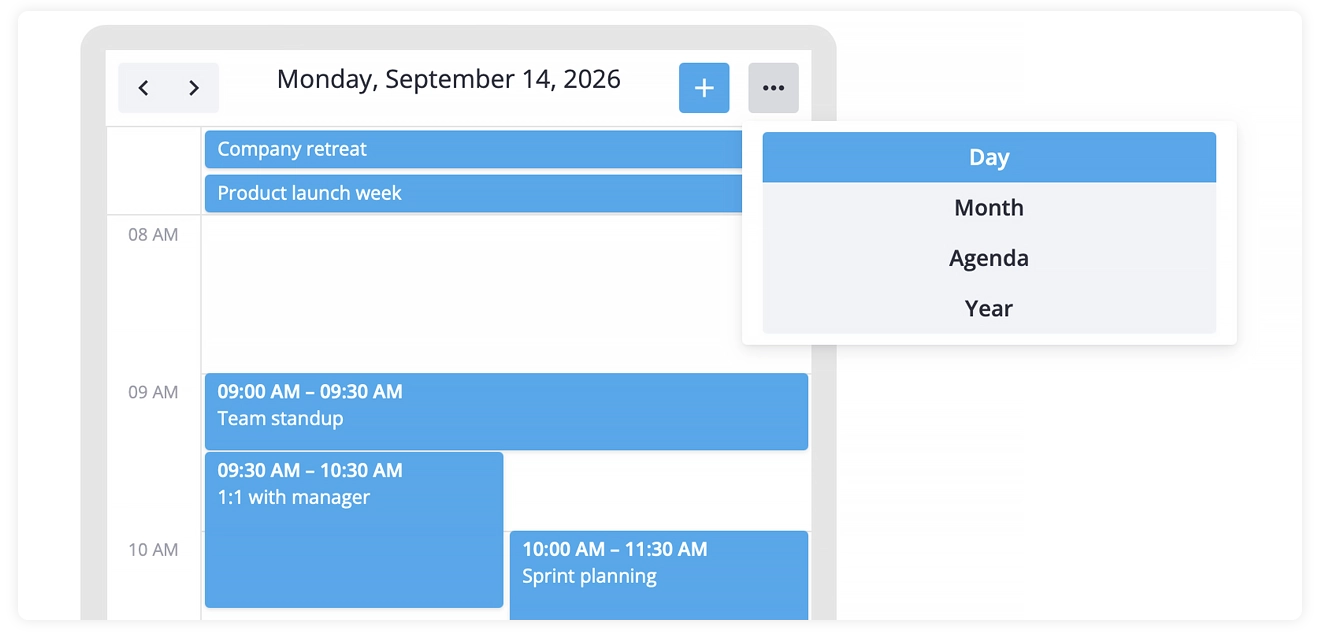
The new responsive layout allows SVAR Calendar to remain usable and easy to navigate on both large desktop screens and smartphones.
With the new version, the calendar switches to a compact layout on mobile screens below 480px: secondary toolbar controls collapse into an overflow menu, the view switcher becomes a compact list, and the event editor automatically opens in a fullscreen layout that fits the phone screen.
👉 Mobile demo: React • Svelte • Vue
Extended editor capabilities
As we updated our Editor component, the event editor in the Calendar now supports rich text (implemented with TinyMCE) and file uploads. With this update, the event descriptions can carry formatted text and files can be attached straight to an event, so a booking can hold its contract or a meeting – its agenda.
👉 Editor demo with rich text: React • Svelte • Vue
👉 Editor demo with file uploads: React • Svelte • Vue
Drag-in from outside
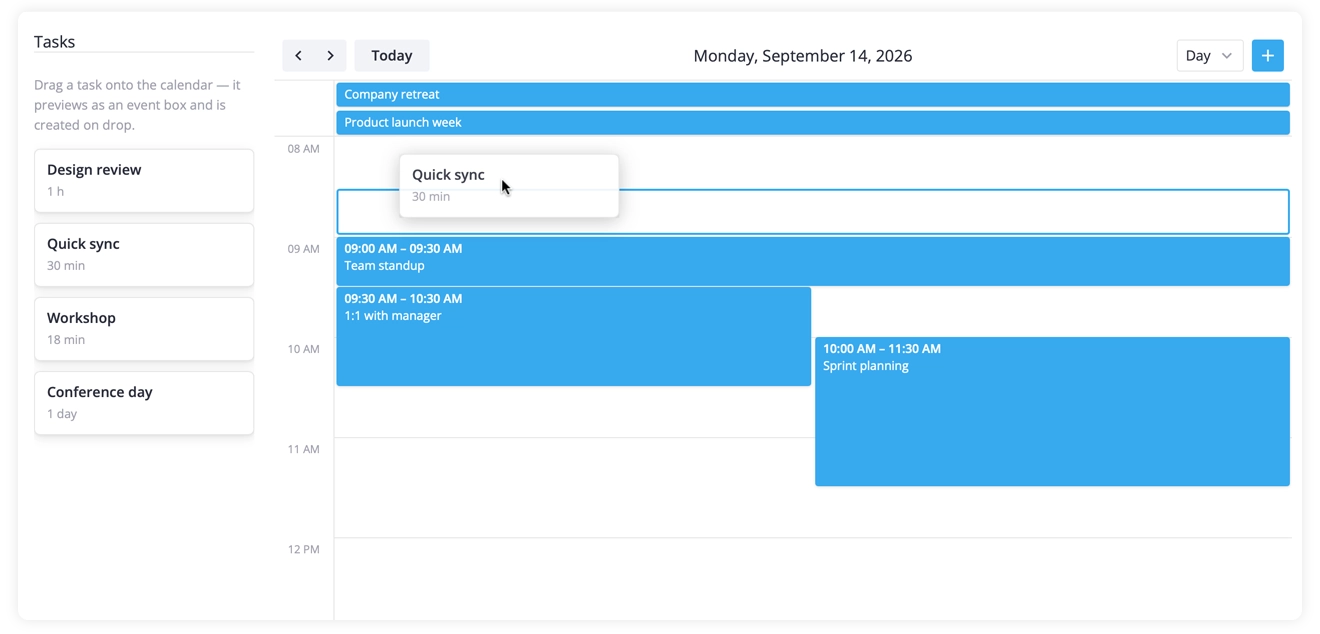
The new eventProjection prop enables drag-and-drop from outside the calendar: put a task list or backlog next to it, drag an item onto the grid, and the calendar turns it into an event, picking up the start and end time (and the resource, in resource views) from the drop position.
While the drag is in progress, the calendar shows a live preview that snaps to the nearest time slot, so users see exactly where the event will land before they release it.
👉 Drag-in from outside demo: React • Svelte • Vue
Import from Excel
SVAR Calendar 2.7 can load events straight from a spreadsheet. Users pick an Excel file, map its columns to event fields (title, dates, and any custom data), and our pre-made open-source import wizard returns validated events ready to render in the calendar. This is useful when you need to migrate existing schedules from spreadsheets into the web-based calendar.
👉 Excel import demo: React • Svelte • Vue
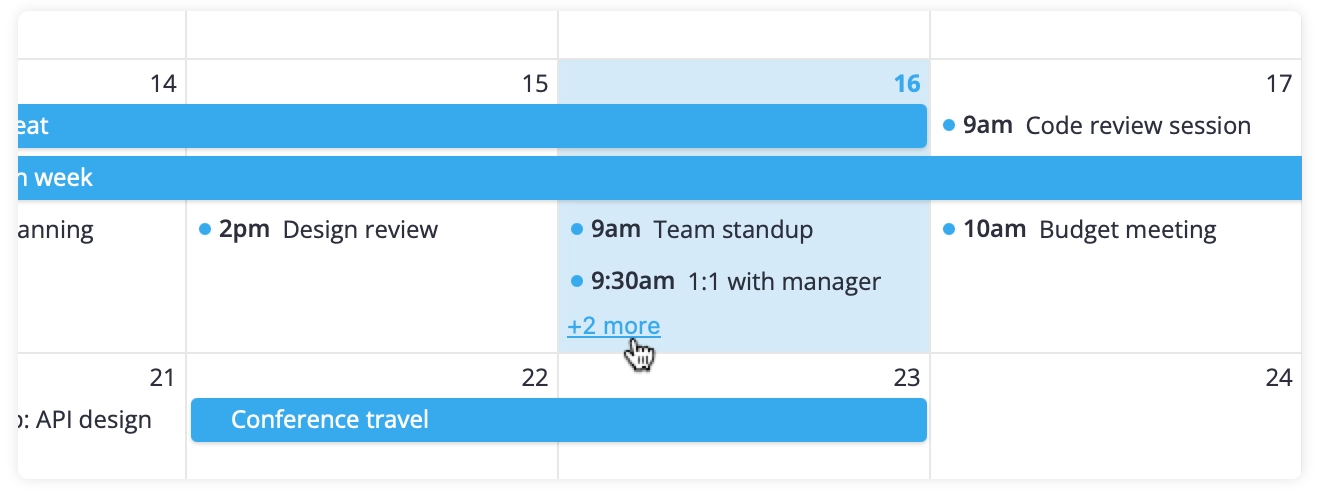
Show more events in month rows
The new eventOverflow option lets you expand month rows and display additional events directly in the calendar instead of grouping them under a +N more indicator. This is useful when users need to see more of the schedule without opening a separate popup or changing the view.
👉 Month view demo: React • Svelte • Vue
Get started with free SVAR Calendar
You can grab the free, open-source version of SVAR Calendar for your framework from GitHub:
Don’t forget to give the Calendar a star to support the project and help us grow 🌟
You can also install the latest free versions of SVAR Calendar from npm:
npm install @svar-ui/react-calendarnpm install @svar-ui/svelte-calendarnpm install @svar-ui/vue-calendarNew PRO Features for Production-Ready Apps
The PRO Edition has been significantly updated with new advanced features that make the Calendar component ready for large datasets, enterprise-grade scheduling and booking workflows.
Dynamic loading
For calendars that hold large datasets, PRO now fetches events on demand instead of loading everything at once. The calendar requests only the events for the visible date range. When the user switches to the next month, it fetches just that range, while caching what it has already loaded, so navigating back is instant.
It works with the existing RestDataProvider, which adds date-range parameters to the request and reduces the amount of custom backend integration code.
Here is an example for the Svelte version:
function init(api) { let provider; const loader = new DynamicLoader(true, { fetch: range => provider.getData(range), dispatch: data => api.exec("provide-data", data), }); provider = new RestDataProvider(server, { loader }); api.setNext(provider);}👉 Dynamic loading demo: React • Svelte • Vue
Editable recurring events
With this update, recurring events are no longer read-only. SVAR Calendar PRO 2.7 now ships a complete recurrence editing workflow, so there is no need to write RRULE strings by hand.
Recurring events can be edited right in the built-in editor: you just turn on recurring={true}, attach the Editor next to the calendar, and users get a full recurrence editing UI. The editor lets users edit the entire series or a single occurrence.
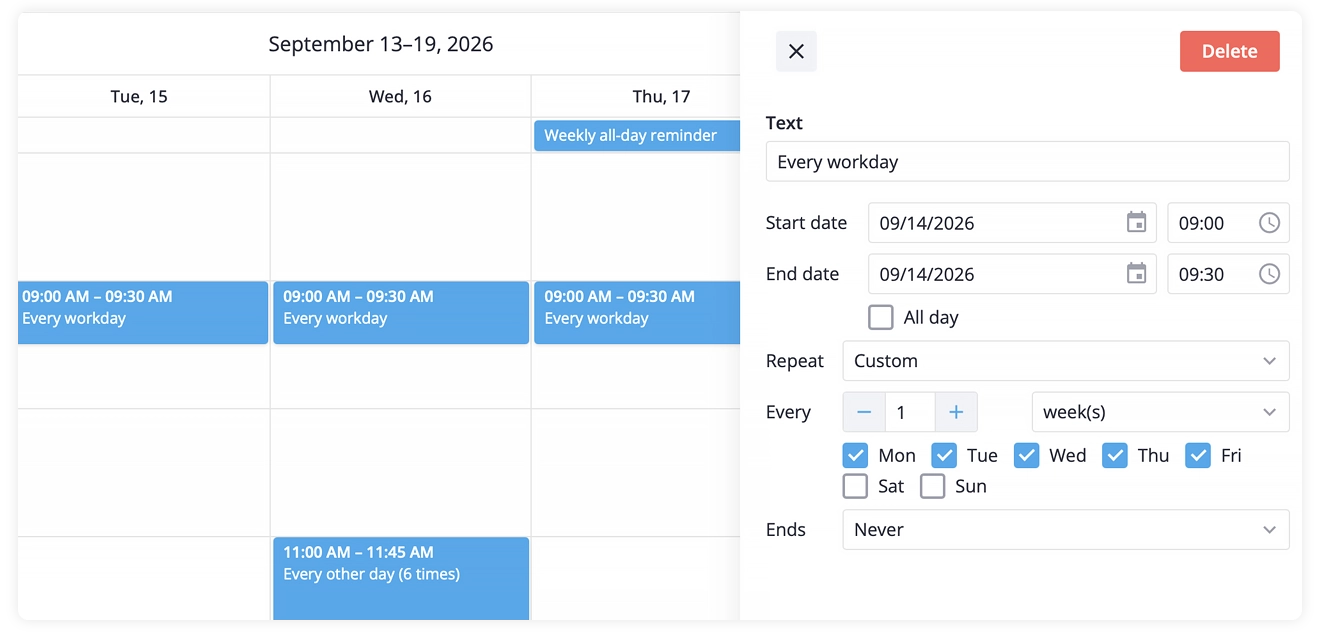
Recurring events can now be set up with:
- Daily, weekly, monthly, or yearly recurrence, including presets like every workday
- A custom interval: every N days, weeks, months, or years
- Specific weekdays, or patterns like “second Tuesday” or “last Friday”
- An end condition: after a number of occurrences or on a specific date
👉 Recurring events demo: React • Svelte • Vue
Timezone support
SVAR Calendar 2.7 lets you choose the timezone for displaying events in different world locations. If your team is spread across the globe, from New York to Tokyo, you can show events in local time for each side of the team, and adjust meetings so they work for everyone.
PRO can display the calendar in any IANA time zone with two projection helpers shipped in the package: toTimeZone() and fromTimeZone().
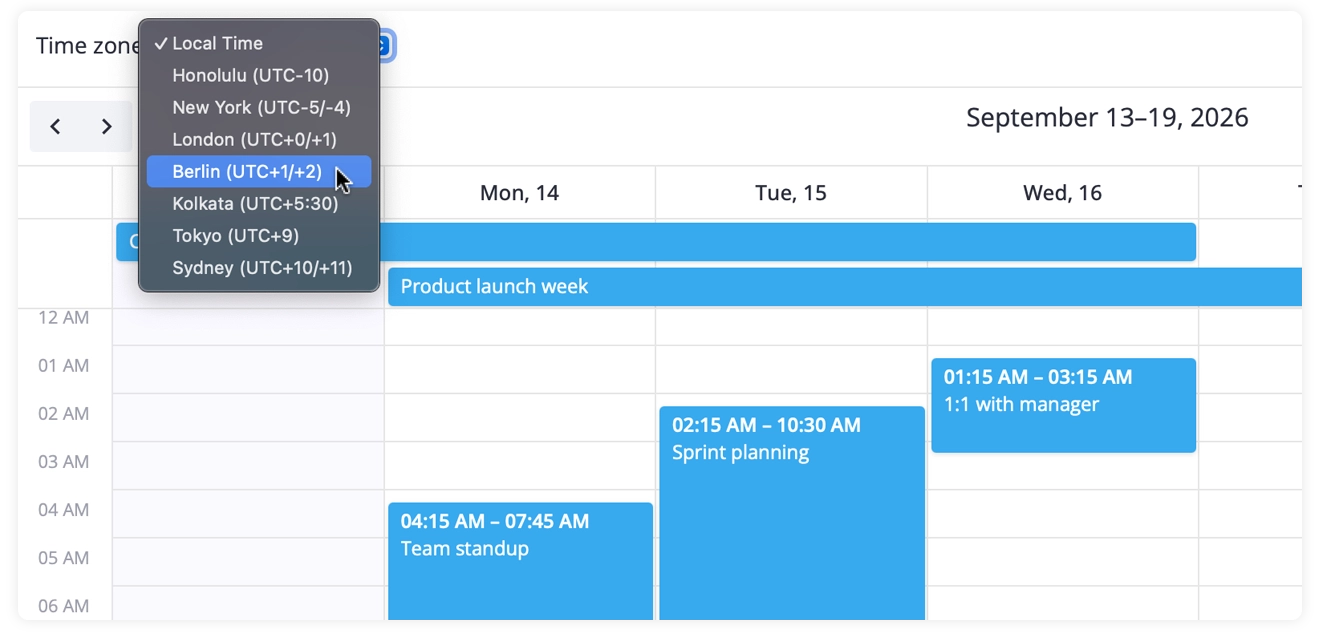
Here is the example for Svelte Calendar:
import { Calendar, toTimeZone } from "@svar-ui/svelte-calendar";
const zone = "Asia/Tokyo";const localEvents = rawEvents.map(ev => ({  ...ev,  start: toTimeZone(ev.start, zone),  end: toTimeZone(ev.end, zone),}));
<Calendar events={localEvents} view="week" />
Switching the displayed timezone at runtime simply re-projects the events without touching the stored data, so a distributed team can flip between offices and see the same schedule in local time.
Any date the user creates or edits while a zone is displayed is a wall-clock value for that zone — run it through fromTimeZone() before persisting.
👉 Timezone support demo: React • Svelte • Vue
Multi-resource events
One event can now belong to several resources at once — a meeting with two hosts, a shift covering two rooms. Set multiple: true on the unit scale and let the accessor return an array. The calendar renders the same event once in each assigned resource column.
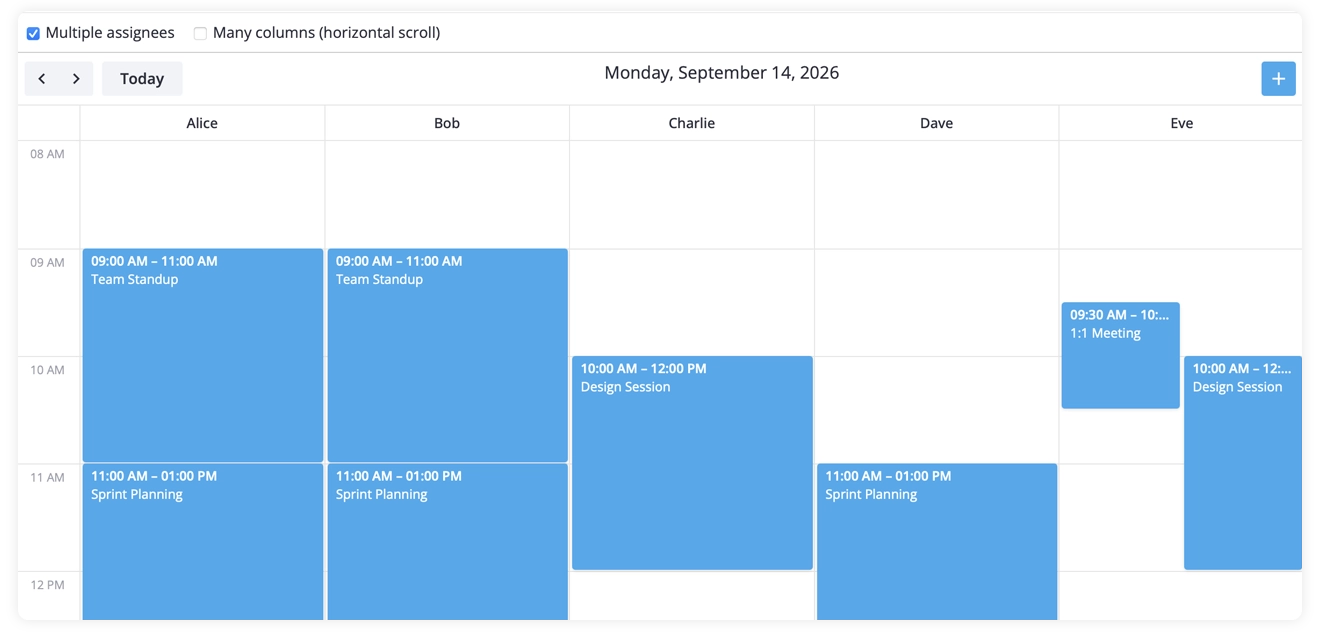
👉 Resources view demo (with multi-resource checkbox): React • Svelte • Vue
Combined scales for Resource view
The Resource view in the PRO Edition can now nest two scales into a single axis — dates and resources — in either order, and users can switch between the two layouts right from the toolbar:
- Date → Resource — dates on the outer level, resource columns nested under each day. Use it to see who is booked on each day of the range: every date gets its own set of resource columns.
- Resource → Date — resources on the outer level, dates nested under each. Use it to follow a single resource over a range of days, one row per resource.
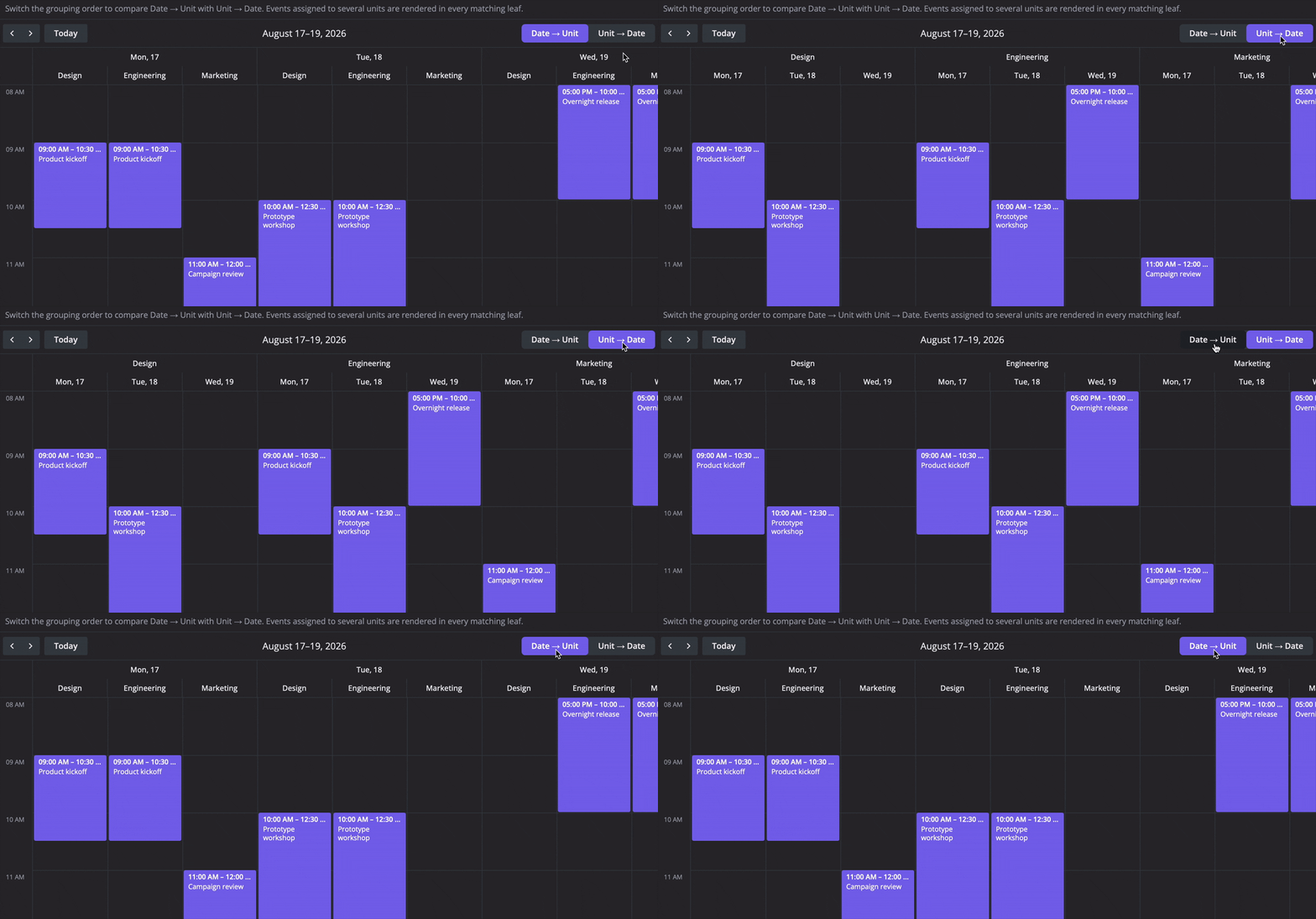
Both groupings are rendered with matching nested headers, and each group of columns keeps its own time scale. Either grouping can be configured to fit your workflow, and the view itself can be extended with a custom ViewModel.
👉 Combined scales demo: React • Svelte • Vue
Undo/redo support
This update introduces undo/redo support that simplifies event management in SVAR Calendar PRO. Users can freely edit and move events and cancel their changes whenever needed. The history of user actions is saved, so any step can be undone or redone.
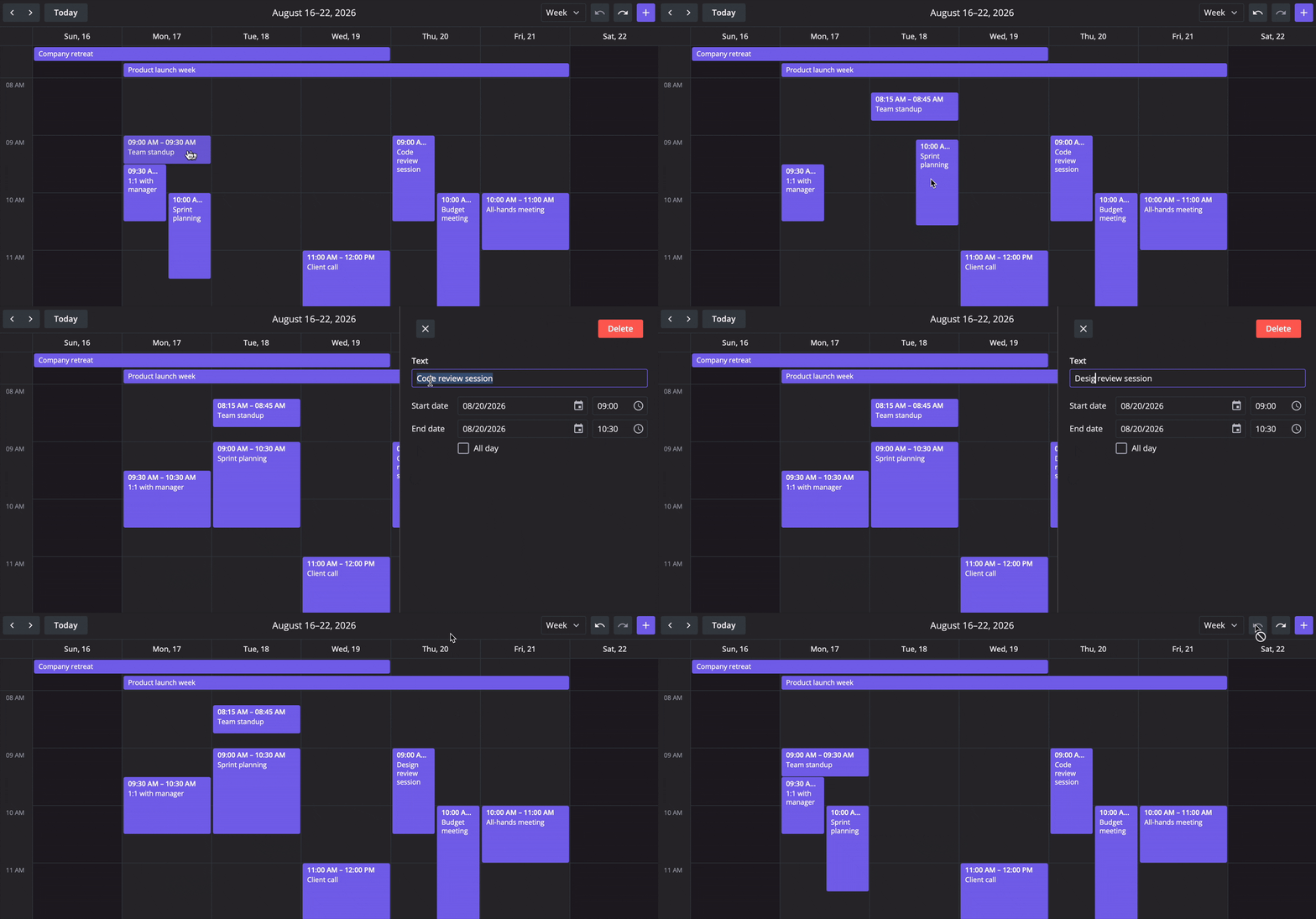
All you need is to set the history prop to true on <Calendar> and the store starts recording event changes: every add, edit, move, and delete becomes a step, and the default toolbar gets Undo and Redo buttons.
Undo/redo works on the local store only, so your backend provider never sees undo operations, and a fresh data load clears the history. For custom controls, the reactive state exposes history: { undo, redo } with the number of available actions in each direction.
Here is how it works in Svelte:
<script>  let api = $state();  const state = $derived(api?.getReactiveState());</script>
{#if $state?.history.undo}  <button onclick={() => api.exec("undo", {})}>Undo</button>{/if}
👉 Undo/redo demo: React • Svelte • Vue
Export to PDF, PNG & Excel
In addition to iCal import/export, SVAR Calendar 2.7 PRO adds the ability to export calendars to PDF, PNG, and Excel formats. This is useful when you need to:
- Share schedules with stakeholders who don’t use the calendar directly
- Create printable versions of weekly or monthly plans
- Export event data for reporting or further processing in other tools
Export is an action, not a prop: a single api.exec("export-data", …) call snapshots the current view (with your custom event content and styling preserved) and turns it into a downloadable file:
- PDF & PNG are rendered from what’s on the screen, with full page setup: paper size, orientation, margins, header, and footer.
- Excel hands you the event list to shape into columns and sheets for reporting.
- Ready-made dialog: the
ExportPopupcomponent lets users pick the format and settings themselves, with custom tabs and localization.
👉 PDF/PNG Export demo: React • Svelte • Vue
Summing Up
SVAR Calendar 2.7 brings a compact layout for mobile devices, a more flexible event editor, and a drag-in feature to the open-source core, and a set of advanced scheduling features to the PRO edition: dynamic loading, editable recurring events, timezone support, combined scales, multi-resource events, undo/redo, and export to PDF, PNG, and Excel.
It’s a solid update that gives developers a ready-to-use library for building booking calendars, resource planners, and team scheduling tools.
Note that all three versions of SVAR Calendar — React, Svelte, and Vue — offer the same set of features and differ only in their framework-related APIs.
Learn more:
- Read quick start guides: Svelte • React • Vue
- See the live demos
- Find SVAR Calendar on GitHub
Start with the free open-source edition and upgrade to PRO when your project needs advanced scheduling features. Check the pricing pages for detailed feature comparison and a free 30-day trial for your framework of choice:
If you need a framework-native, production-ready calendar component for your React-, Svelte- or Vue-based app, you know where to find it! 😉