Latest update: v2.7

Vue Event Calendar
Feature-rich & flexible scheduler

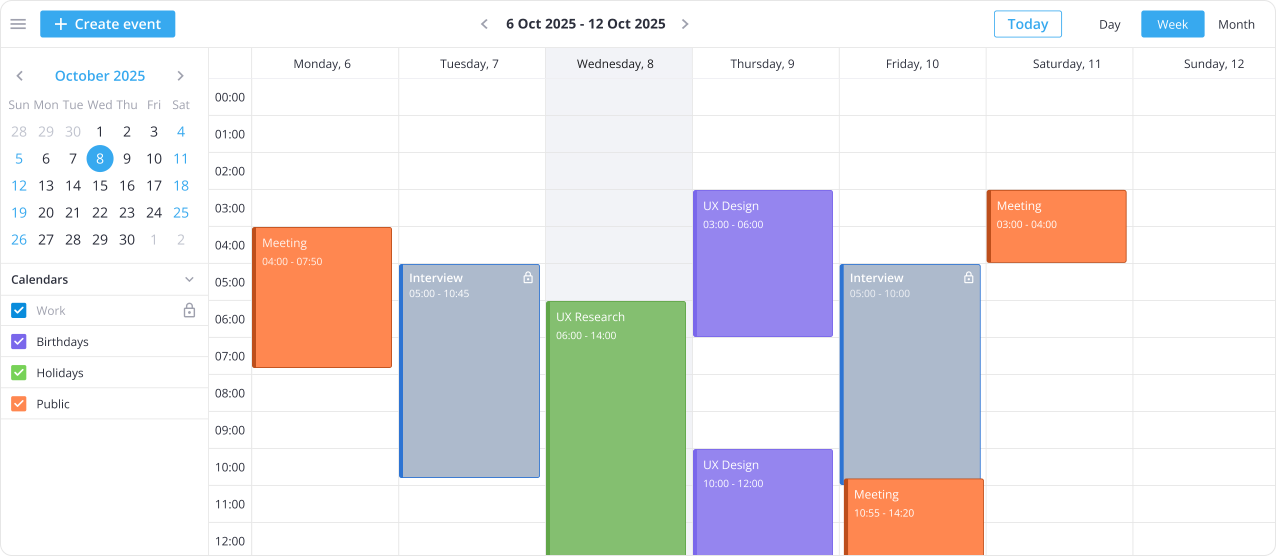
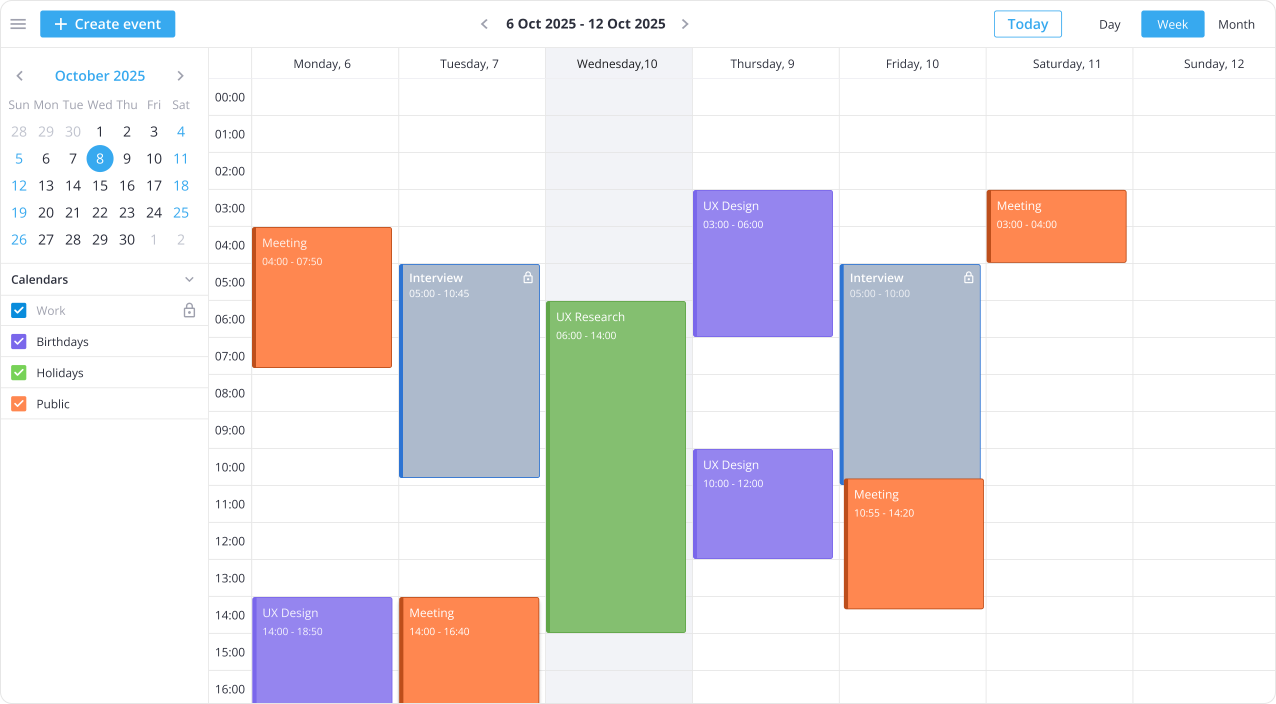
SVAR Vue Calendar is a high-performance scheduler component that helps you build a fully functional Vue.js event calendar in minutes, with drag-and-drop interactions, flexible configuration, and recurring events.

Also available for:
Also available for:

100% Vue Event Calendar for Modern Apps

Seamless Vue & backend integration

SVAR Vue Calendar is written in Vue.js, with built-in TypeScript support, making it easy to integrate with your Vue application and backend. The component comes with a REST helper to load, update, and synchronize event data with your backend.

Flexible customization

Easily adapt the Vue calendar component to match your application design and requirements. Configure styles, labels, time scales, and layout with a developer-friendly, extensive API and CSS variables.

Day, Week, Month views

Day, Week, and Month views are available out-of-the-box, allowing users to explore schedules at different levels of detail. You can also define custom working hours, configure the first day of the week, and localize the UI to your region.

Drag-and-drop event management

Our Vue event calendar allows users to work with events directly in the calendar interface. Move events by dragging, resize them to change duration, or create new entries in the time grid with simple interactions.

Multiple calendars

With a sidebar panel, you can organize events using separate color-coded calendars, such as work, personal, or other categories. Users can select which calendars to display to focus on specific groups of events.

Custom event edit form

The calendar component comes with a built-in popup form for event editing. Configure the edit form to match your project requirements by adding custom fields and adjusting the layout. Extend it with comments and task lists.
Star on GitHub

Works with:

Claude Code Claude Code
Cursor Cursor
Codex CLI Codex CLI
Antigravity Antigravity
ChatGPT ChatGPT
GitHub Copilot GitHub Copilot

Ready for AI-Assisted Development

SVAR offers an AI integration kit — an MCP server, skills, and context packs — to help your coding agent write correct SVAR Vue Calendar code on the first try.

Try Live Demo

For the best experience, view this page on a desktop device to enjoy the live demo, as it looks great on larger screens!

Vue Calendar PRO for Complex Scheduling Workflows

The PRO Edition of SVAR Vue Calendar adds four extra views and recurring event support for effective resource management, long-term planning, and complex booking calendars.

pro

some alt text

Compact Agenda & Year views

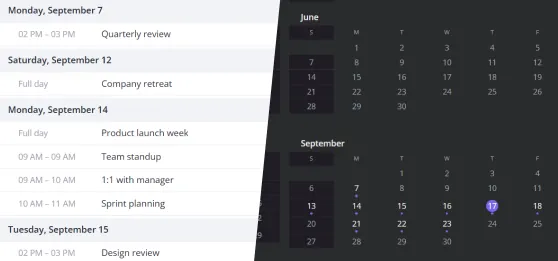
Get a complete picture of the year in a Year view, which works perfectly for spotting busy periods and planning ahead. The Agenda view turns the same data into an organized, date-grouped list that stays easy to scan and read at any screen size.

pro

some alt text

Timeline view for easy planning

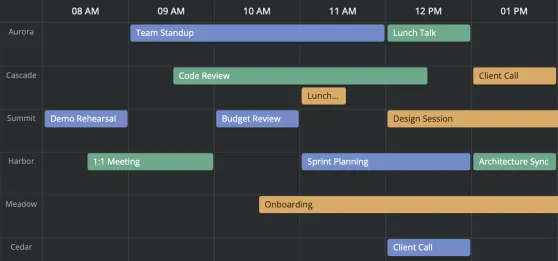
Present events along a horizontal timeline with each resource on its own row. The Timeline view of SVAR Vue Calendar PRO suits shift planning, facility booking, and any schedule that compares several resources hour by hour.

pro

some alt text

Resource scheduling view

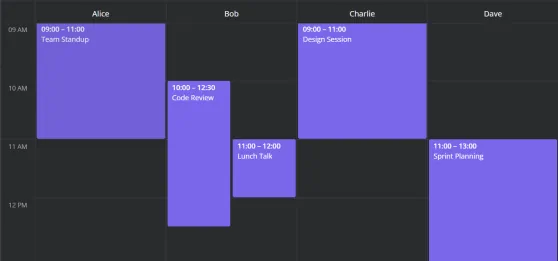
Schedule people, rooms, or equipment side by side and see availability across all resources at once. Combined scales of the Resources view let you group resources by date or dates by resource, so you can prevent double booking and allocate time without switching views.

pro

some alt text

Editable recurring events

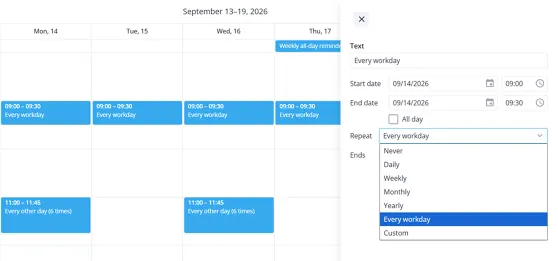
Recurring event support handles repeating schedules automatically using RRULE, so users define a pattern and the Vue calendar expands it across the full date range. Recurrence can be easily edited later through the intuitive event editor interface.

pro

some alt text

Flexible time zone support

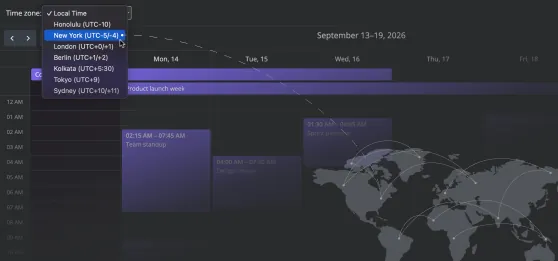
With SVAR Vue Calendar, you can show events in the local time of different locations and switch timezones as needed, so distributed teams and international booking workflows stay in sync.

pro

some alt text

PDF, PNG, and Excel Export

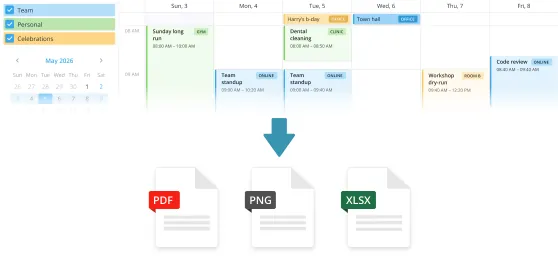
The PRO edition of SVAR Vue Calendar lets you share schedules with colleagues and stakeholders, create printable versions of calendar views, or export event data to Excel for reporting and further processing.

pro

some alt text

Dynamic loading

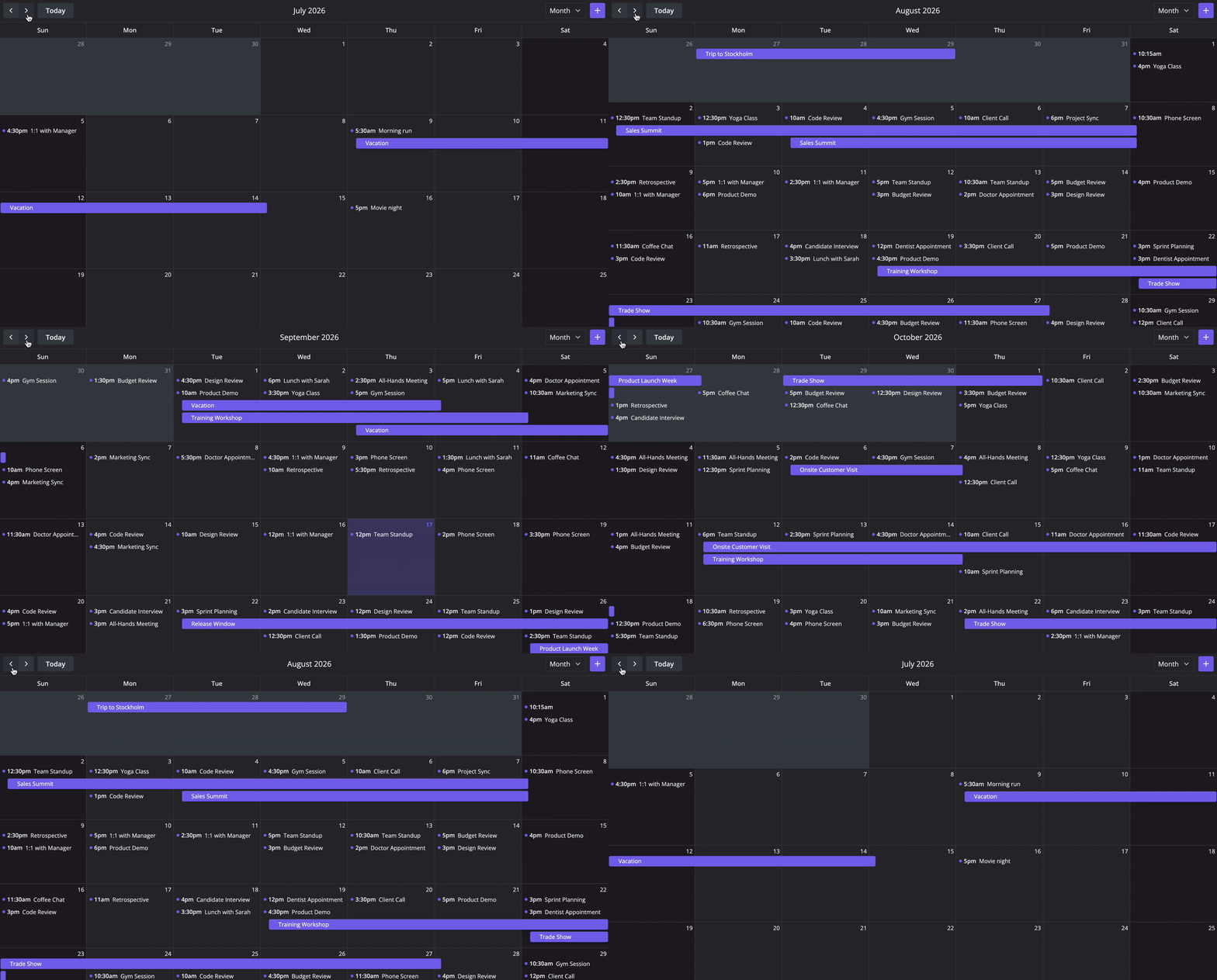
Load events on demand for the visible date range instead of loading the entire dataset at once. As users navigate through the calendar, the loader requests only the relevant slice of data from the backend.

Dynamic loading supports caching and optional preloading, so previously fetched ranges can be reused and adjacent date ranges can be loaded in advance. This keeps navigation responsive even when the backend stores thousands of events.

Try Calendar PRO

Get full access to SVAR Vue Calendar PRO for 30 days. We'll email you installation instructions right after you submit the form.

  • Fully functional trial
  • 30-day trial period
  • SVAR watermark

Read the full Trial License Agreement

Latest Updates

Version 2.7

September 16, 2026

What's new

Mobile support

Editable recurring events (PRO)

Dynamic loading (PRO)

Timezone support (PRO)

Version 2.6

May 13, 2026

What's new

Day, Week, Month views

Calendar groups

Agenda, Year, Timeline (PRO)

Resources view (PRO)

Need help with integration?

We offer paid consulting and custom development services to help you get the most from SVAR Vue Calendar, from setup and customization to full web app development.

Frequently Asked Questions

SVAR Vue Calendar provides a full-fledged calendar system with multiple views, drag-and-drop support, and flexible customization options via CSS variables and extensive Vue-first API. Here is what makes it stand out from other calendar components:
  • Written natively in Vue 3
  • Built-in editor for editing event details
  • Multiple calendar support
  • Built-in toolbar and context menu
  • Event filtering (from simple to advanced)
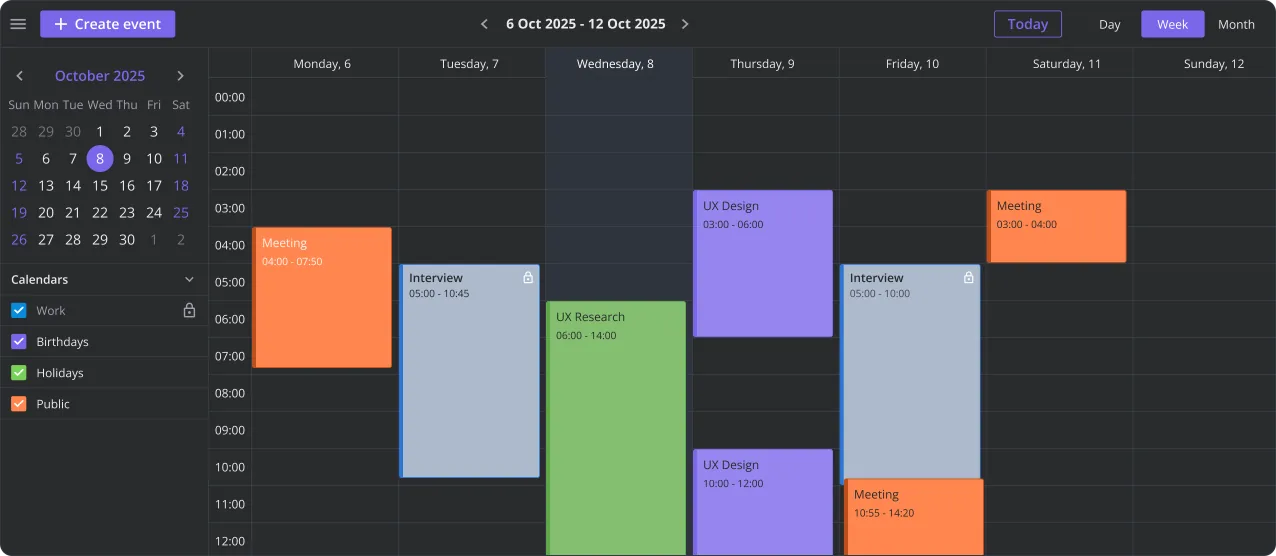
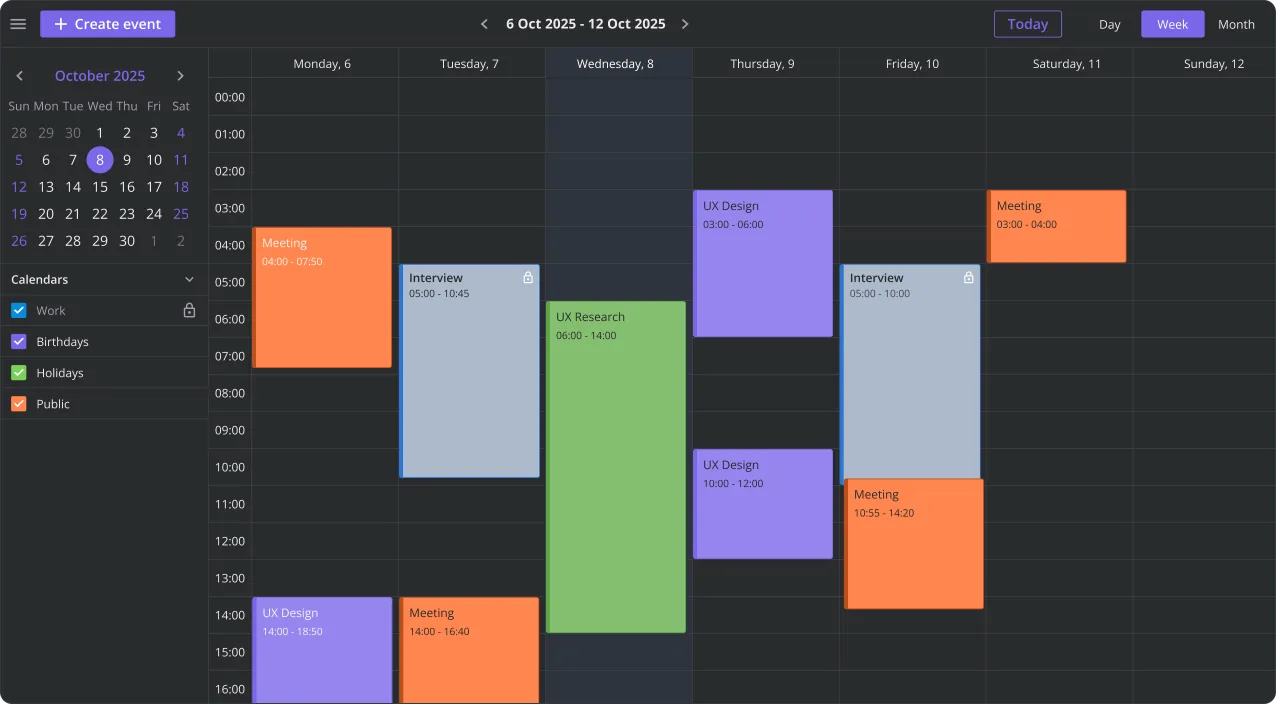
  • Nice-looking light and dark themes
  • Responsive mobile support
  • REST backend integration helper
This makes it suitable for use in Vue calendar applications, dashboards, and scheduling interfaces with complex user interface requirements.
Yes. The component includes full TypeScript support and a built-in REST helper for syncing event data with backend systems. It is designed for seamless integration with Vue-based scheduling applications that need live updates and complex client-server interactions.
Yes, the open-source edition is available for free under the permissive MIT license. It includes Day/Week/Month views, responsive mobile support, drag-and-drop UI, interactive event editing, filtering, multi-calendar support, toolbar, context menu, and iCal import/export. It is suitable for building Vue-based, production-ready event calendars and schedulers for everyday event management.
The PRO edition of SVAR Vue Calendar adds Agenda, Year, Resources, and Timeline views, editable recurring events, timezone support, dynamic loading, combined scales, multi-resource events, undo/redo, and export to PDF, PNG, and Excel. It is intended for complex scheduling applications like booking systems, enterprise dashboards, and planning tools. Compare editions and see pricing →
Yes. SVAR Vue Calendar PRO includes Resource and Timeline Views, allowing you to build booking systems, staff scheduling tools, and operational dashboards. Events can be assigned to resources such as rooms, users, or equipment.
SVAR Vue Calendar can be added to a Vue 3 project in just a few steps using npm or yarn.
  • Install the open-source Vue calendar component: npm install @svar-ui/vue-calendar
  • Import the Vue calendar component into your Vue application
  • Configure Day, Week, Month views
  • Synchronize events with a backend using the REST helper
  • Customize layouts, toolbars, editor forms, filters, and calendar styling
SVAR Vue Calendar is built specifically for Vue 3 and includes full TypeScript support, flexible APIs, and deep customization hooks for modern scheduling applications. Helpful resources: If you would like to try SVAR Vue Calendar PRO, request a free 30-day evaluation package.

Resources