

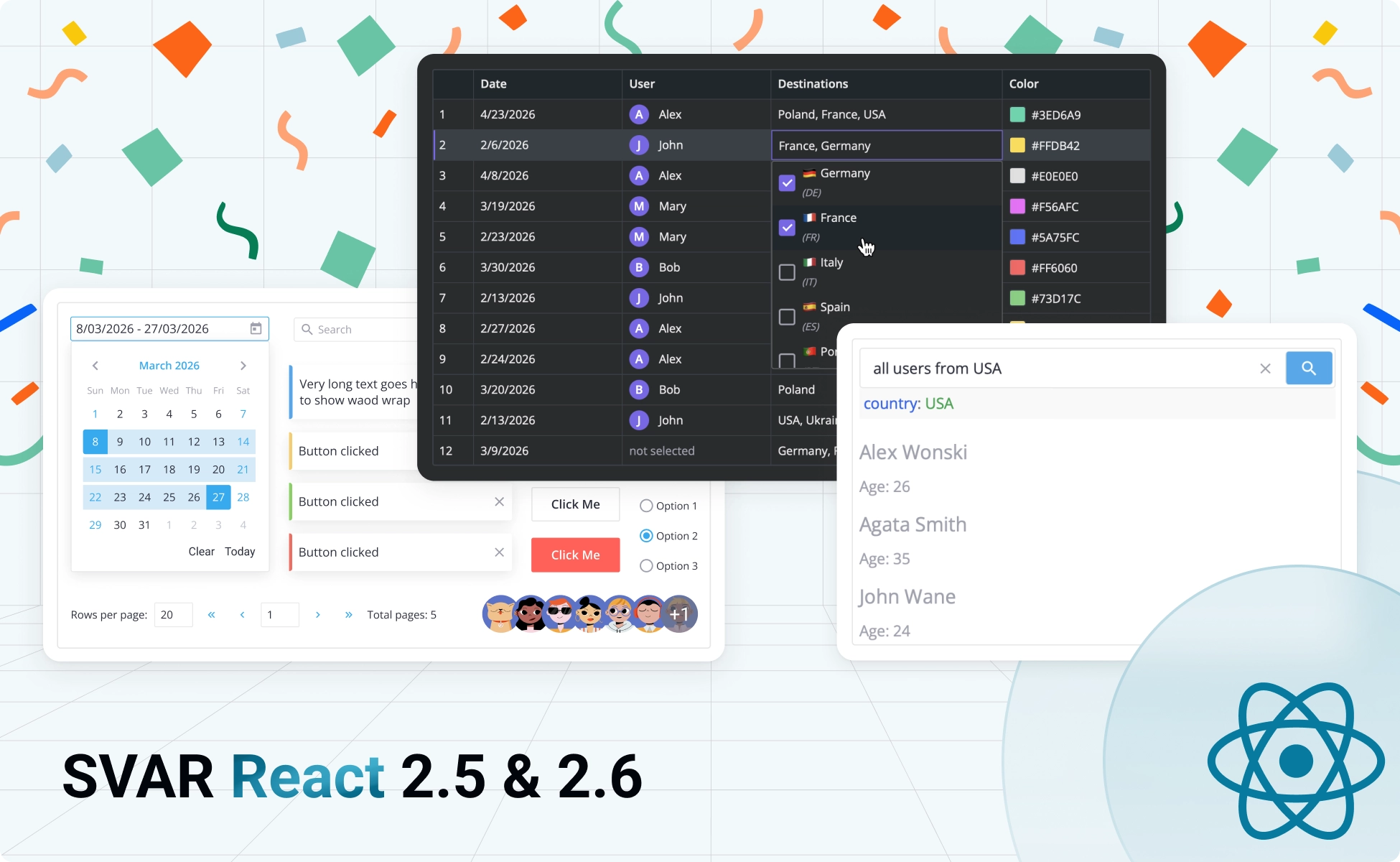
We’re shipping major updates to our SVAR React components: Filter v2.5, DataGrid v2.6, and Core v2.5. This release introduces AI-powered natural language filtering, highly customizable in-cell editors for data grid, virtualized dropdown rendering and a new Avatar component for the Core library. Here’s what’s new:
SVAR React Filter v2.5
The biggest addition in this update is the new FilterQuery component for our SVAR React Filter – a YouTrack-like search input that processes three types of queries:
- structured queries, like:
status:open assignee:Sarah priority:>3 - natural language, like:
show me Sarah's open high-priority items - mix of structured syntax with conversational phrases
Instead of forcing users through nested dropdown menus, FilterQuery provides a single text input that intelligently interprets what they’re looking for. The component converts user queries into a parsed filter configuration, supports keyboard operations, syntax highlights and autocomplete.
FilterQuery can be used standalone or integrated with React DataGrid and React Gantt components.
As we’ve mentioned before, FilterQuery operates in three modes:
🔹 Mixed Mode (Default Behavior)
Users can type structured syntax or plain English text: enter assignee:Sarah priority:High for exact filtering, or type Sarah's high priority tasks for the same result. Here is the basic usage example:
import { useState } from "react";import { FilterQuery, createArrayFilter, getQueryString } from "@svar-ui/react-filter";
function App() { const fields = [   { id: "assignee", label: "Assignee", type: "text" },   { id: "priority", label: "Priority", type: "number" }, ];
 const options = {   assignee: ["Sarah", "John", "Mike"],   priority: ["Low", "Medium", "High"], }; const [data] = useState(initialData); const [textValue, setTextValue] = useState('start: 2024'); const [filteredData, setFilteredData] = useState(data);
 async function text2filter(text, fields) {   const response = await fetch('your/server/url', {     method: 'POST',     body: JSON.stringify({ text, fields }),   });   const json = await response.json();   return response.ok ? json : null; { }
 function handleFilter({ value, error }) {     if (text) {     error = null;     try {       value = await text2filter(text, fields);       setTextValue(value ? getQueryString(value).query : '');     } catch (e) {       error = e;     }   }
   if (error && error.code !== "NO_DATA") return;   const filter = createArrayFilter(value, {}, fields);   setFilteredData(filter(data)); }
 return (  <FilterQuery      value={textValue}      placeholder="e.g., FirstName: contains Alex and Age: >30"      fields={fields}      options={options}      onChange={handleFilter}  /> );}
When the component detects unrecognized syntax, it automatically switches to natural language processing. The AI backend is optional for this mode – structured queries can work offline with zero API calls.

View demo: Mixed mode filtering
🔹 Structured Syntax Only
Lock down to strict query syntax for teams that need data validation and precise filtering. Users can type queries in strict format: assignee:Sarah due:<2026-04-01 priority:High. The component highlights syntax in real-time and rejects freeform text as invalid input.
View demo: Structured query syntax
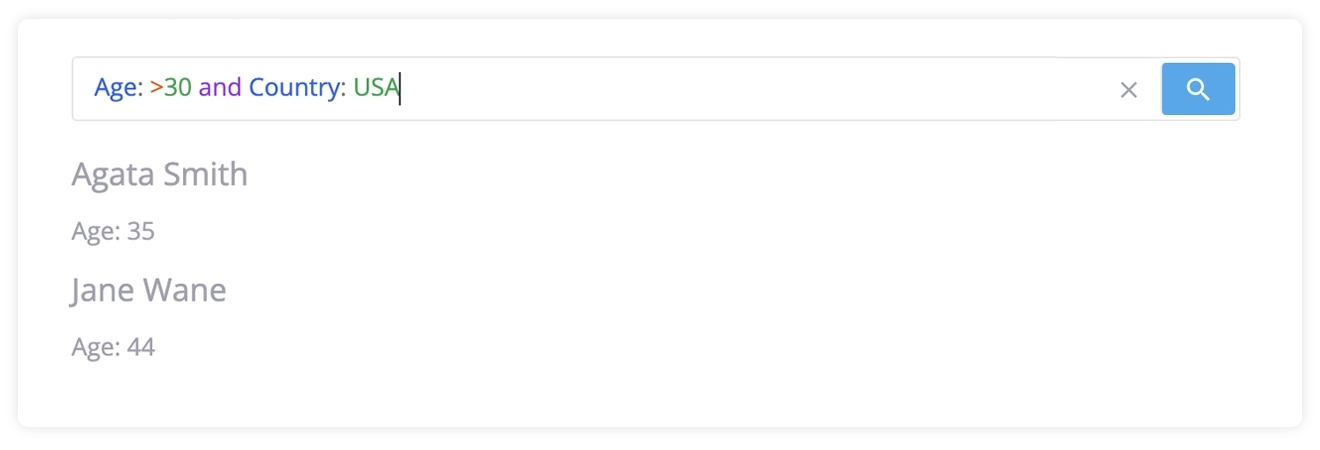
🔹 AI-Powered Natural Language
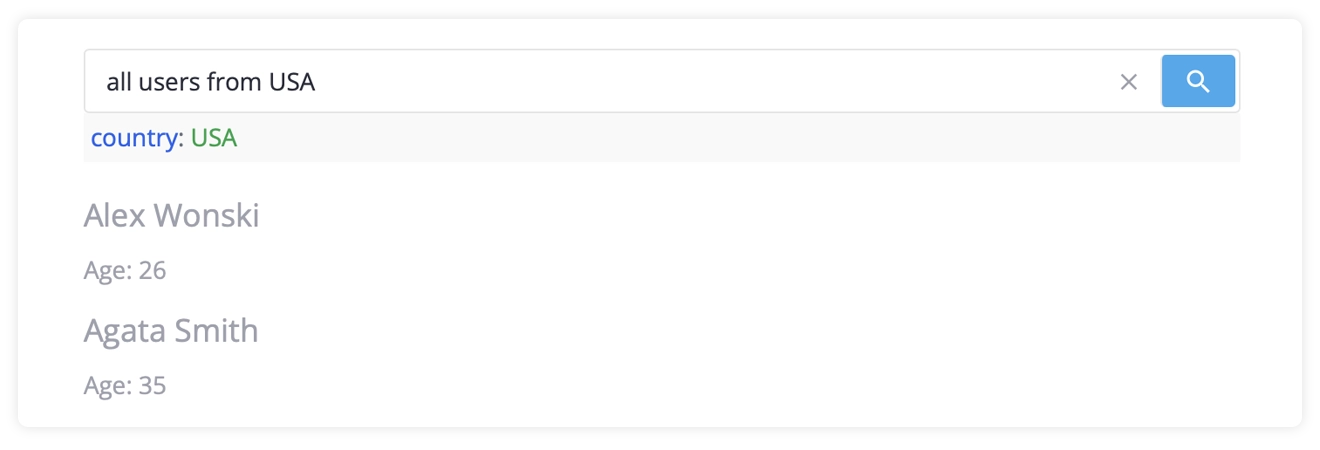
Connect your preferred AI provider (OpenAI, Anthropic, Google AI, etc.) and let users filter with conversational input. Users type naturally like tasks for Sarah due this week with high priority, and FilterQuery sends this to your LLM, receives structured rules, and displays them as readable query syntax.
Users see exactly what filters are active and can edit the query string directly without starting over.
View demo: Natural language filtering
Why FilterQuery can help you in your React projects:
- Single input field, unlimited filtering power: structured, conversational, or both
- Full visibility: every filter renders as human-readable query syntax
- Inline editing: modify queries as text without rebuilding from scratch
- No backend required: structured and mixed modes operate entirely client-side
- LLM-agnostic: works with OpenAI, Anthropic, Google, or your custom endpoint
- Universal use: integrate FilterQuery (like any component of SVAR React Filter) with DataGrid, Gantt, or any app that needs filtering feature
Getting started with SVAR React Filter 2.5:
- Install:
npm install @svar-ui/react-filter - Getting started guide
- FilterQuery documentation
- GitHub repository
SVAR React DataGrid v2.6
Our React data grid component now supports natural language filtering (integration with SVAR React Filter) and gives you complete control over custom in-cell editors. Whether you’re building analytics dashboards or internal tools, this update delivers the flexibility React developers expect.
🔹 Natural Language Filtering Integration
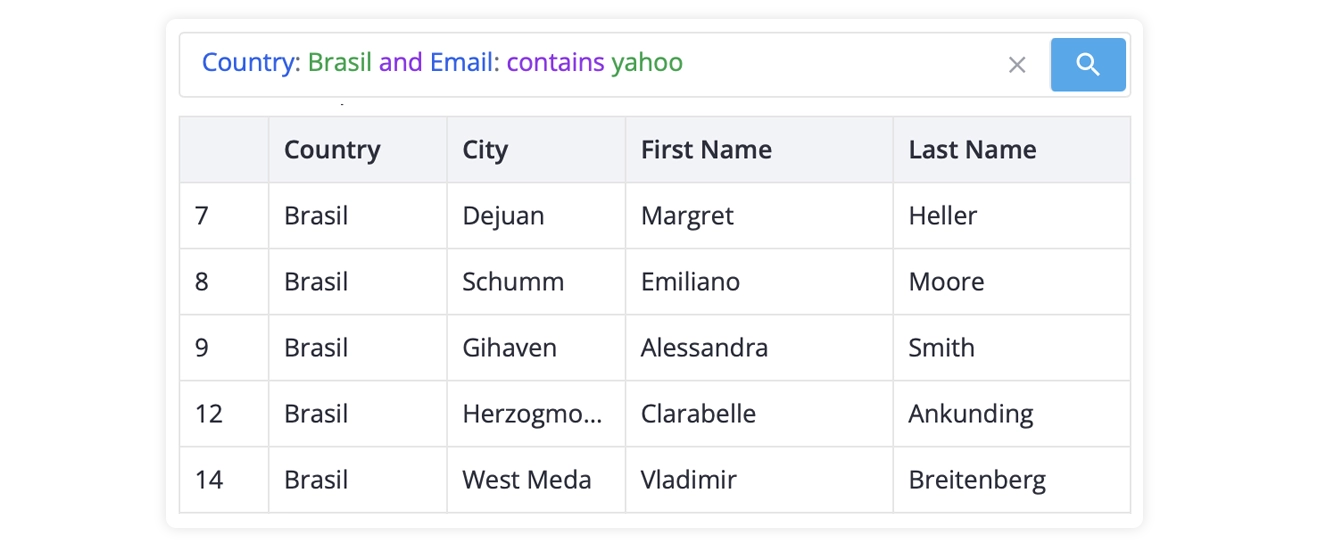
SVAR React DataGrid now works seamlessly with the new FilterQuery component. Users can filter large datasets using natural language, switch to structured queries when precision matters, or combine both approaches in a single search.
View demo: AI-powered DataGrid filtering
🔹 New Multiselect In-Cell Editor
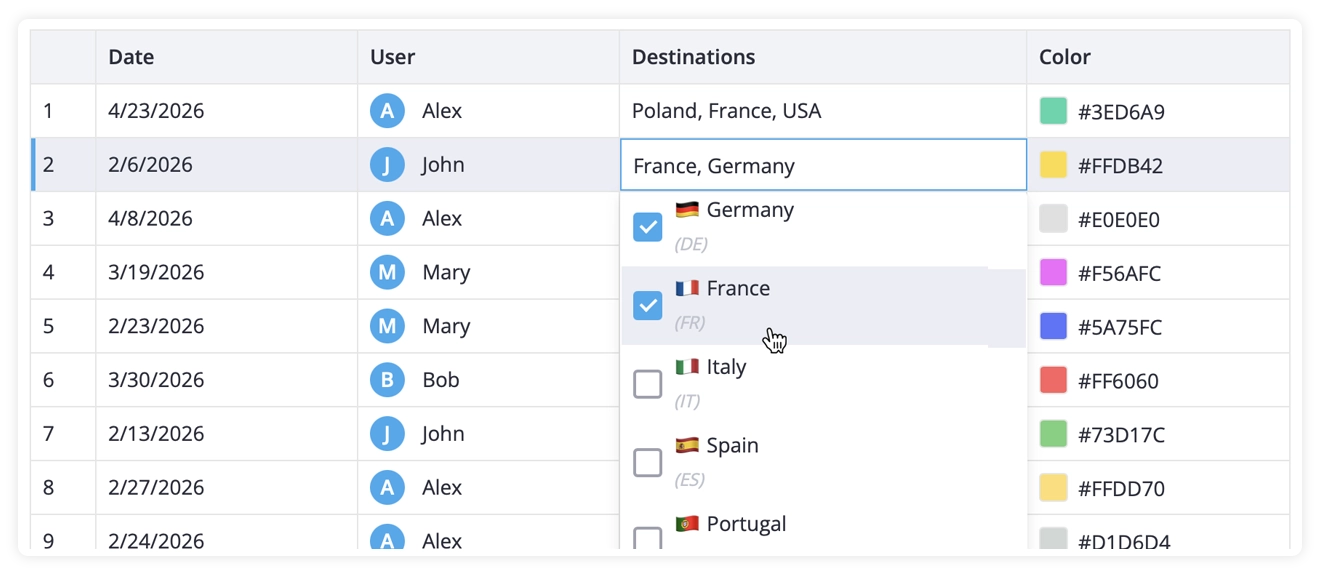
We’ve added a built-in multiselect editor that renders a dropdown with checkboxes. Users select multiple options, and the grid displays them as a comma-separated list by default.
You can provide custom React components for both the editor dropdown and the cell display. Add icons, customize formatting, or completely redesign how selections appear – the component handles state management and interaction logic.
View demo: Custom in-cell editors
🔹 Fully Custom In-Cell Editors
SVAR React DataGrid v2.6 introduces registerInlineEditor() for building completely custom editors. Register any React component as an editor, reference it by type in your column configuration, and the grid handles the rest.
import { Grid, registerInlineEditor } from "@svar-ui/react-grid";import ColorEditor from "../custom/ColorEditor.jsx";
// Register your custom editorregisterInlineEditor("color", ColorEditor);
function App() {   const columns = [       { id: "name", header: "Name", editor: "text" },       { id: "color", header: "Color", editor: "color" },   ];   const data = [ /*initial data*/ ];

   return (<Grid {data} {columns} />);}
Your editor component receives all the context it needs – row and column data, current value, and callbacks for saving, canceling, or applying changes. The data grid manages focus, keyboard navigation, and edit state automatically.
Getting started with SVAR React DataGrid 2.6:
- Install:
npm install @svar-ui/react-grid - Getting started guide
- GitHub repository
SVAR React Core v2.5
This update to SVAR React Core components focuses on performance optimization and UI components that match modern application requirements.
🔹 Virtualized Dropdowns for Better Performance
Large option lists no longer impact performance. Combo, RichSelect, and MultiCombo components now use virtual scrolling – only visible items render in the DOM. Handle thousands of options with smooth, responsive interactions. Whether you’re displaying 50 items or 50,000, users experience instant feedback and fluid scrolling.
View snippet: Virtualized dropdowns (10k items)
🔹 Avatar Component
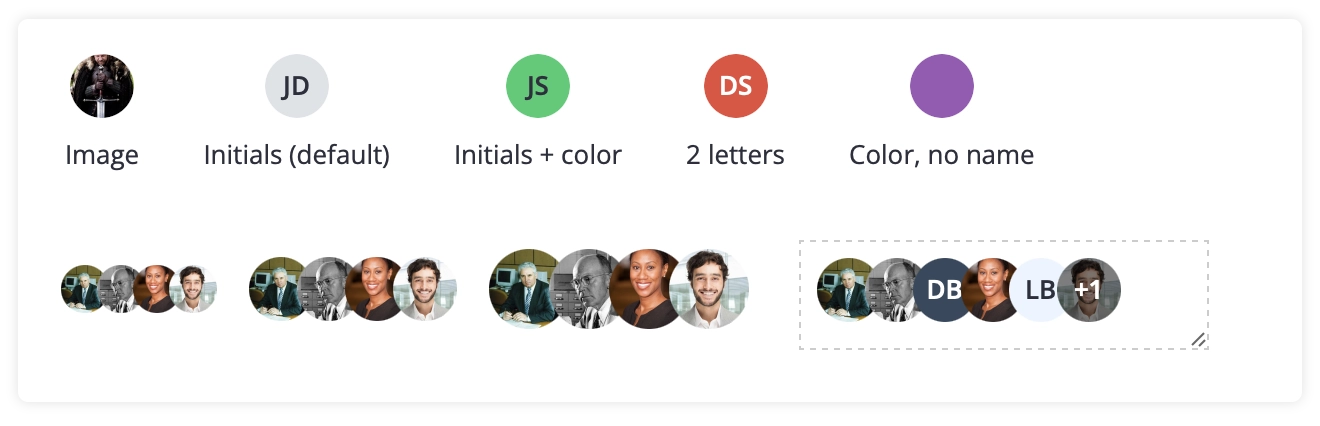
The new Avatar component renders individual user profiles or avatar groups. Display profile pictures, colored backgrounds, initials, or any combination. Configure sizes, limit visible avatars in groups, and let the component handle overflow indicators automatically.
View demo: Avatar component
🔹 Improved Dropdown Positioning
Dropdowns no longer get clipped by container boundaries or trigger unexpected scrolling. This update fixes positioning issues in modals, scrollable containers, and complex nested layouts.
You get two positioning strategies:
- Body attachment (new default): dropdown renders at the document body level for unrestricted positioning
- Inline rendering: dropdown stays visually connected to its input during scroll
Body attachment works for most layouts. Use inline mode when you need dropdowns to move with their trigger element.
Getting started with SVAR React Core 2.5:
- Install:
npm install @svar-ui/react-core - Getting started guide
- GitHub repository
Show Your Support
Ready to upgrade? Update your projects and start building more capable interfaces. If you find these updates useful, consider starring us on GitHub – it helps us maintain the SVAR React library and continue shipping features like these.
Thanks for every piece of feedback and every star. Let’s keep pushing forward together!