

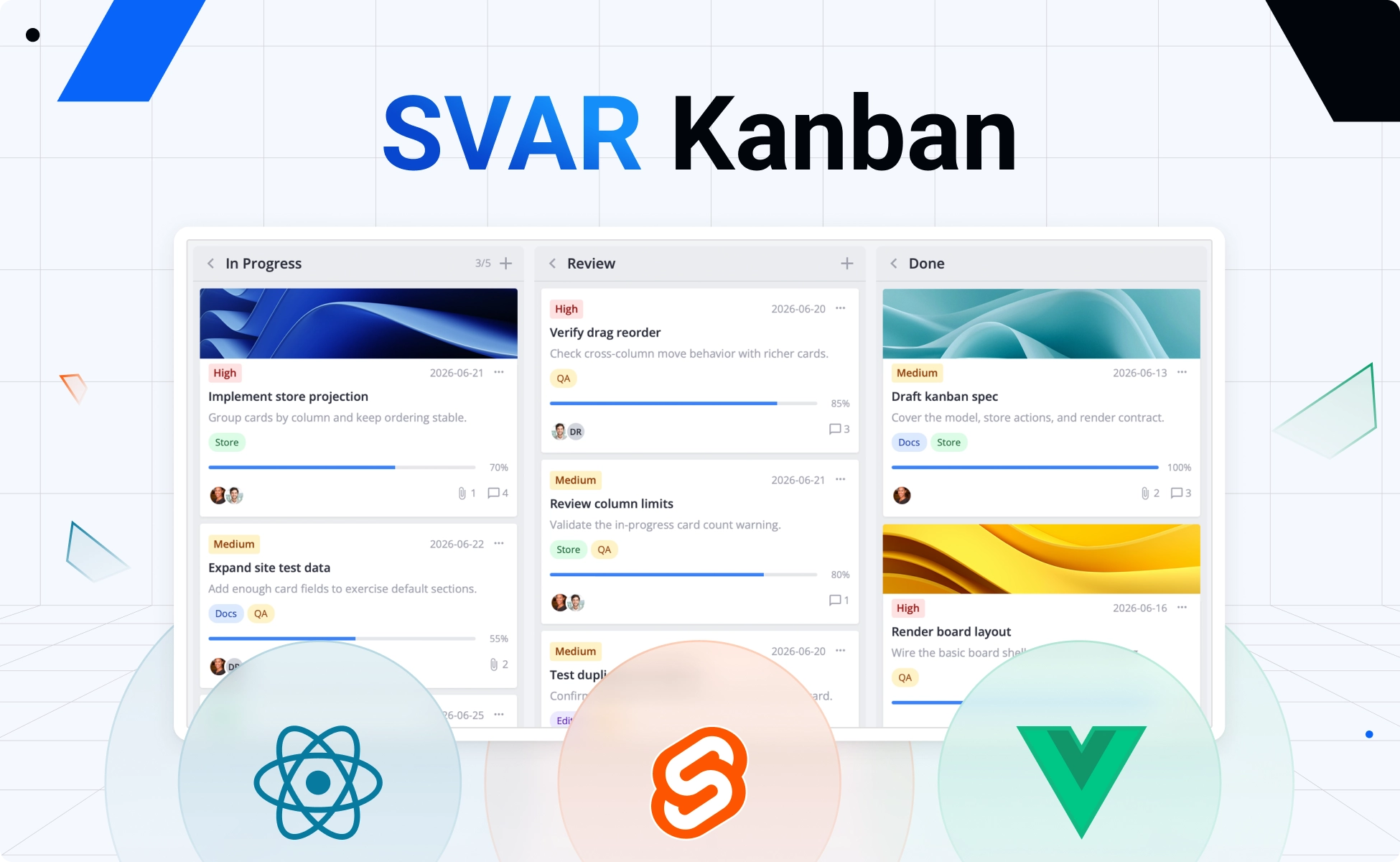
Today we’re introducing SVAR Kanban, a framework-native task board component for Svelte, React, and Vue. It delivers a complete, customizable drag-and-drop workflow tool for your app.
Each implementation is built natively for its framework and ships with full TypeScript support, so you get autocompletion, type safety, and a developer-friendly experience from day one regardless of which stack you’re on.
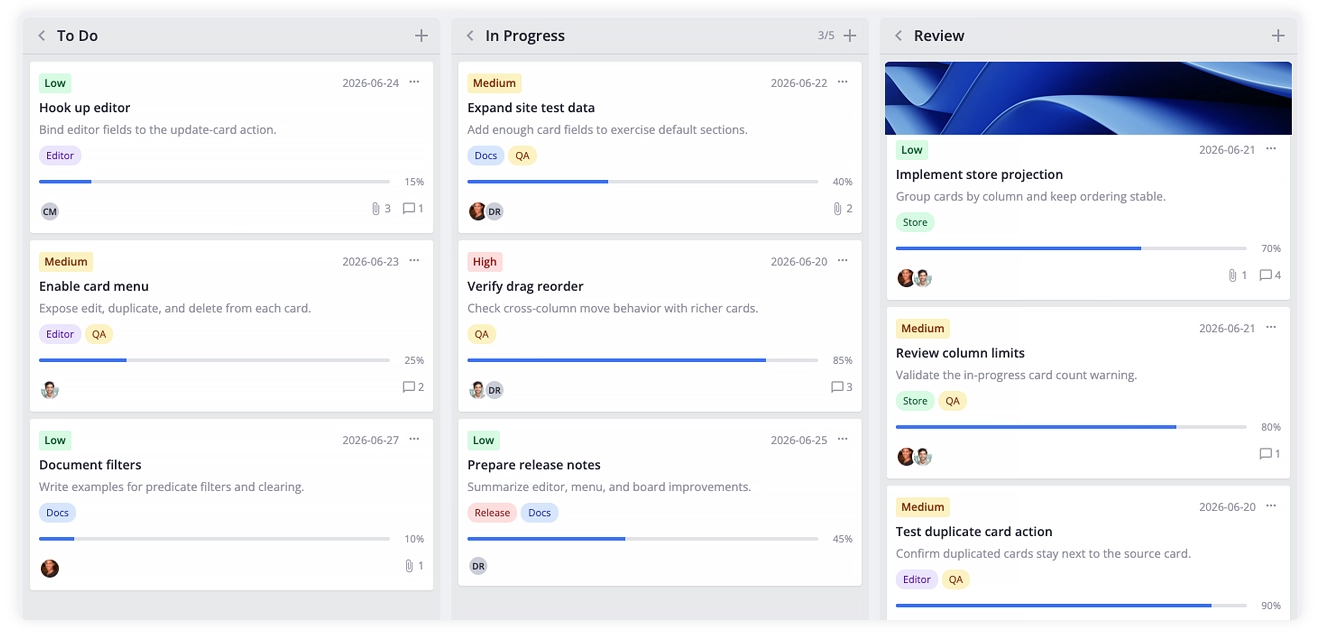
In addition to full drag-and-drop support, SVAR Kanban covers the key features teams expect from a modern task board:
- Cards with task details: priority, tags, progress, deadlines, avatars, cover images, and custom components for cards
- Configurable columns: card limits, collapsible state, flexible scroll/width layouts
- Built-in editor: sidebar, modal, or inline form for updating card details
- Context menu: quick access to edit, duplicate, delete, and custom actions
- Filtering, sorting & grouping: find and organize cards by any field
- High performance: card and column virtualization for large boards
- Light & dark themes: prestyled themes, fully customizable with CSS
- Localization: full support for translated labels and date formats
👉 Explore the live demo or find more details on the homepages:
Free, Open-Source Kanban Task Board
The core of the kanban component ships under the MIT license, allowing you to add a fully-functional task board to your application. You can find the repos on SVAR’s GitHub: React Kanban • Svelte Kanban • Vue Kanban
Let’s see what’s included in the free version:
🔹 Columns, Cards, and Drag-and-Drop
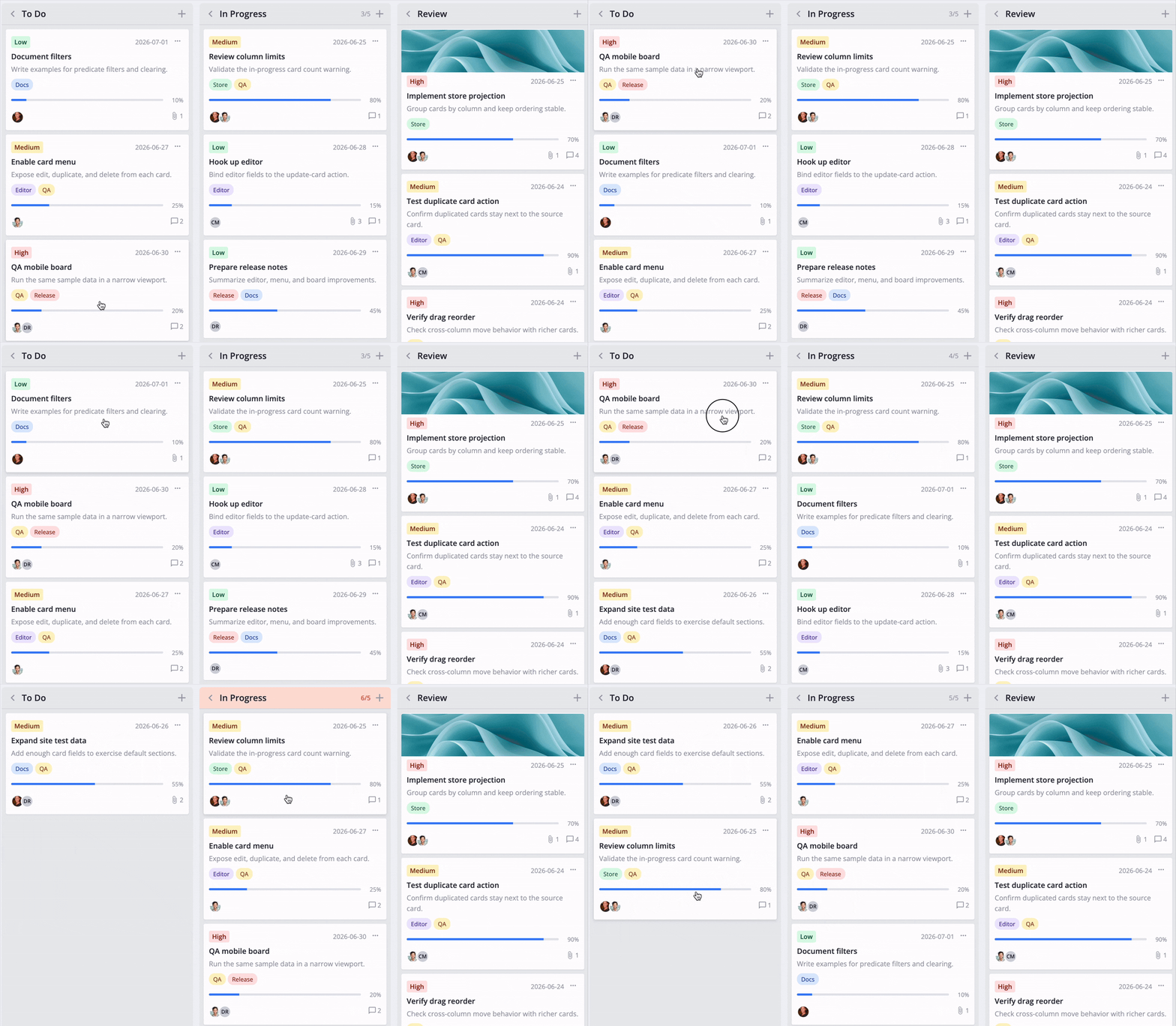
Cards live in columns and move between them or reorder within one with no extra setup. Every drag dispatches a move-card action your app can observe, validate, or cancel — so you stay in control of what’s allowed.
🔹 Card Customization
Cards display whichever sections you enable — priority, tags, progress, deadline, avatars, cover image — through a CardShape object you configure once. When the built-in layout isn’t enough, swap in your own component for the card body; drag behavior and selection state stay intact either way.
🔹 Built-in Editor and Card Menu
Clicking a card opens the built-in editor with fields for task name, description, priority, progress, deadline, tags, and assignees — changes save back automatically or on user action (button click).
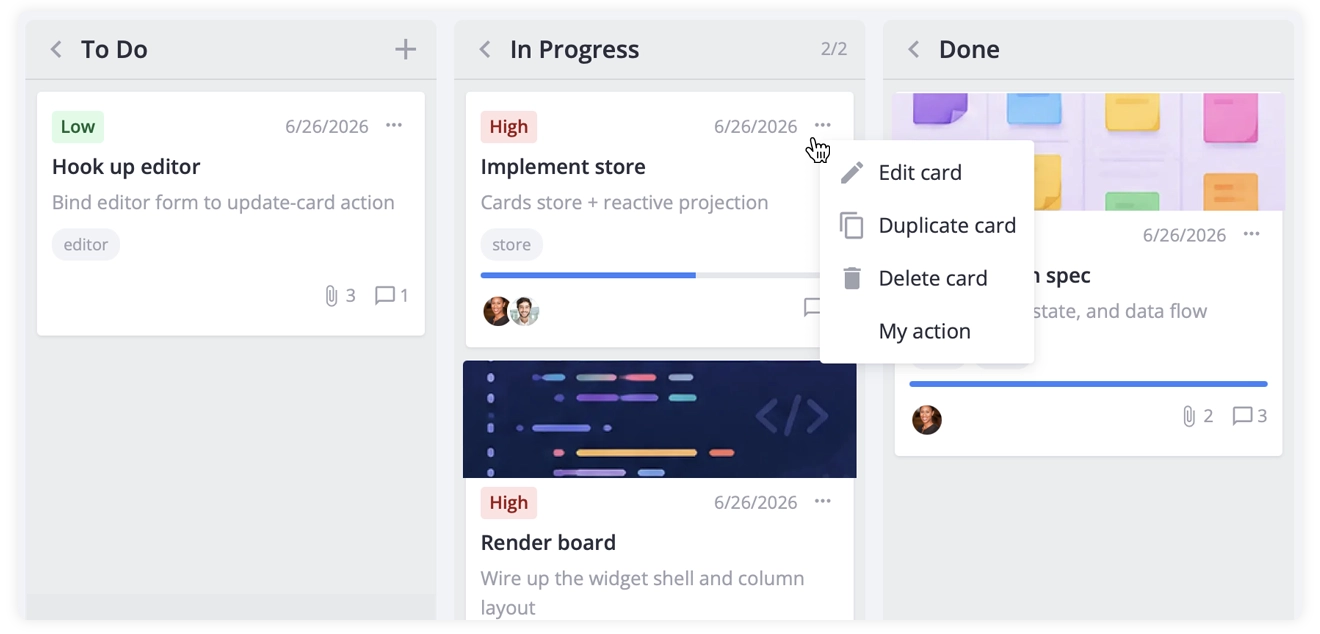
A card menu allows users to edit, duplicate, and delete cards by default, and supports custom actions when your workflow needs more.
🔹 Sorting, Filtering and Grouping
You can sort cards with either a comparator function or a simple { field, dir } descriptor. To regroup the board, switch columnAccessor and columns to any card field such as priority, assignee, or status.
Filtering is built into SVAR Kanban via filter predicates, and can be wired to SVAR Filter library for anything from a simple inline search bar to a full visual query builder with nested logic, or an optional natural-language query mode.
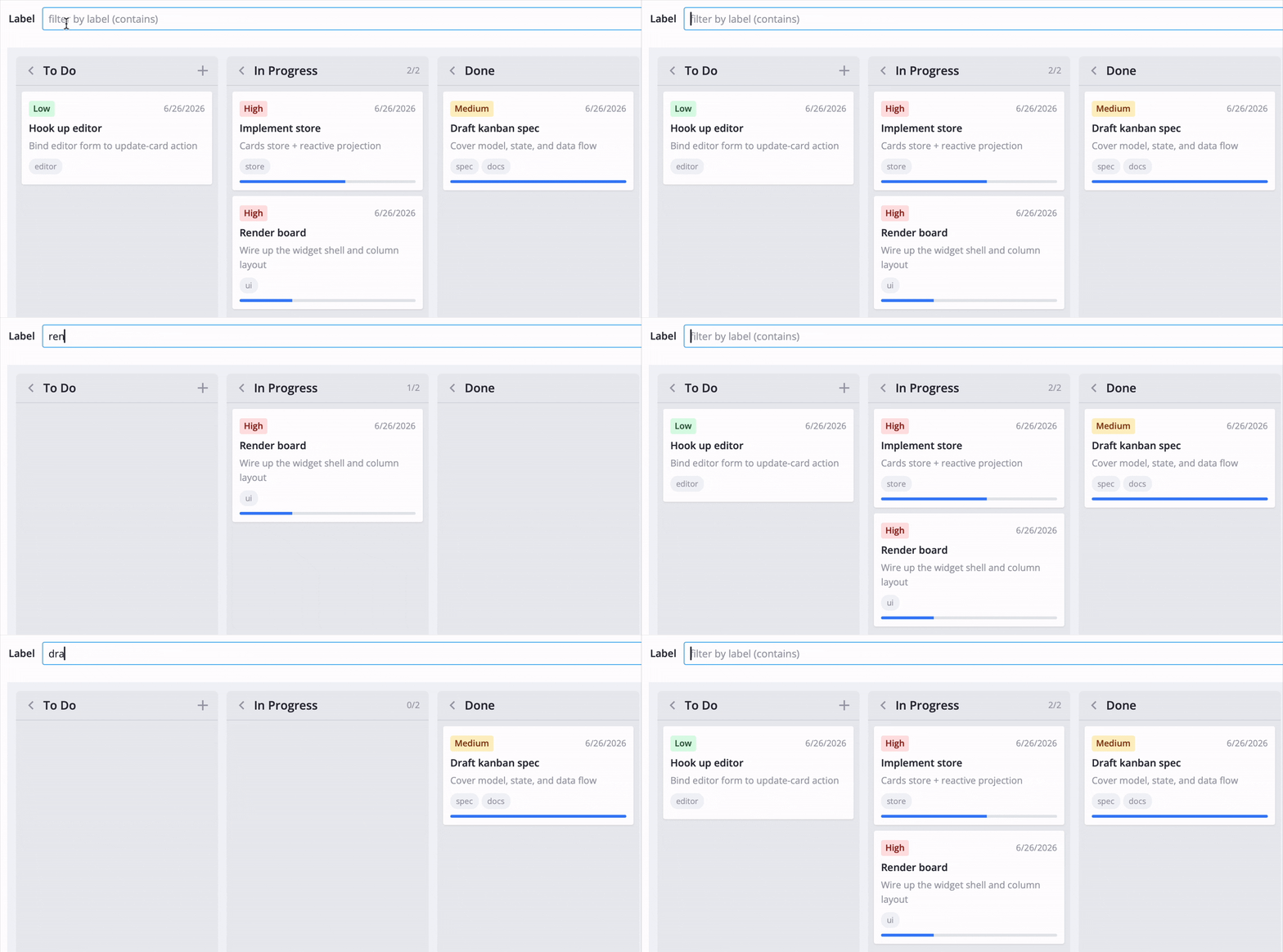
🔹 Performance for Large Boards
Card and column virtualization render only what’s currently visible, with tunable overscan for smooth scrolling. Paired with the built-in RestDataProvider helper, boards with thousands of cards stay just as responsive as ones with a dozen.
🔹 Backend Agnostic
SVAR Kanban is a pure frontend component with no opinion about where your data lives. RestDataProvider maps card and column actions to REST endpoints under a base URL you configure, handling the CRUD wiring so your board stays in sync with your backend without writing that layer yourself.
🔹 Themes and Localization
Style the board with CSS variables, or use one of the built-in light or dark themes — switching is a one-line change. Full localization is supported: provide a locale dictionary and labels, dates, and formats update across the board automatically.
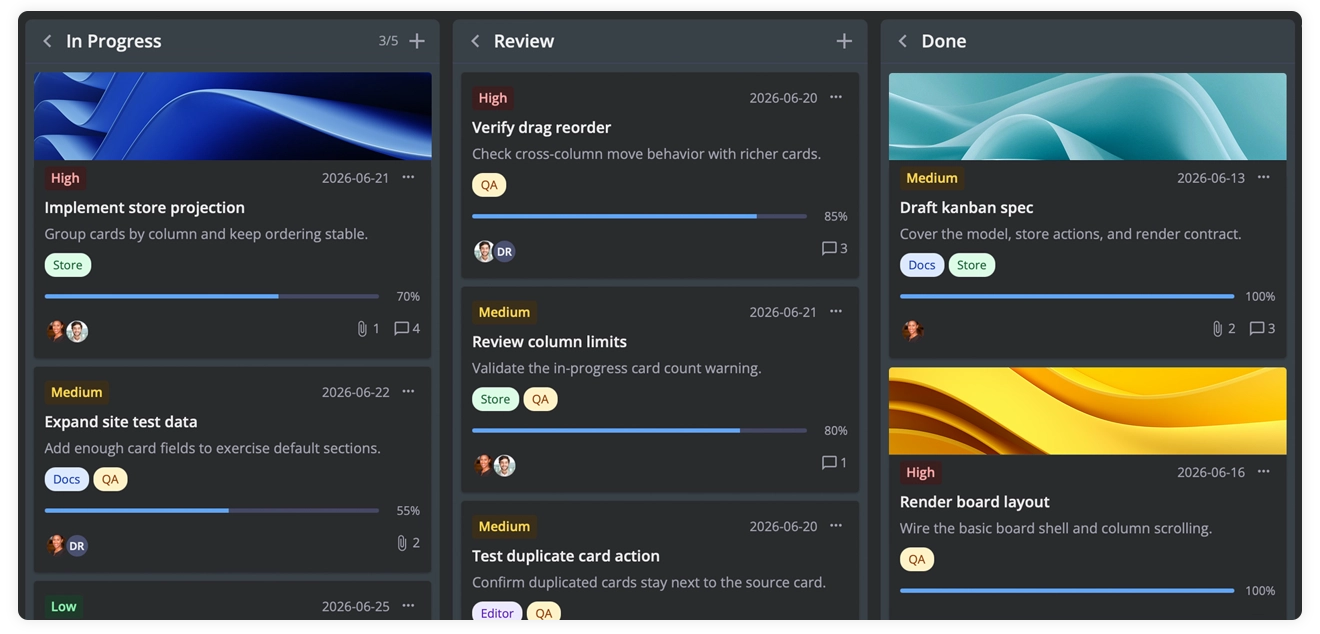
🔹 Tooltips and Card Previews
Beyond the core feature set, SVAR Kanban also supports hover tooltips for quick card previews without opening the editor, and a customizable card popup for lightweight click-to-preview interactions — both swap in as drop-in components when you need an alternative to the full editor flow.
Kanban PRO Features
For teams running larger boards, the PRO edition adds:
- Dynamic column loading — columns fetch their cards only as they become visible and expanded, keeping initial load fast even with many columns and thousands of tasks
- Export to PDF, PNG, and Excel — turn the current board view into a shareable file, triggered from the UI or directly through the API
- Undo and redo — every card change is tracked automatically, so users can step backward and forward through their actions
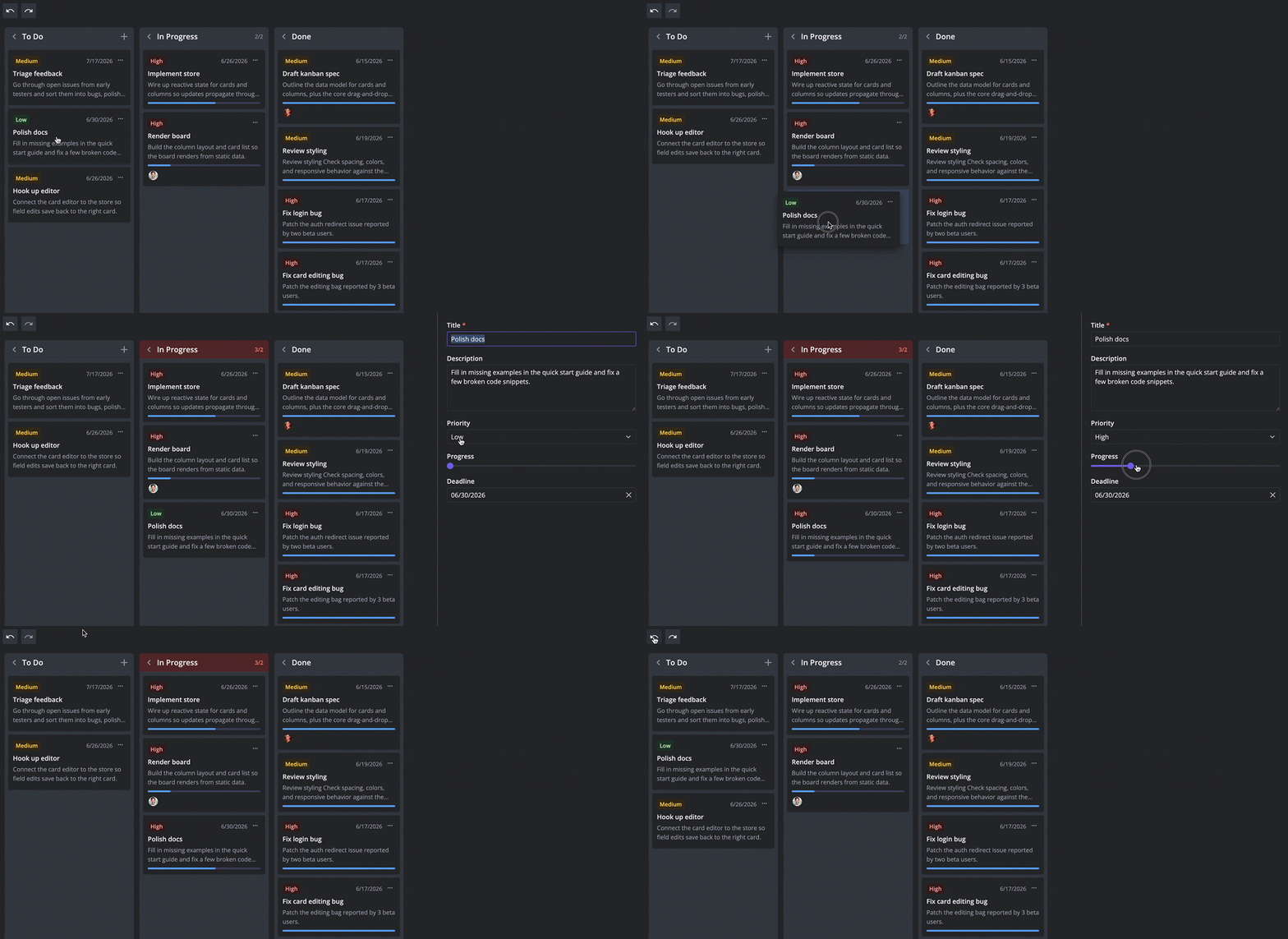
Check the pricing page to see PRO details or start a 30-day trial:
Getting Started
Install whichever package matches your stack:
npm install @svar-ui/svelte-kanbannpm install @svar-ui/react-kanbannpm install @svar-ui/vue-kanbanBasic integration example (React):
import { useState } from "react";import { Kanban, Editor, Willow } from "@svar-ui/react-kanban";
const columns = [  { id: "backlog", label: "Backlog" },  { id: "progress", label: "In Progress" },  { id: "done", label: "Done" },];
const cards = [  { id: 1, label: "Fix login bug", column: "backlog", priority: 2 },  { id: 2, label: "Write tests", column: "progress", priority: 1 },];
export default function App() {  const [api, setApi] = useState(null);  return (    <Willow>      <Kanban init={setApi} cards={cards} columns={columns} />      {api && <Editor api={api} />}    </Willow>  );}
See the full Getting Started guides for detailed installation instructions, backend integration, data loading patterns, and the complete API reference:
Wrapping Up
SVAR Kanban gives Svelte, React, and Vue developers a production-ready task board they can integrate in minutes rather than build over weeks. Whether you’re adding a lightweight tracker to an internal tool or replacing a homegrown board with something built for scale, the free edition takes you far, and PRO covers what’s left.
Find the sources on our GitHub, check demos, and get started with SVAR Kanban component following our detailed docs.
Your feedback and stars are all welcome! ⭐