

Updated in October 2026
Gantt charts remain one of the most intuitive tools for project planning because they solve a very practical problem: giving a clear picture of the project’s timing and resource allocation. This is exactly why teams use Gantt charts – to see who is handling a task, how it’s progressing, and how tasks depend on each other. With this tool, the whole project becomes much easier to understand – especially in distributed teams where scheduling and coordination affect the final result.
Although Gantt charts are mostly associated with project managers, in practice many roles use them for different reasons. Product managers, team leads, stakeholders, resource managers, employees – everyone needs the clean project and task visualization.
Software development, construction, manufacturing, research, event planning – all of these areas gain from a timeline that exposes risks early and helps each role understand how their work connects to the rest of the project. Read our post Gantt Charts: When and Why to Use Them to learn what types of projects benefit from Gantt charts the most and where they may be excessive.
When You Need a Custom Gantt Chart
If you’re adding a Gantt chart to your application, the demands quickly go beyond what simple task-visualization components can handle. Real-time updates, complex dependencies, task hierarchies, API integration, and stable performance under load – this is what becomes essential for the enterprise React Gantt chart component.
In most cases, teams are looking for a solution that works natively with React, supports TypeScript, and avoids wrappers or mismatched patterns. This is where SVAR React Gantt becomes the practical option – a React-first, high-performance component designed for scalable, data-heavy applications.
SVAR React Gantt for Modern Project Management
SVAR React Gantt is a native React component for project scheduling, task management, resource planning, and timeline visualization. It supports TypeScript, virtualization for large datasets, and integrates smoothly with modern React setups like Vite, Next.js, and other SPA or SSR environments.
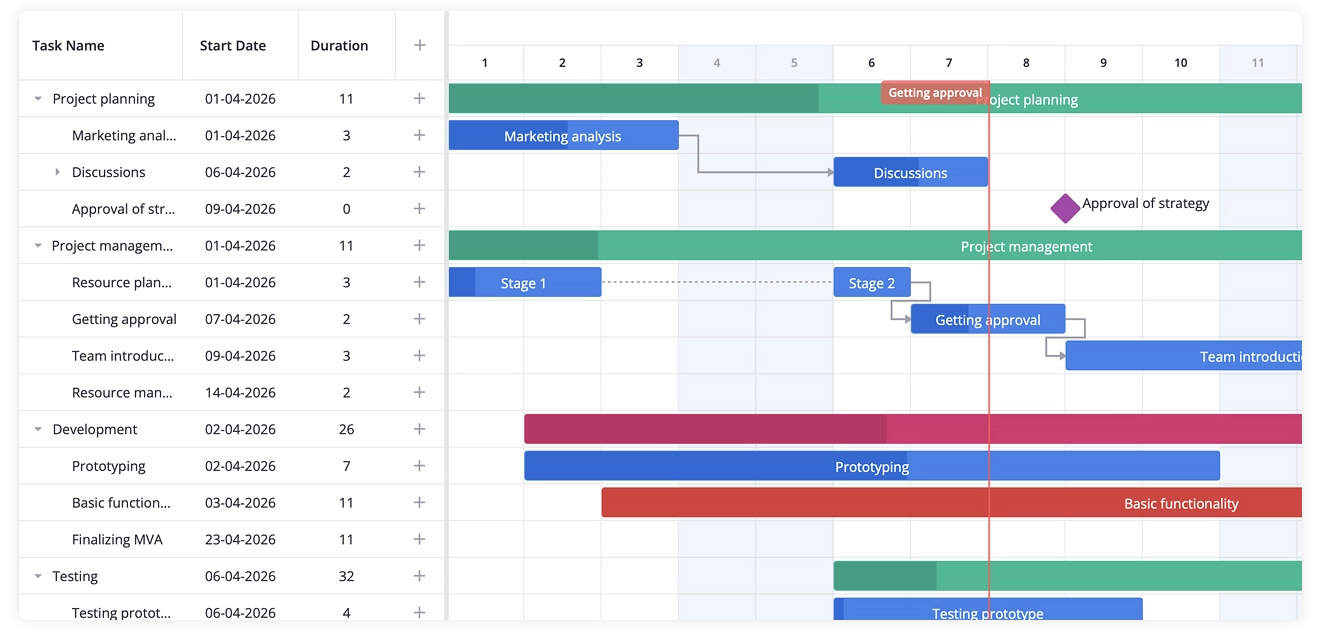
This high-performance React Gantt chart delivers an interactive scheduling experience and comes in two editions: a free open-source core version and a PRO edition built for enterprise-level planning.
When to use SVAR React Gantt
SVAR React Gantt is a strong fit when your application needs advanced task management functionality. It is especially useful when you want the Gantt chart to fit natively into an existing React architecture and state flow.
Use it when you need to:
- visualize the tasks or processes on a customizable timeline
- create, edit, and manage tasks and dependencies directly on the timeline
- build clear project visualizations with critical path, baselines, constraints, and deadlines
- track execution as it happens: show progress line, S-curve, slack
- handle large datasets without losing responsiveness
- use a TypeScript-ready component that integrates into modern React stack
- build a Gantt chart with your AI agent (MCP server and coding skills available)
- start with a free MIT-licensed core and add PRO features later for advanced scheduling automation and resource planning
Free MIT Core: What’s Included
The open-source edition of SVAR React Gantt is free to use under MIT and is available on GitHub. It gives you a solid foundation to build interactive project timelines and manage tasks without complicating your setup. At the same time, it stays flexible – you can customize the component to match whatever architecture your team already works with instead of bending your app around it.
Interactive task management
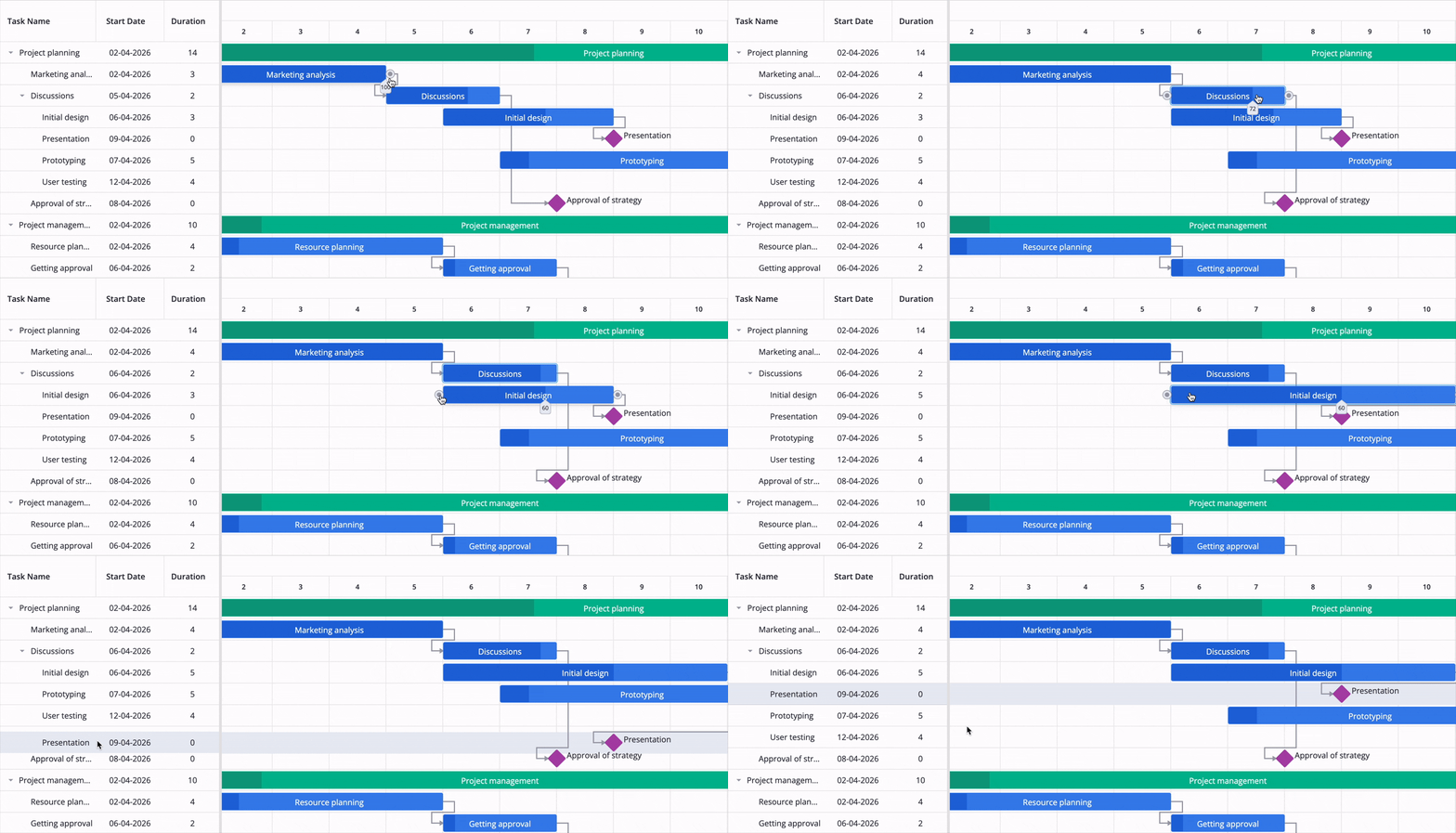
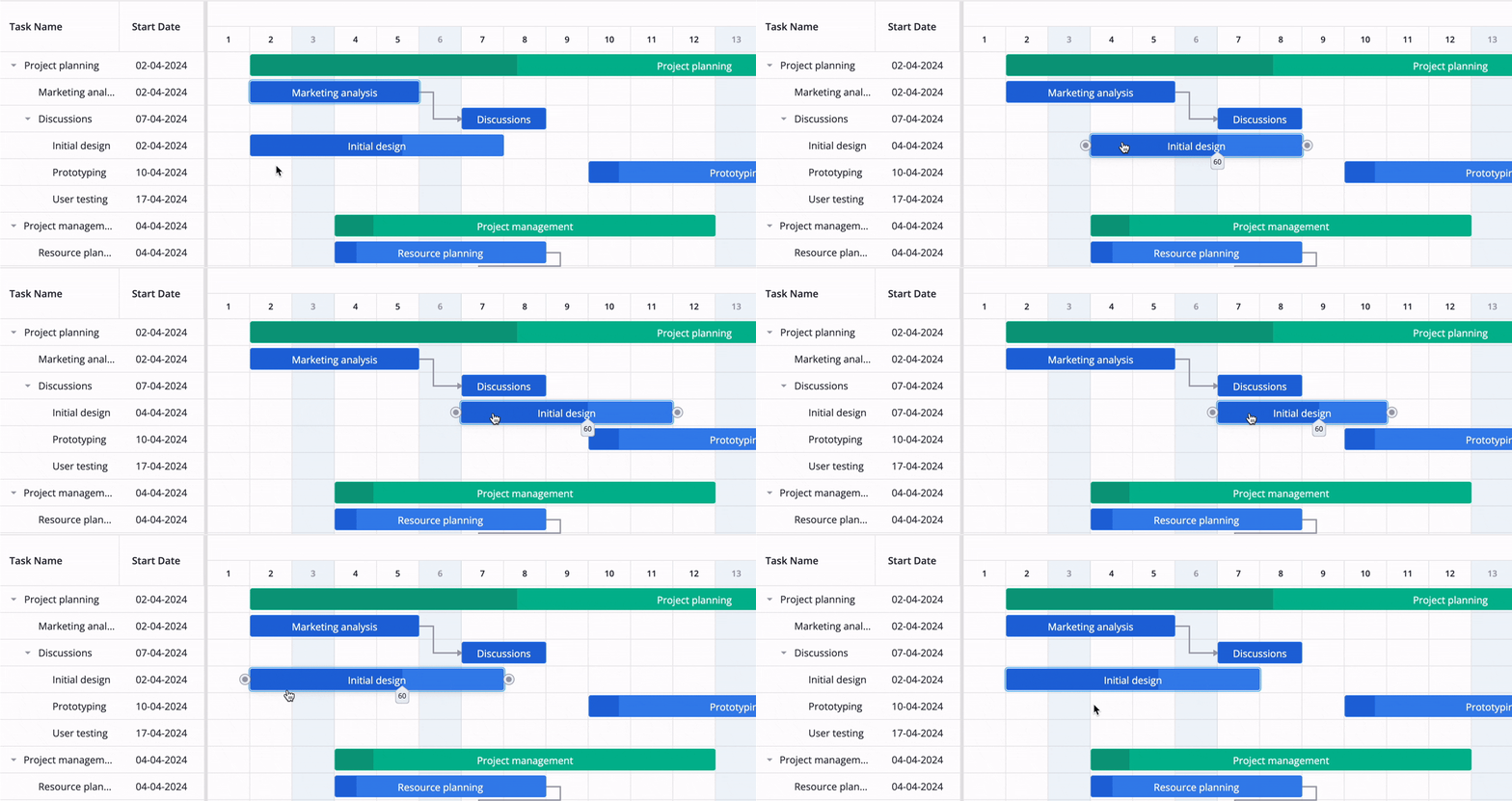
SVAR React Gantt Chart makes task management feel hands-on – you can create, edit, and reorganize tasks right on the chart using drag-and-drop or an intuitive edit form. It keeps the whole planning process visual and easy to follow, which is useful if you often need to adjust schedules quickly as priorities shift and new tasks come in.
Task dependencies
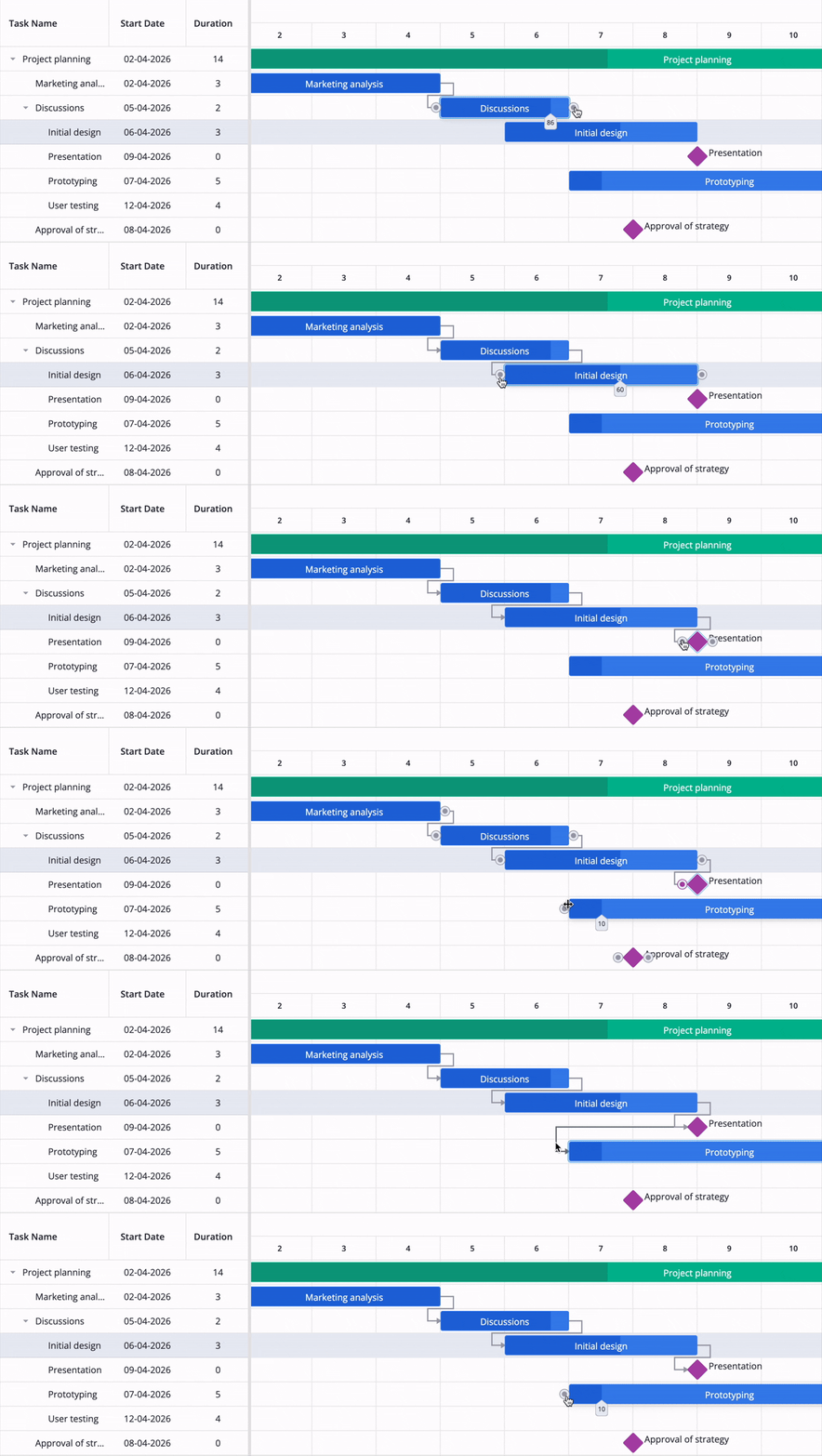
Dependencies are a fundamental part of real project planning, and SVAR React Gantt supports them out of the box. You can set up links between tasks to show how one step influences the next on the timeline. The links can be added or removed directly on the chart.
Task filtering for large project navigation
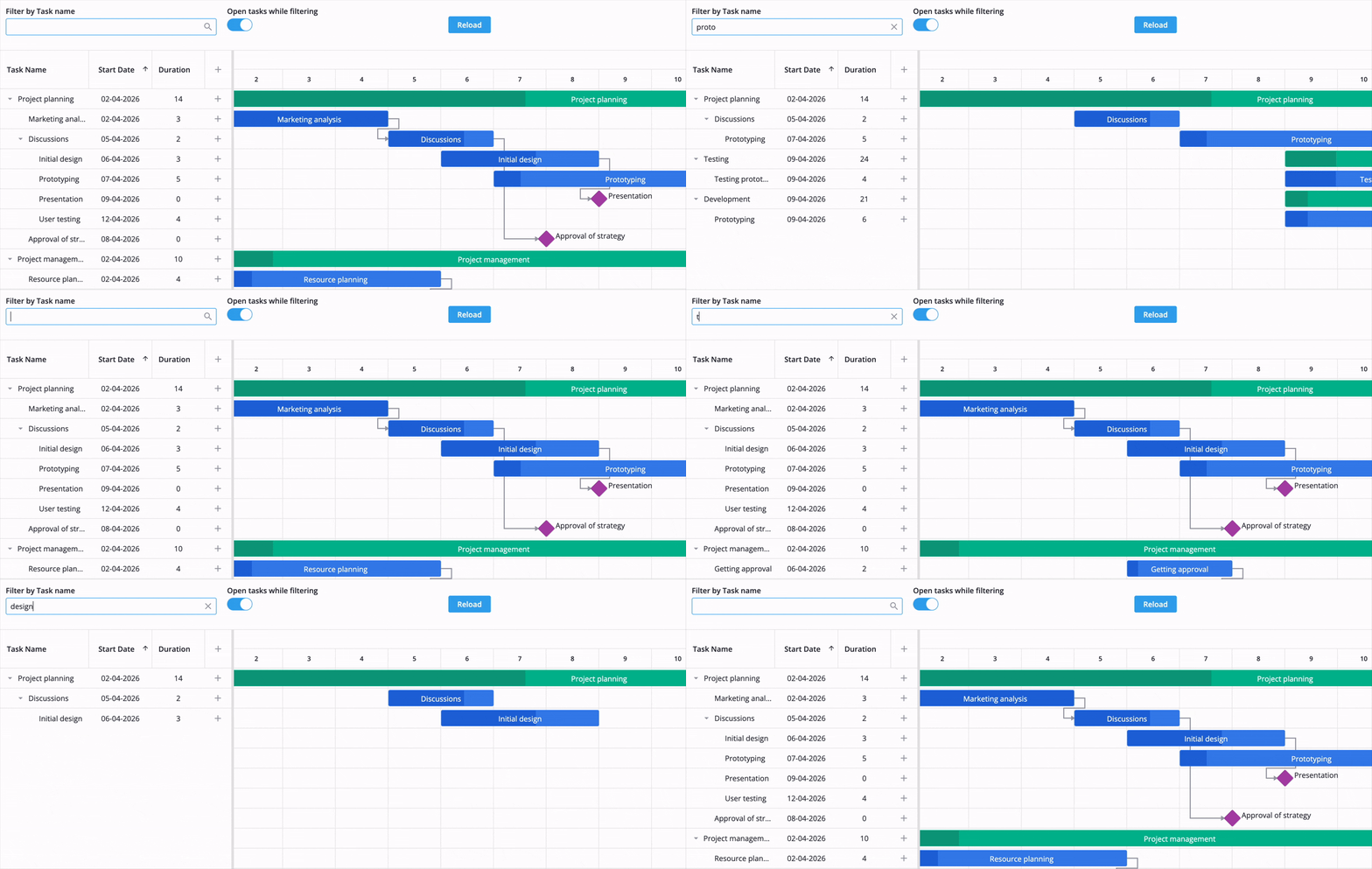
When your project grows beyond a few dozen tasks, navigation becomes really important. SVAR React Gantt includes built-in filtering so users can quickly narrow down the view to specific tasks. This makes large datasets easier to handle and helps users find tasks easily. AI-powered filtering is available to allow users to filter tasks with natural language search.
High performance for large projects
Performance is one of those things you really feel when working with Gantt charts – especially once the dataset gets heavy and the timeline grows to thousands of tasks. Many implementations start to lag at that point - you can see it in our Gantt charts benchmark post.
SVAR React Gantt keeps performance stable because it uses virtualization and an efficient rendering engine. That matters a lot in real projects where Gantt is a primary planning tool. Check this demo to see how quickly SVAR Gantt can handle 100,000 tasks (with auto-scheduling turned on or off).
Server‑side integration and live updates
SVAR Gantt makes backend integration simple with a dedicated RestDataProvider and server-side Go example. It automatically manages all key operations – loading data, updating tasks, and linking them.
RestDataProvider helper also includes smart debounce logic to avoid unnecessary requests. For high-volume edits, you can enable batch mode to bundle multiple updates into a single HTTP call, keeping your app fast and efficient.
For multi-user collaboration, SVAR React Gantt provides the RemoteEvents service, which enables live updates when multiple users work on the same project. It receives changes saved by other users from the server and applies them to the Gantt chart, keeping everyone’s view up to date.
State management integration
Most React applications keep project data in a central store rather than inside individual components, so the Gantt chart has to fit into that exact structure. SVAR React Gantt integrates smoothly with state managers like Redux, MobX, Zustand, XState, Jotai, and Valtio.
You don’t have to restructure anything – the component simply hooks into whatever data flow you already use. You also have detailed integration guides at your disposal to help you along the way.
AI-tools for your coding assistant
SVAR React Gantt includes ready-to-use skills for your coding agent, along with an MCP server that helps LLMs access the latest knowledge base. Together, these tools make it easier to build and customize Gantt charts without dealing with hallucinated code.
SVAR React Gantt PRO: Enterprise Scheduling
The PRO edition of SVAR React Gantt Chart extends the core functionality with advanced project scheduling logic designed for enterprise environments and complex workflows. It provides the additional control teams need for sophisticated planning, risk analysis, and maintaining consistency across complex, multi-layered workflows.
Calendar-Based Scheduling
The PRO version of the Gantt Chart includes working-day calendars that skip weekends and holidays when calculating task durations. This way, your schedules reflect actual business time, which is crucial for accurate planning in enterprise environments.
Critical Path and Baseline Tracking
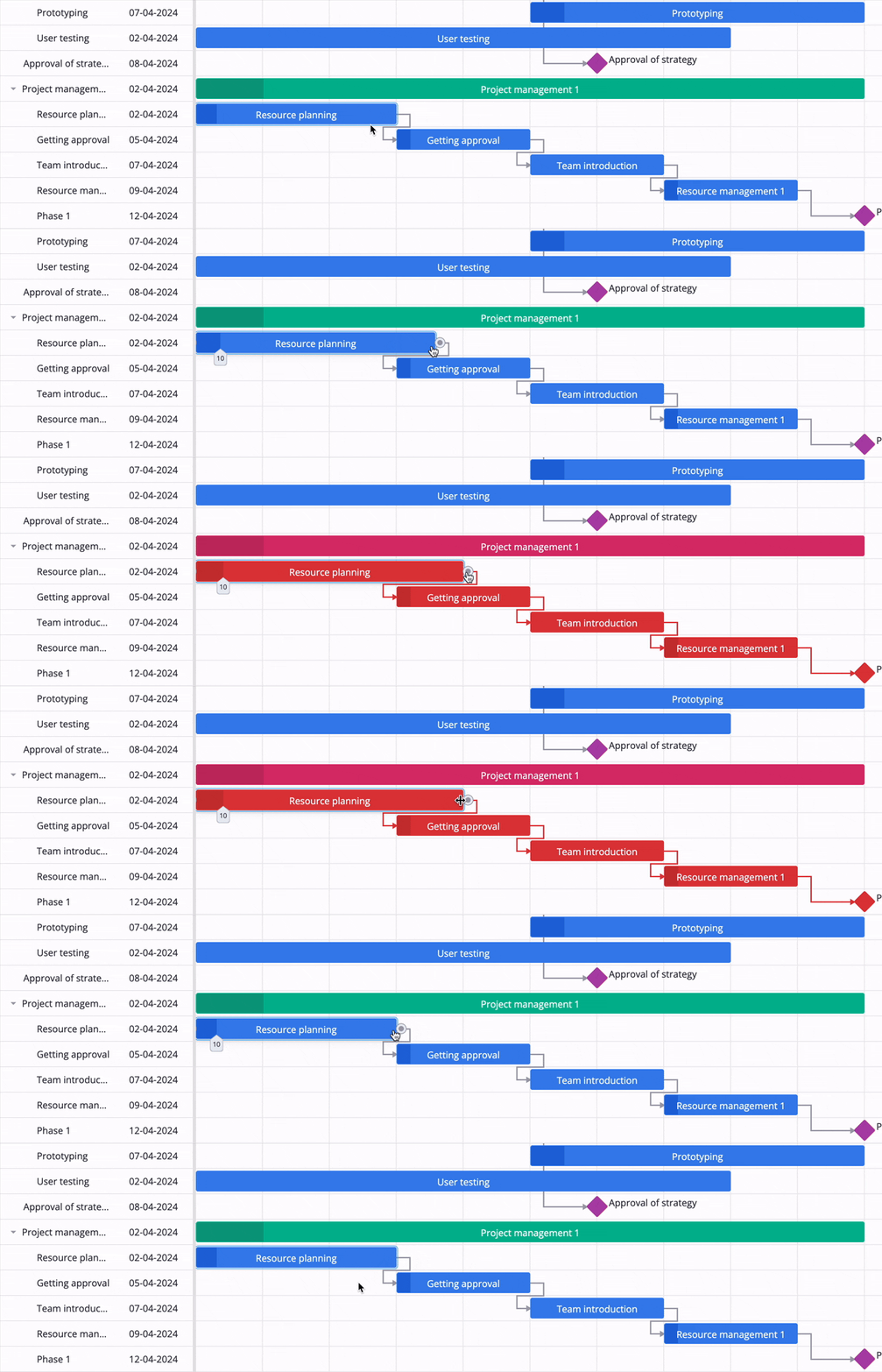
The PRO edition introduces tools that help teams stay ahead of scheduling risks rather than responding to them after delays occur. Critical path analysis identifies the tasks that directly determine the project’s completion date and helps detect potential issues early (by default, critical path tasks are highlighted in red).
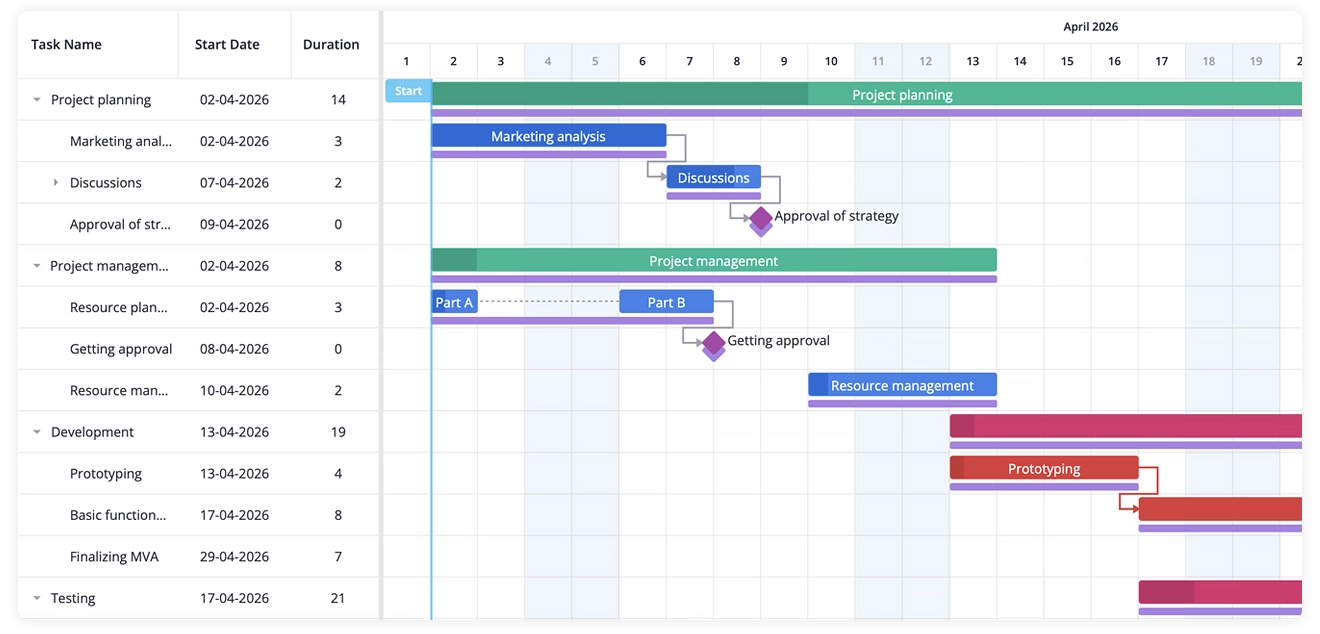
In addition, React Gantt baseline tracking allows you to compare the planned timeline with actual progress. On the chart, you have two bars for each task: the main bar showing the current schedule and a thinner baseline bar underneath that represents the original plan. This makes deviations easy to spot and gives you stronger control over schedule adjustments as the project evolves.
Automatic Scheduling
With automatic scheduling, task dates shift when their dependencies change. All four link types are supported — finish-to-start, start-to-start, finish-to-finish, and start-to-finish — with lag, so the schedule follows the logic you actually modeled instead of being adjusted by hand.
In the PRO edition, this gives you a more automated way to keep schedules aligned. Additionally, undo and redo support makes it easy to review or revert scheduling changes as dependencies and task dates evolve.
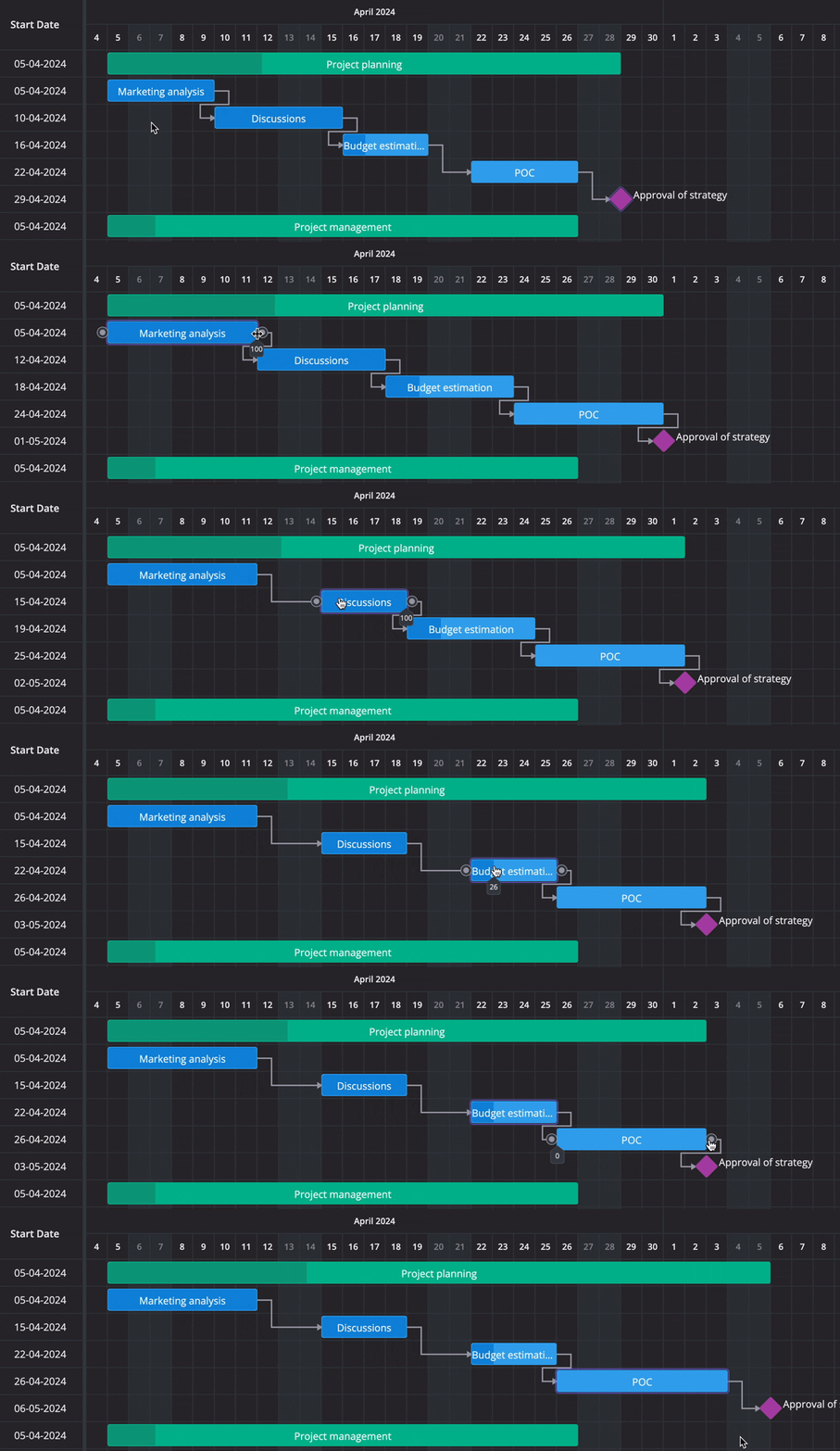
Project Tracking: Progress Line, S-Curve, and Slack
The PRO edition also shows how execution is progressing, not just what was planned. The progress line marks the status date and bends left where tasks are behind and right where they are ahead, making delays visible without opening a report.
An S-curve plots cumulative progress over the project timeline. It can show baseline, scheduled, and earned progress, helping teams compare the original plan with the current schedule and actual progress. Slack calculation shows how long each task can slip before it delays its successors or the project end.
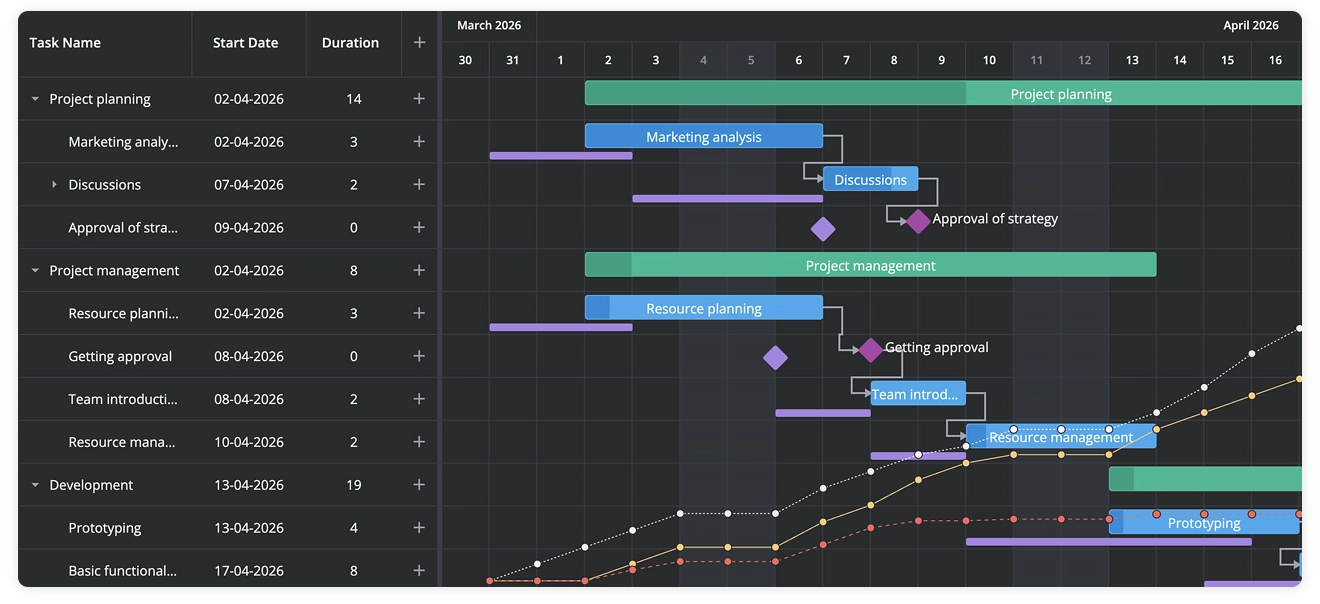
Constraints and Deadlines
In the PRO edition, automatic scheduling can also respect dates set outside the plan. Constraints define when a task can or must start or finish — for example, a task that cannot start before a permit is issued or a handover that must finish by a specific date. The scheduler takes these rules into account and reports conflicts when constraints and task dependencies cannot all be satisfied.
Deadlines are more flexible: Gantt marks the target date on the chart and turns the flag red once the task is overdue.
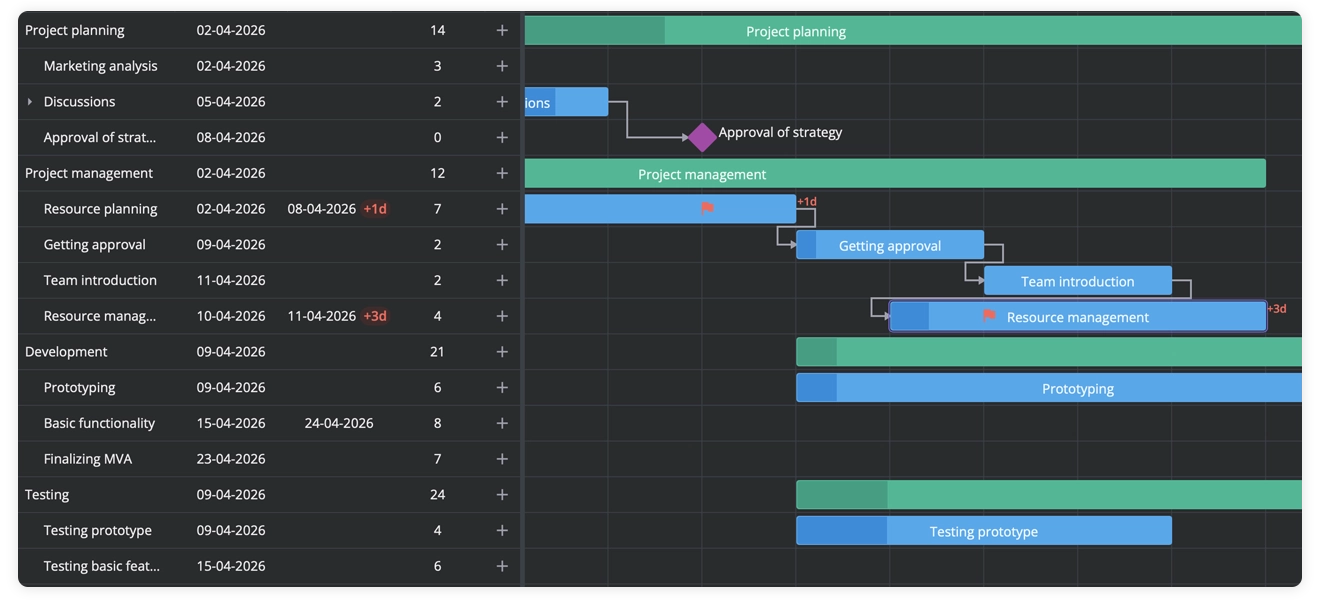
Rollups for Hierarchical Projects
Rollups in the PRO edition give you a quick way to read through layered project structures without opening every level. When a task is marked as a rollup, its bar appears on the parent summary row, so you can see the key pieces of work right on the high-level timeline. It’s a simple way to show progress to stakeholders who only need the big picture.
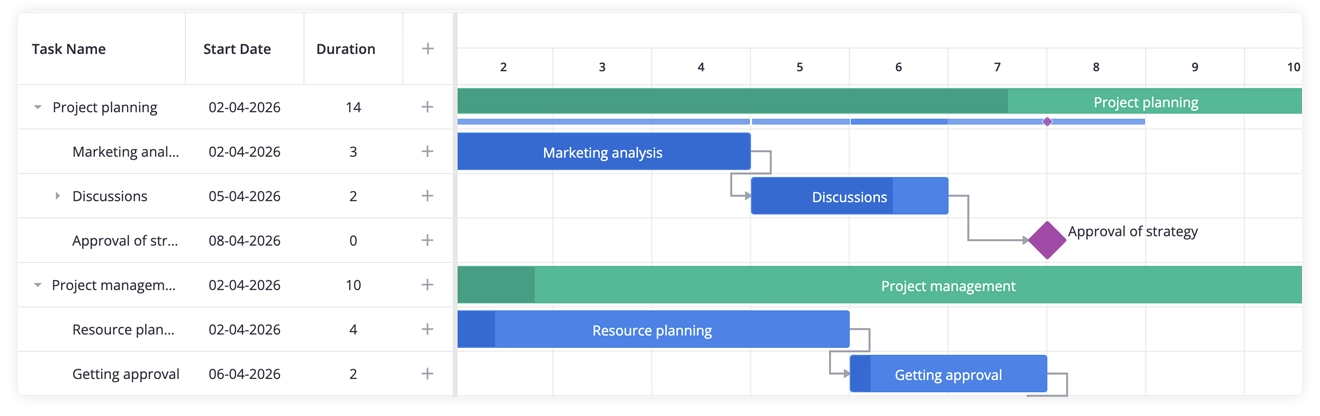
Split Tasks for Realistic Scheduling
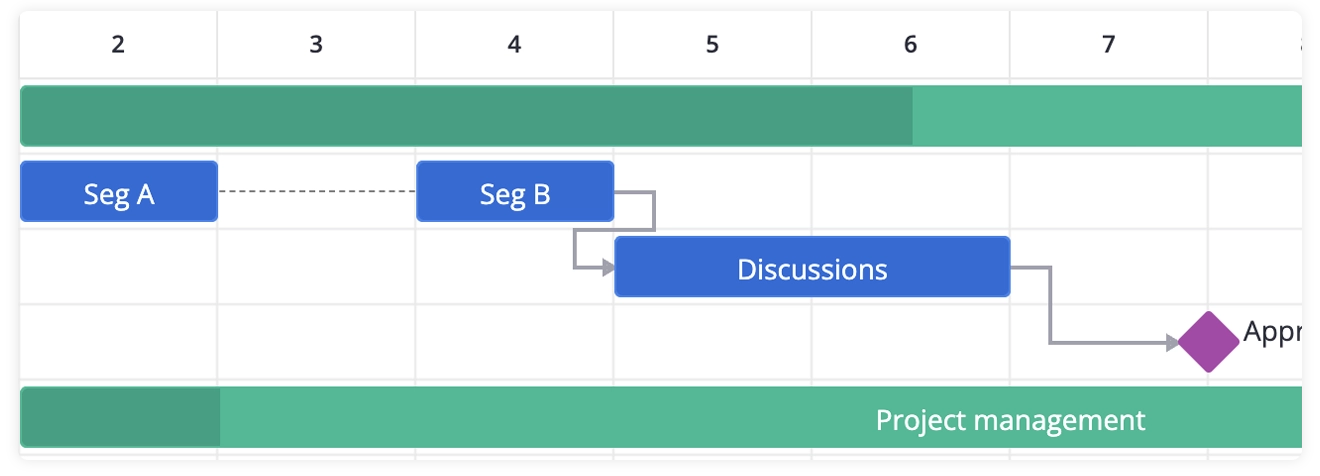
Split tasks in the PRO edition let you break a single task into several timeline segments, which is handy when work doesn’t happen in one continuous block. You can show pauses, phased work, or interruptions without creating separate tasks, and each segment still follows the parent task’s constraints.
Once split tasks are enabled, segments appear directly on the timeline and can be edited through the UI or API. It’s a practical way to model real project behavior, especially when work is interrupted or completed in separate phases.
Resource allocation
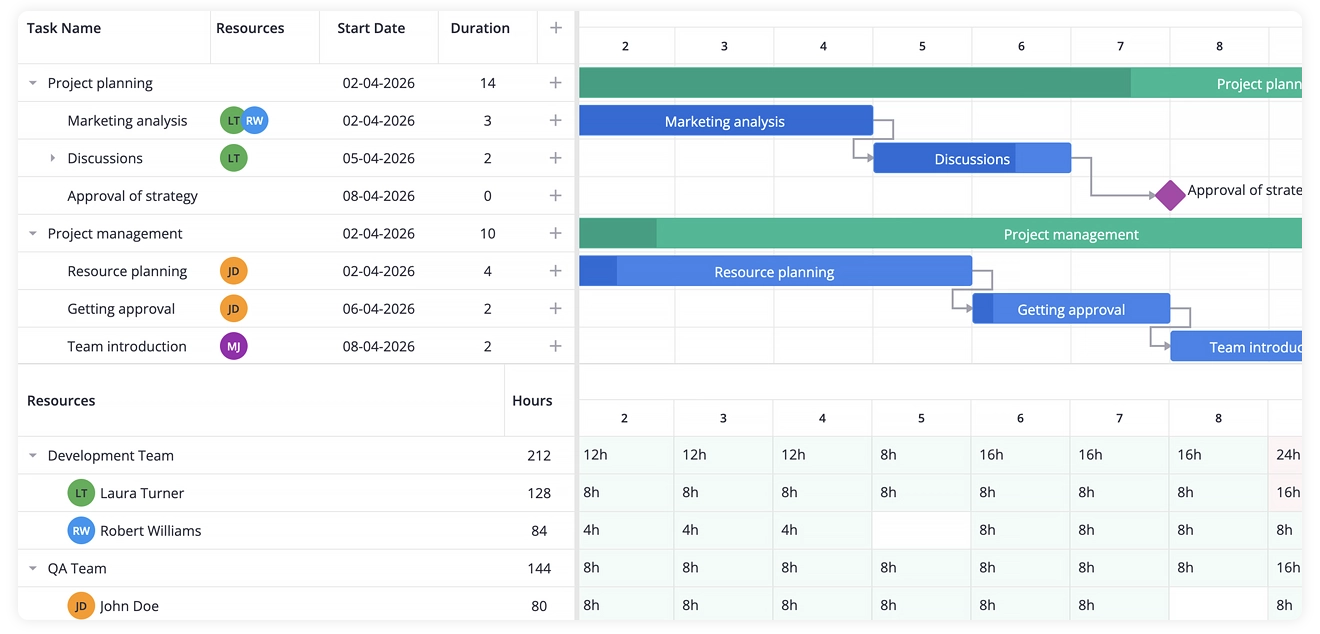
Resource planning feature allows users to assign people, rooms, or equipment to tasks, group tasks by resource, and open the resource load chart or its histogram mode to see who is overbooked and where.
Resources can be assigned in the editor or dragged straight from the load chart onto the timeline, and individual resource calendars keep scheduling honest when people work different hours. Assignments load and save through the same data provider as tasks, so resource planning doesn’t turn into a separate integration.
Export & Import Capabilities
With the PRO edition of SVAR React Gantt, you can export the Gantt chart to PDF, PNG, or Excel. There’s also import and export of MS Project XML when you need to exchange data with teams that rely on Microsoft Project. This makes the PRO edition a good fit for workflows where React Gantt has to work alongside established enterprise tools.
Summary
SVAR React Gantt is built for teams that need more than a basic timeline widget. The free MIT core covers interactive task management, dependency linking, filtering, virtualization, and deep integration with the React state management and backend setup you already use.
The PRO edition adds the scheduling logic enterprise projects depend on: critical path, baselines, auto-scheduling with all four link types, working-day calendars, constraints and deadlines, rollups, split tasks, and resource planning, plus export to PDF, Excel, and MS Project XML.
Whether you’re building a project management tool, a resource planning dashboard, or a construction workflow app, SVAR React Gantt gives you a ready-to-use component that scales with real-world complexity without fighting your architecture.
How to Start
- Start with the live demo to see it in action
- Dive into the quick start to get it running in your stack
- Get a free trial of SVAR Gantt PRO to try all the advanced features
If your team works across frameworks, SVAR Svelte Gantt and SVAR Vue Gantt are built to the same standard and include the same feature set.