

Engineering teams building enterprise resource planning systems, clinical management portals, booking engines, or workforce shift schedulers with React regularly need to choose the best calendar component for their stack. The choice here depends on several factors, including licensing terms, features, underlying rendering performance, accessibility standards, and backend data synchronization hooks.
Unlike many similar roundups that focus on simple DatePickers, this guide specifically compares full-scale React event calendars and scheduler components. We evaluate tools where resource allocation, recurring event rules, and multi-timeline layouts drive overall development overhead. Reviewing each React calendar component across commercial and open-source options reveals distinct technical trade-offs.
We’ll group the React calendars into three operational categories: open-core tools with paid commercial extensions, completely open-source solutions, and enterprise commercial suites. A bonus section covers niche and indie projects.
Enterprise-Grade React Event Calendars with an Open-Core Model
Hybrid solutions offer a free open-source core for essential scheduling workflows alongside paid commercial tiers for complex business features such as resource management, multi-entity timelines, and automated recurrence handling.
FullCalendar
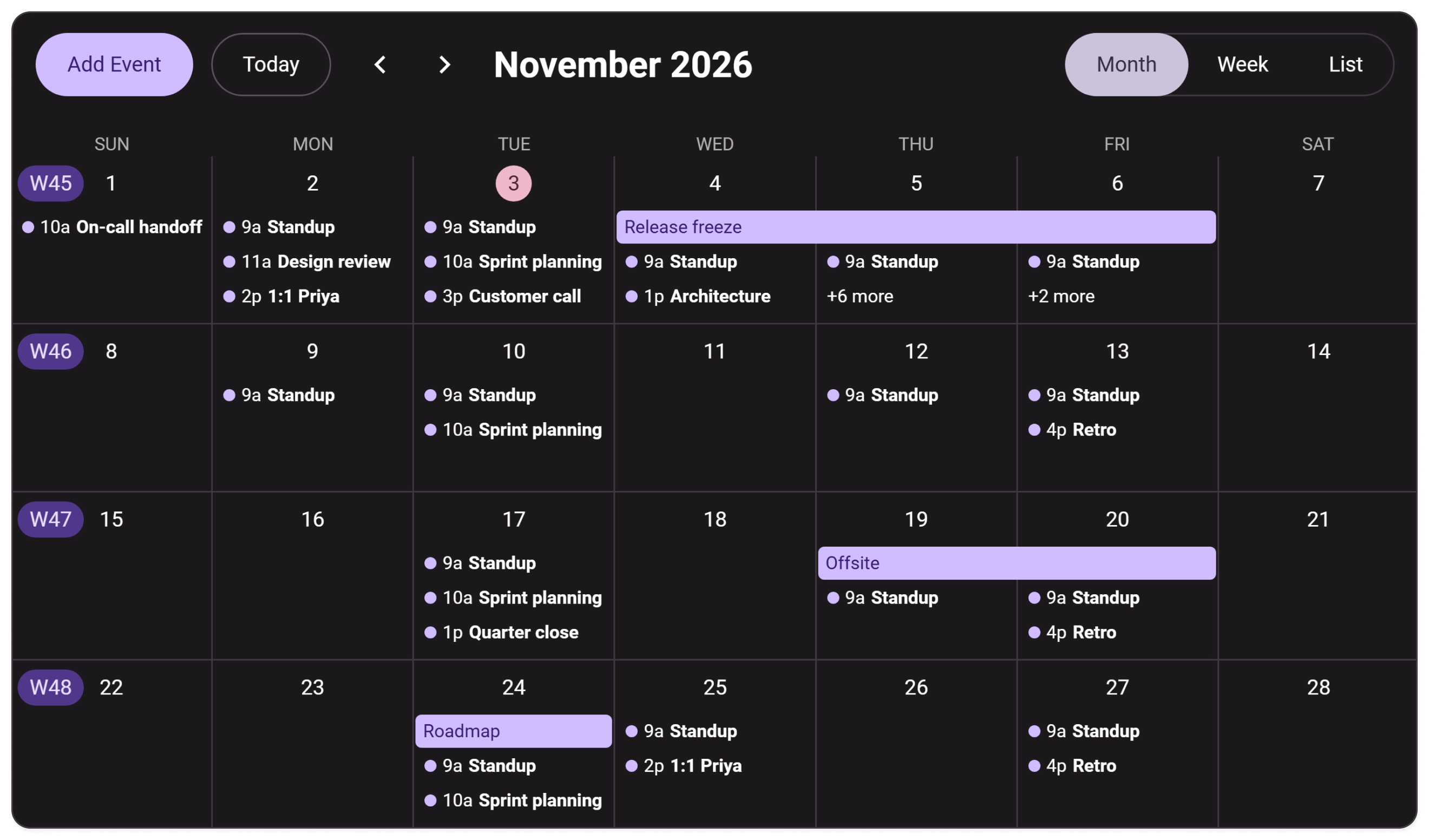
FullCalendar is one of the most widely adopted scheduling solutions, with more than a decade of open-source history, a large plugin ecosystem, and around 7 million monthly downloads for its React integration package. Its latest version is implemented natively in React and includes built-in time zone support.
The MIT core covers standard calendar workflows, while Premium focuses on resource-oriented scheduling and advanced output features.
Free vs. Premium:
- Standard (MIT): day, week, month, and list views; drag-and-drop scheduling; customizable time-grid slots; Google Calendar and iCal feed integration; full theme system; built-in time zones.
- Premium: horizontal Timeline view for many resources, vertical Resource view, resource data layer, virtual rendering for large resource timelines, printer-friendly rendering, and direct email support.
Pricing: Premium tiers start from $480 (the standard plan is commonly listed for up to 10 developers, with per-developer tiers and renewal discounts available).
Where it fits: teams that need a proven, broadly adopted calendar with a strong plugin ecosystem and native React support. The Premium tier is almost unavoidable once resource scheduling enters the roadmap.
SVAR React Calendar
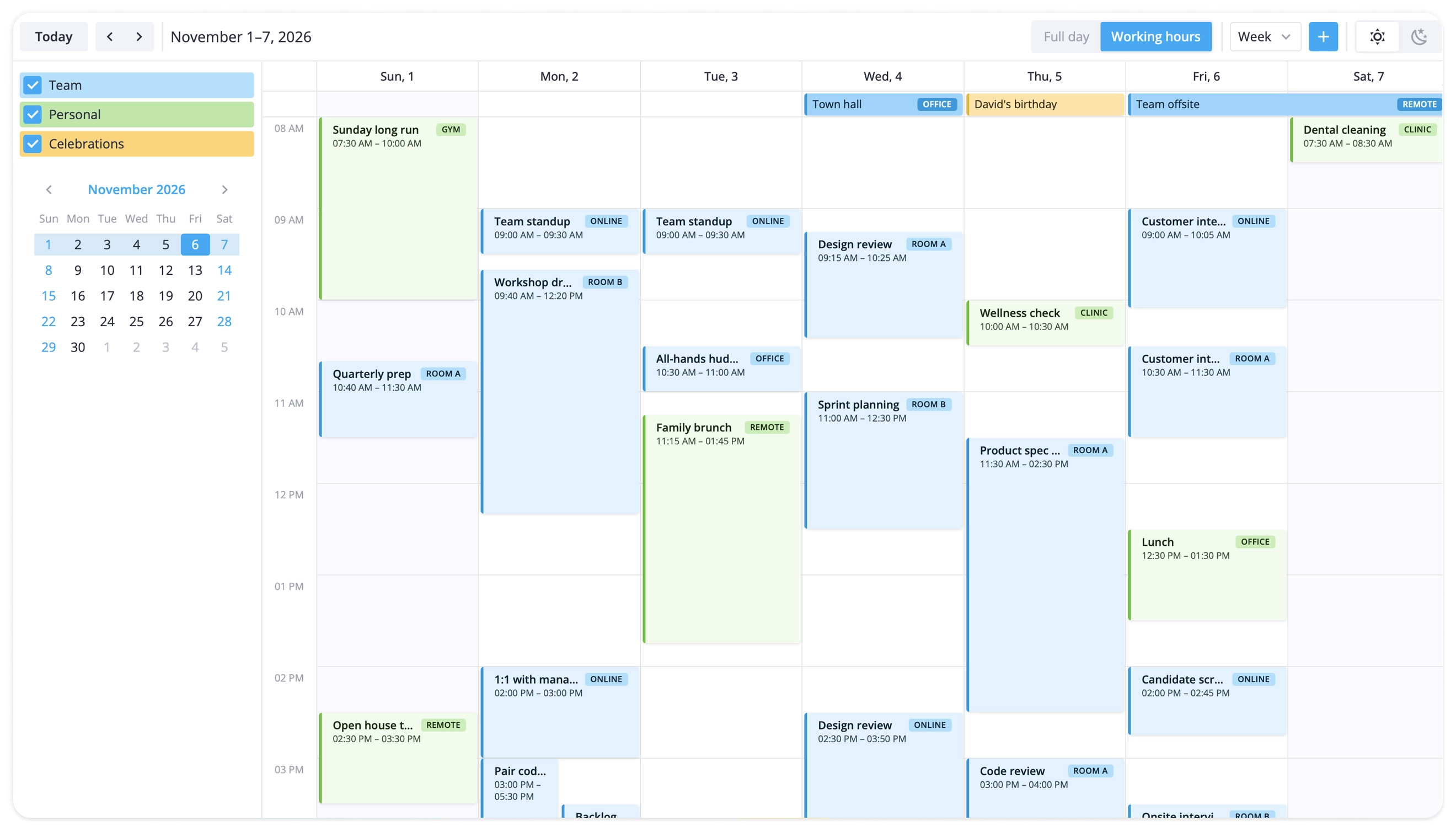
SVAR React Calendar is built natively for React 18 and 19 architectures. It comes with a free, MIT-licensed core that covers standard event scheduling workflows, including day, week, and month views, drag-and-drop editing, filtering, calendar groups, and REST API connectivity. It also includes a ready-to-use editing form for events.
The PRO edition builds on the same core and adds advanced scheduling features, so upgrading does not force a rewrite of event handlers, templates, or state management. The calendar component is also AI-coding ready, with skills and an MCP server available for AI coding agents for both MIT and PRO editions.
Free vs. Premium:
- MIT core: three core views (day, week, month), built-in editor, toolbar, drag-to-create, theming, drag-and-drop, calendar groups, filtering, mobile layout, iCal and Excel import, REST backend wiring “out of the box”.
- PRO edition: Pro-tier views: Agenda, Year, Resources, and horizontal Timeline (CRM-style). Ability to combine Resources with other scales (e.g. Week), multi-resource events, editable recurring events, timezone support, dynamic lazy loading for large datasets, undo/redo, and PDF, PNG and Excel export.
Pricing: PRO licenses are perpetual, include one year of support and updates, and start from $599 per developer (with higher enterprise tiers available) with no additional deployment costs.
Where it fits: modern React applications that need built-in event workflows (editing, grouping, filtering) rather than assembling them from separate plugins. A practical choice whether the product is a single-team booking flow or an enterprise scheduling system.
DHTMLX Scheduler for React
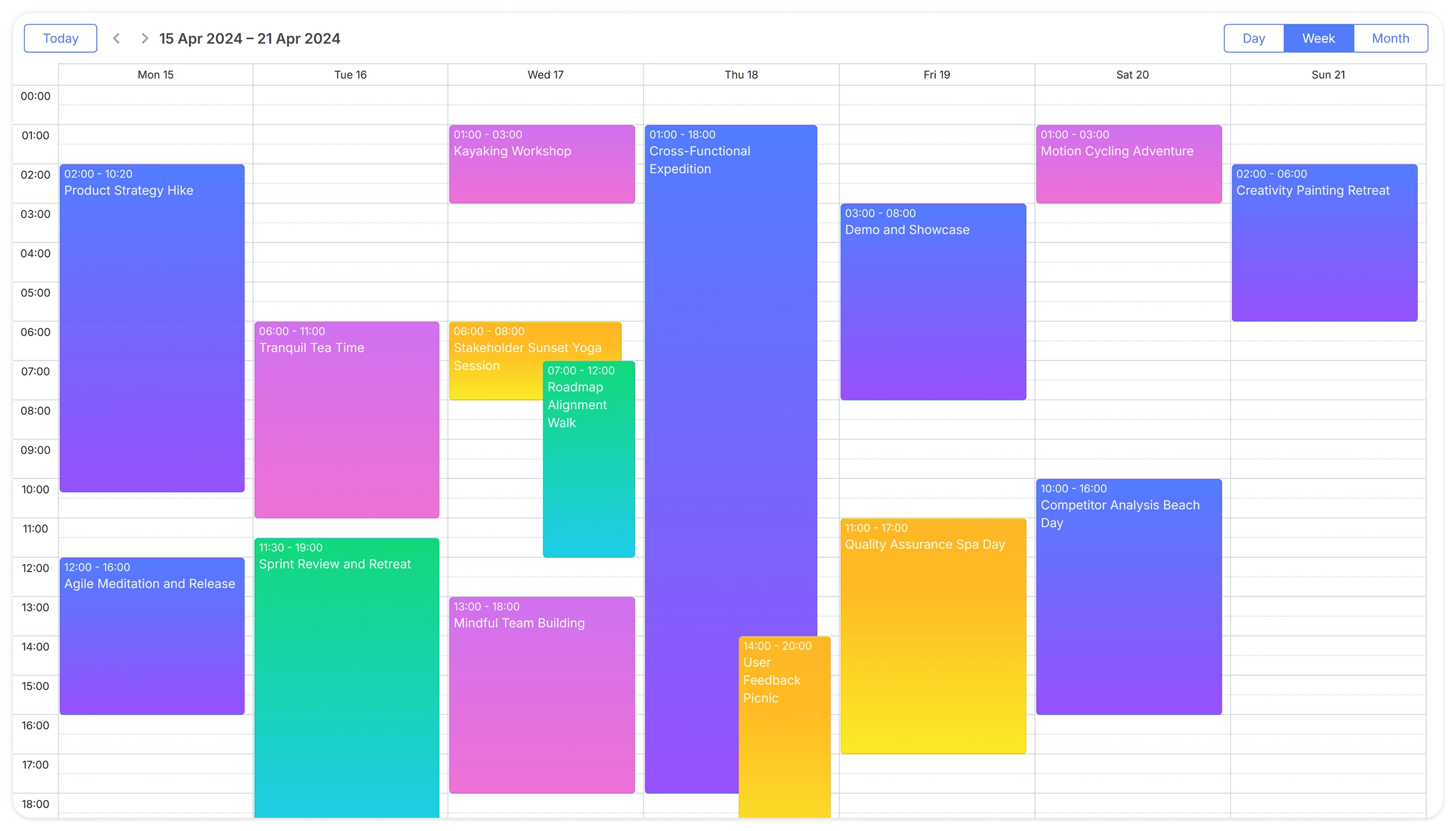
DHTMLX Scheduler for React is an enterprise scheduling library with a wide view set and GPL-licensed JavaScript core. Key capabilities include side-by-side Units view for resource columns, a horizontal Timeline view, a built-in recurrence engine, and extensive backend integration guides (Node, PHP, Rails, etc.).
The official React package is available under commercial licenses and wraps the underlying JavaScript calendar library with a declarative React API.
Free vs. Premium:
- GPL v2 Standard Edition (JavaScript Scheduler): day, week, month, list, year, and map views; recurring events; export via the online service; suitable for open-source projects under GPL-compatible licensing.
- PRO Edition: Unlocks Units view, horizontal Timeline, local PDF/PNG export module, multi-resource events, and commercial usage rights.
Pricing: Commercial PRO edition starts at $599 (Individual License) and scales to $5,799 (Ultimate License) with perpetual licensing options.
Where it fits: enterprise operations, clinic management, and fixed-budget builds where a perpetual license and a broad view set are more important than a pure React architecture.
MUI X Scheduler
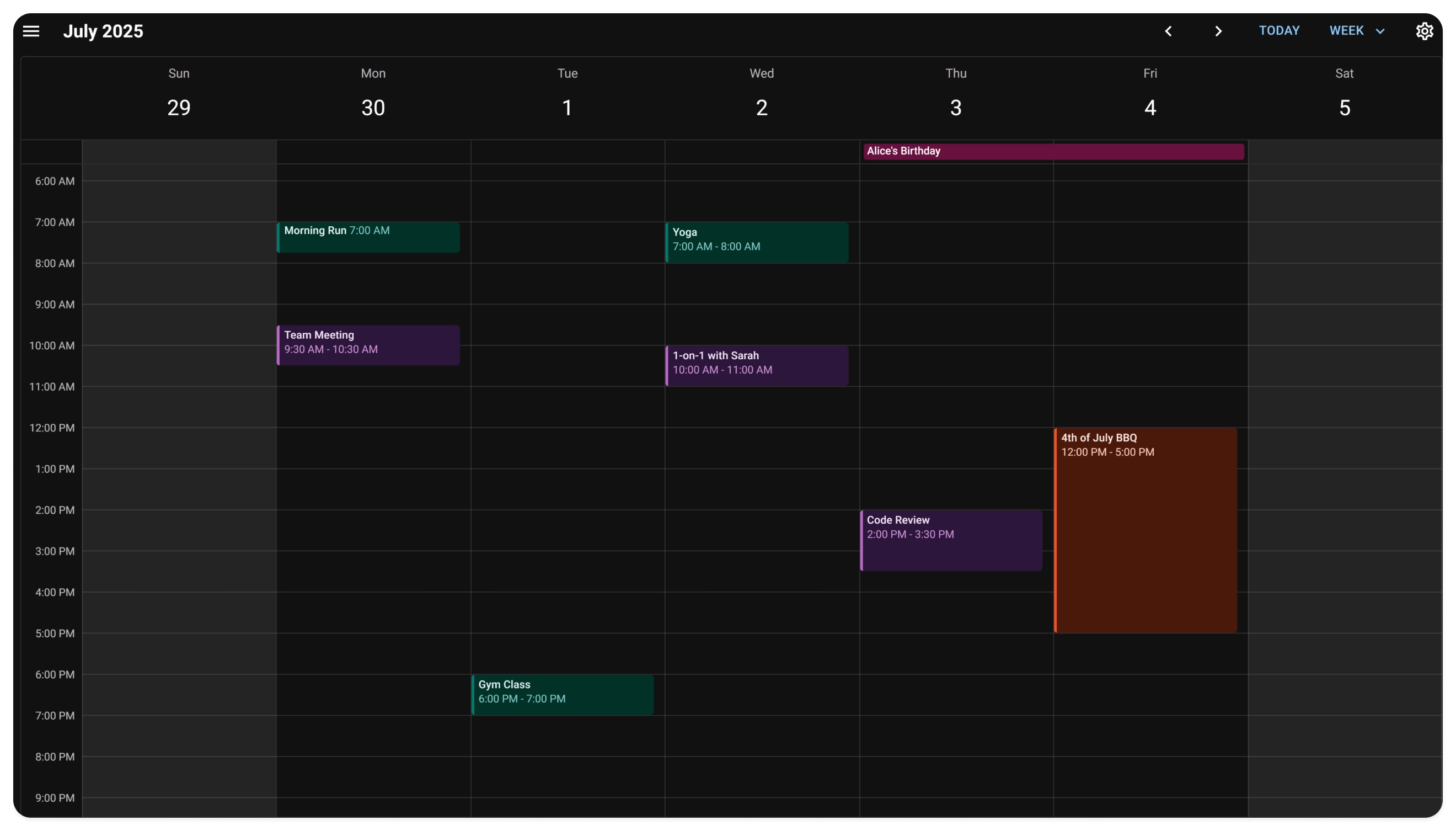
MUI X Scheduler is the calendar/scheduler component inside the Material UI ecosystem. Built natively for React, it follows an open-core model and shares design tokens across MUI applications. Native accessibility is stronger than many bare-bones open-source calendars, though teams should still validate keyboard/screen-reader behavior for specific workflows.
Because currently the scheduler is in beta, API churn and missing edge-case coverage are legitimate risks for regulated or high-traffic production systems.
Free vs. Premium:
- Community (MIT): day, week, month, and agenda views. Event resizing. Drag-and-drop. Resource-aware layouts. Base WAI-ARIA accessibility support.
- Premium: recurring events, exception dates, DST-aware recurrence, virtualized lazy loading through data sources, and Event Timeline.
Pricing: Part of MUI X Premium, starting from $599 per year per developer.
Where it fits: applications that are already using MUI or standardized on Material UI design tokens and components.
Schedule-X
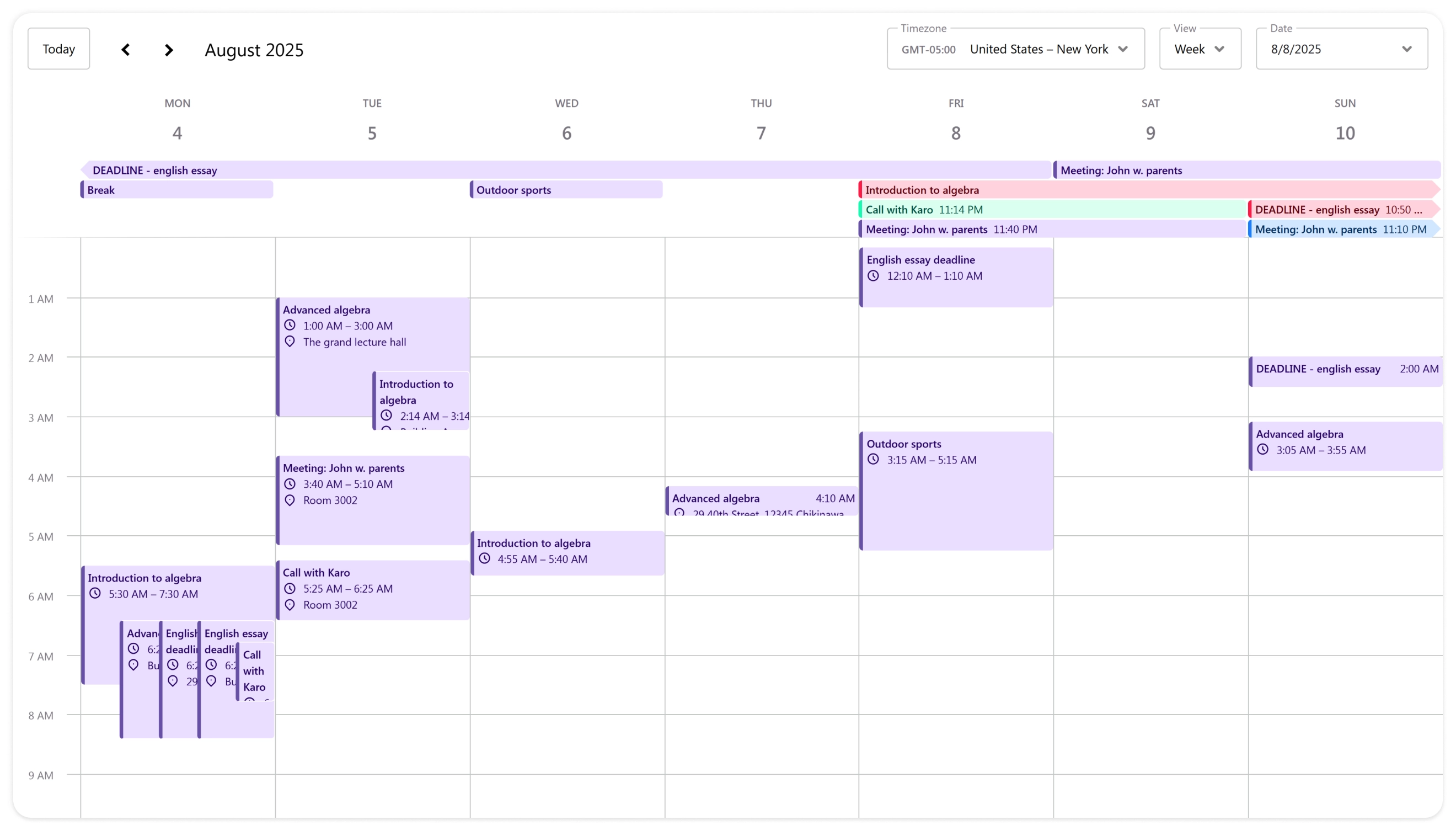
Schedule-X is designed around modern web standards, most notably the native Temporal API for date arithmetic and timezone handling. This is a differentiator that matters as Date limitations become more painful in scheduling logic. The component is responsive by default, ships with dark mode and i18n support, and uses a modular plugin system.
Free vs. Premium:
- MIT core: basic calendar views, responsive layout, i18n, and the plugin architecture.
- Premium: interactive event modal, drag-to-create, drag-and-drop resizing, Resource Scheduler with infinite scroll and resource grouping, and more.
Pricing: Premium yearly plans start at €479 per year, and lifetime licenses start at €999, for 2–3 developers. Higher team tiers are available.
Where it fits: lightweight web apps that value clean design, modern date APIs, and a plugin-based feature model.
Fully Open-Source Calendar Library
Only one library in this guide is fully open source. It offers complete control over styling, architecture, and deployment without recurring licensing fees, making it suitable for custom internal tools, early-stage applications, and teams ready to heavily customize the component for their needs.
react-big-calendar
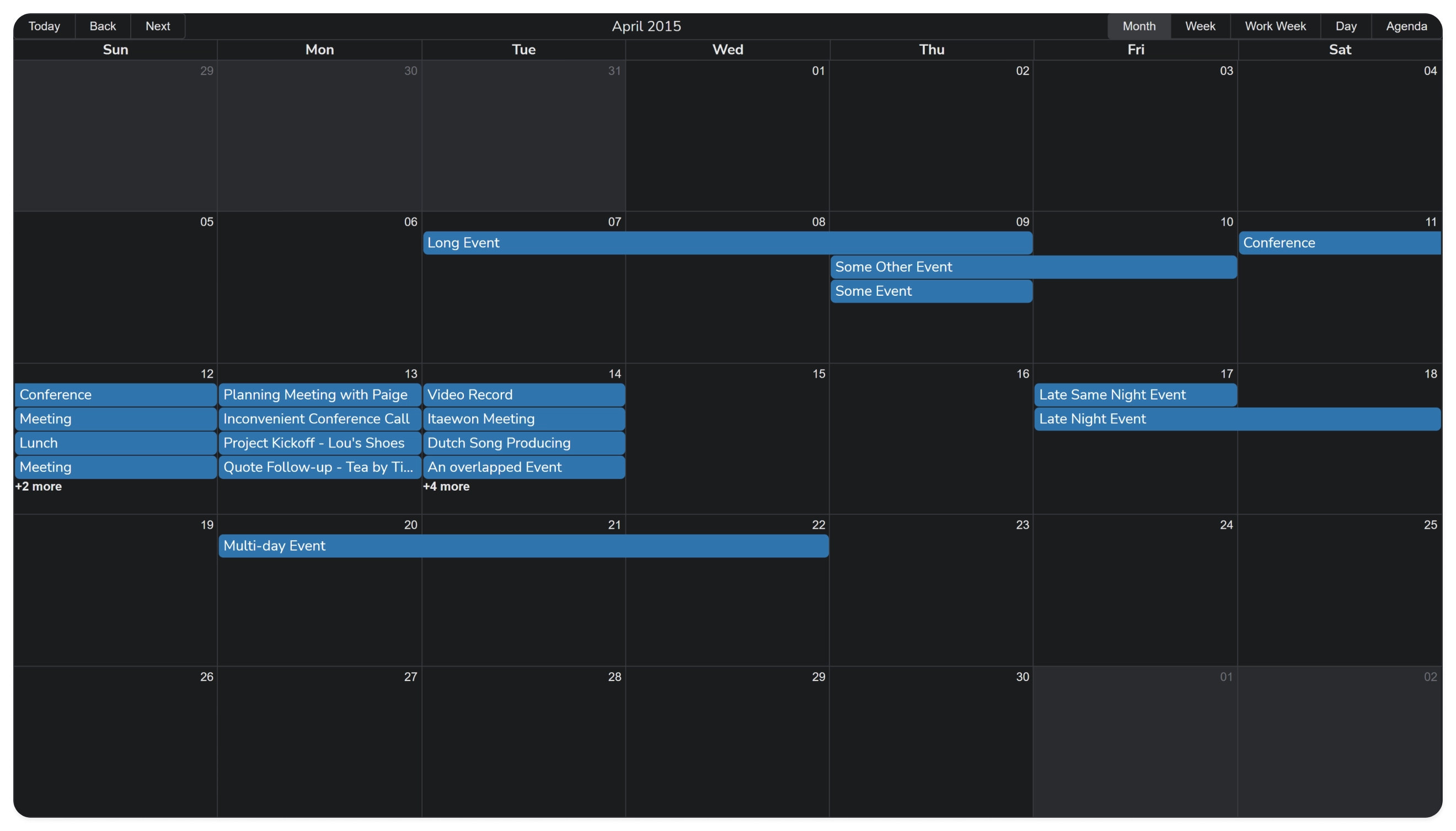
react-big-calendar is the long-standing MIT-licensed default for React teams that want a calendar without a paid tier or enterprise lock-in. It uses Flexbox layout rather than table-based rendering, which tends to behave better with modern CSS and responsive containers.
Pros:
- Month, week, day, and agenda views;
- Bundled drag-and-drop addon for moving and resizing events;
- Pluggable localization adapters: Moment.js, Globalize.js, date-fns, or Day.js;
- 100% free under MIT, with no premium tiers and a large install base.
Cons:
- The component is essentially unstyled, so custom styling and interaction design are part of the integration cost;
- There is no built-in recurrence engine or resource timeline, so those must be implemented around the component.
Where it fits: internal tools, custom admin panels, and early-stage products where zero licensing risk and full styling control matter more than out-of-the-box resource scheduling.
Fully Commercial React Calendar Libraries
These libraries are distributed under commercial licenses only. They typically include dedicated support, advanced scheduling features, and customization options, but do not provide a free open-source core.
Bryntum Calendar
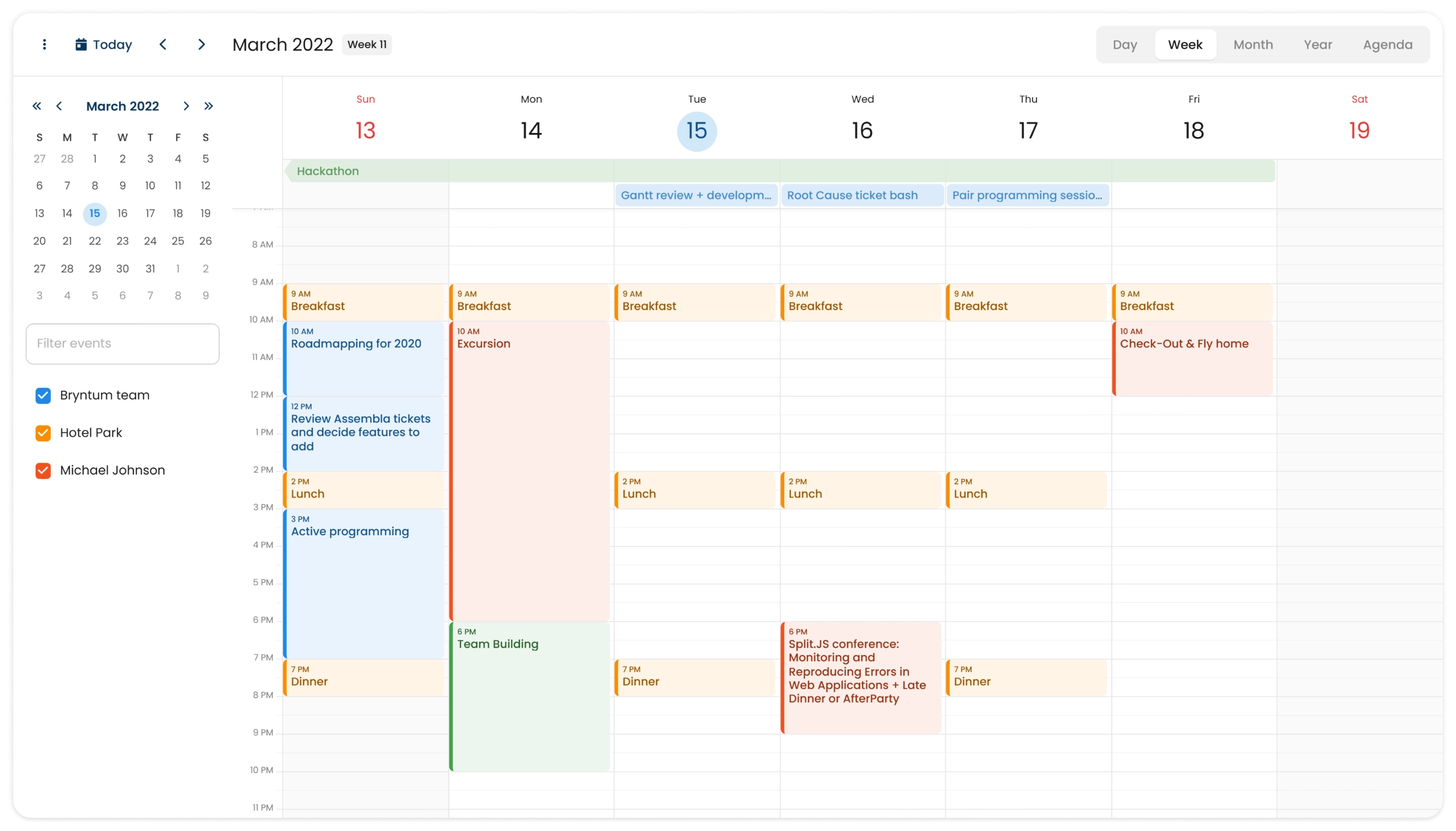
Bryntum Calendar represents itself as a high-performance component built for applications where rendering thousands of concurrent events without frame-rate collapse is a baseline requirement. Architecturally, it is a JavaScript engine, and the React package is a wrapper that follows framework conventions. That wrapper exposes custom JSX rendering for events and row labels. Its entry price starts at $680 per developer and licensing scales when the number of developers grows.
Key capabilities:
- Day, week, month, year, agenda, and day-agenda views, plus dynamic widgets (filters, event editor, month navigation bar);
- Handle large datasets with load on demand;
- Multi-project architecture allowing multiple independent calendars to coexist in one application;
- Custom JSX rendering for events and row labels, with native React wrappers following framework patterns;
- Timezone handling and resource management built into the core engine.
Pricing and constraints: commercial only with a trial period. Perpetual licenses start around $680 per developer for a small team, scaling linearly with team size.
Where it fits: commercial projects that need a feature-rich calendar with built-in event editing, filtering, time zones, and support for larger datasets. A practical option for teams that prefer a commercial component with extensive documentation and customization options.
KendoReact Scheduler
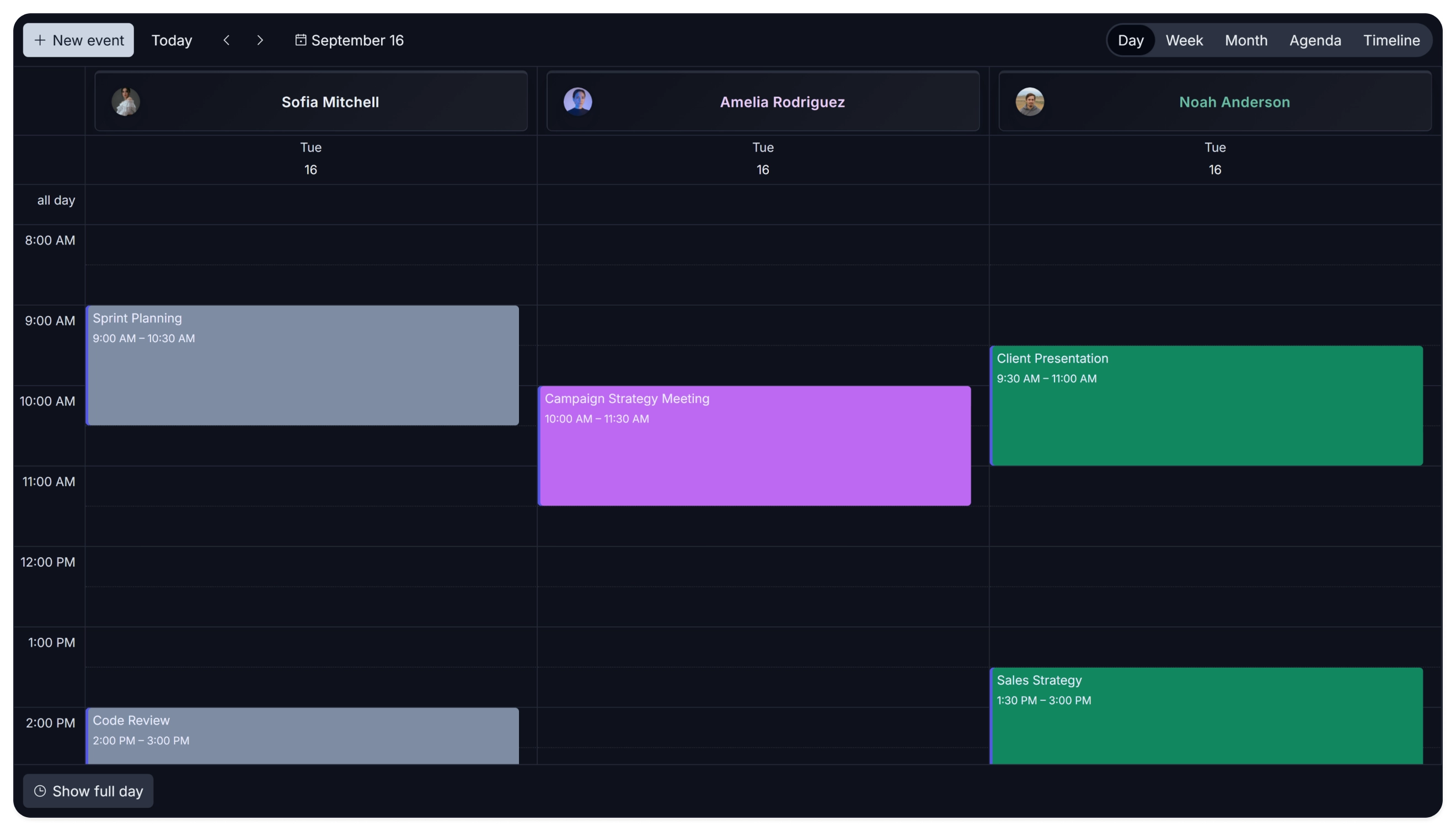
KendoReact Scheduler is Progress Telerik’s commercial React UI scheduler. It is strictly commercial with a subscription-only model and a noticeable production bundle size, making it less suitable for teams wanting a lightweight standalone component. However, its out-of-the-box accessibility compliance is among the strongest on the market.
Key capabilities:
- Day, week, work-week, month, timeline, and agenda views.
- Industry-leading accessibility with verified WCAG 2.0 AA, Section 508, and WAI-ARIA compliance.
- Timezone conversion, resource visualization, grouping, recurring events, and multi-event selection.
- Deep integration with the broader KendoReact UI ecosystem and extensive accessibility tooling.
Pricing and constraints: commercial annual subscription starting around $649 per developer per year (no free core, 30-day evaluation trial).
Where it fits: corporate software, government, healthcare, and education portals where strict accessibility compliance is a procurement requirement, not a nice-to-have.
Syncfusion React Scheduler
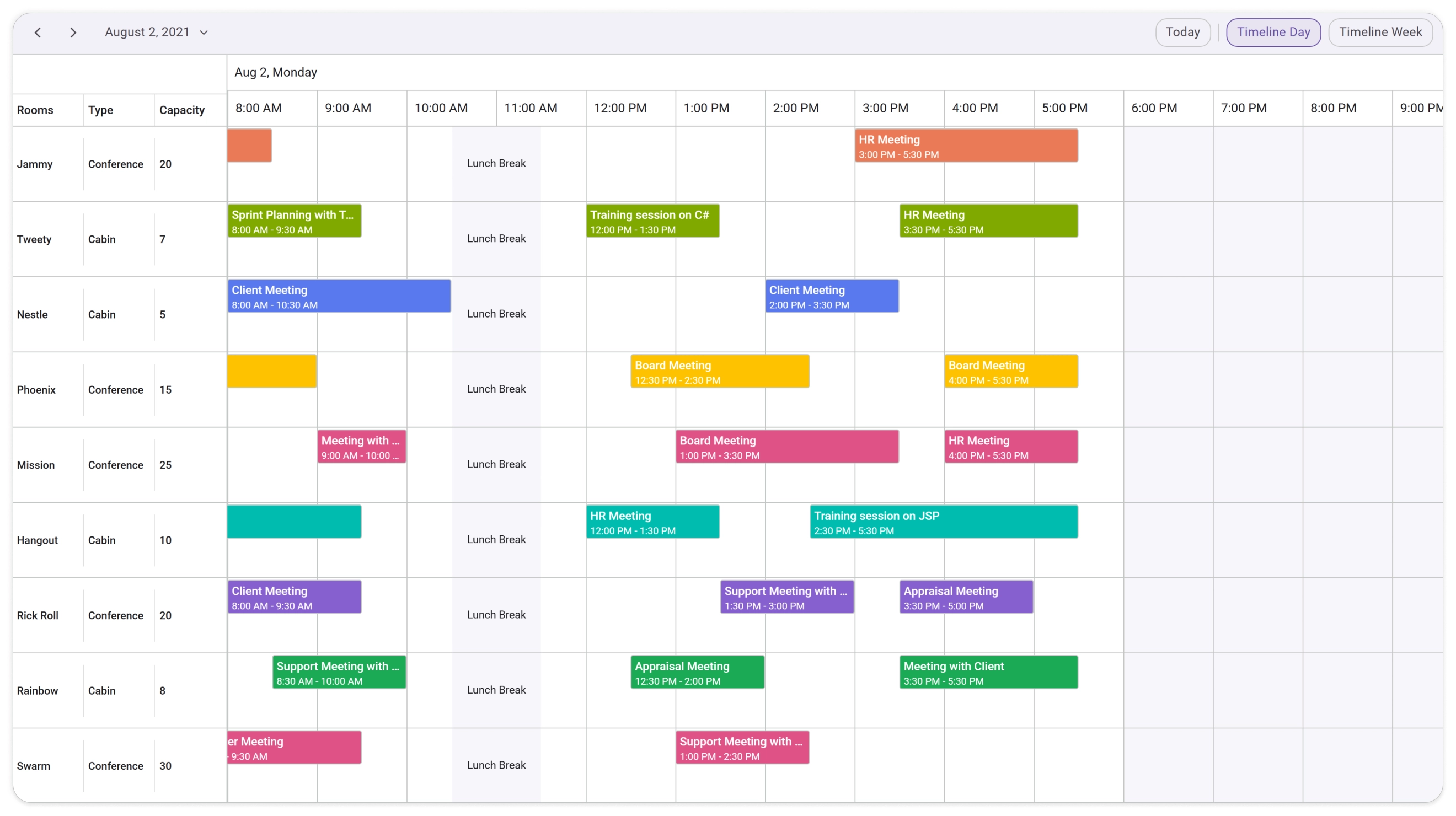
Syncfusion’s scheduler is part of the Essential Studio suite and wraps a framework-agnostic TypeScript core. Syncfusion also offers a separate Pure React Scheduler package, though it provides a smaller set of views. The Scheduler’s Community License is exceptionally friendly for early-stage companies, while teams that need the broader Syncfusion ecosystem may see its component suite as either an advantage or a source of lock-in, depending on their stack.
Key capabilities:
- Day, week, month, timeline, agenda, and year views.
- Pre-built industry templates for healthcare, room booking, and shift management.
- AI Smart Scheduler assistant processing natural-language scheduling commands.
- RRULE-based recurrence and comprehensive globalization/timezone support.
Pricing and constraints: the Scheduler SDK is priced at $959 per developer per year. Eligible small companies and individual developers can apply for a free Community License, which includes the full Essential Studio suite. Eligibility depends on annual revenue, team size, employee count, and external funding.
Where it fits: startups and small teams that qualify for the Community License and want scheduling features at no initial cost, as well as teams already standardized on the Syncfusion ecosystem.
Mobiscroll Event Calendar
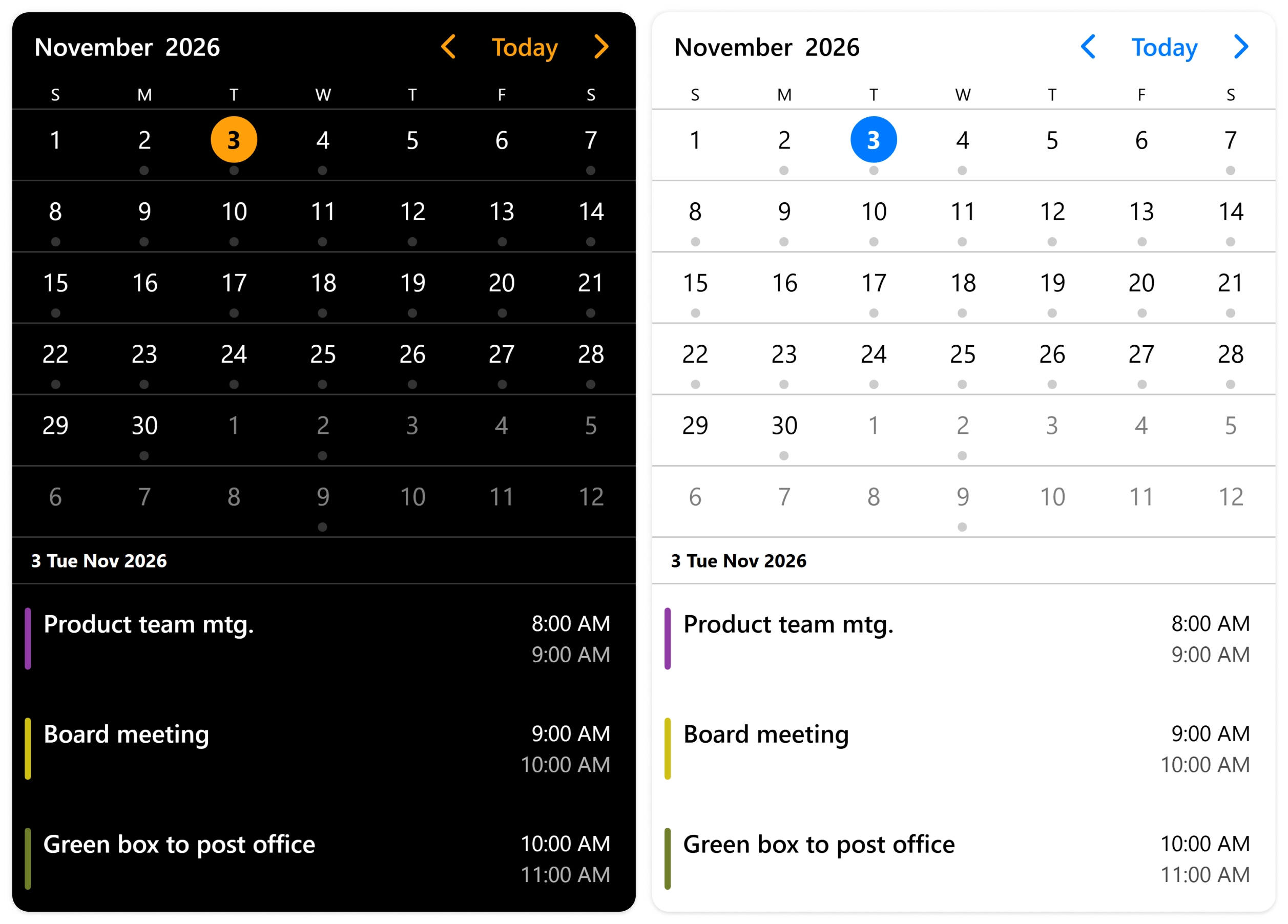
Mobiscroll is the mobile-first option. Its React calendar with events is designed around touch gestures, swipe navigation, drawer controls, bottom-sheet modals, and other patterns that desktop-oriented calendars handle poorly.
Key capabilities:
- Calendar, Scheduler (time grid), Timeline, and Agenda views;
- Touch-friendly drag-and-drop, bottom sheets, and mobile-optimized event editing;
- Mobiscroll Connect: a ready-made backend layer for two-way synchronization with Google Calendar, Outlook, and iCloud through one API, which removes a significant integration burden for cross-device booking apps.
Pricing and constraints: commercial only, with a 90-day evaluation trial; perpetual licenses start at $995 per project for Scheduling & Calendaring, with Complete licenses around $1,955 and company-wide tiers higher. No free open-source tier, so it is not an option for zero-budget projects. Per-project pricing is stable as teams grow, unlike per-developer models.
Where it fits: mobile-first web applications, field-service apps, and booking products where the primary interaction happens on a phone or tablet.
Niche and Indie React Calendar Projects
A comprehensive look at the React calendar ecosystem would be incomplete without niche and independent projects. While the main comparison focuses on established, general-purpose components, these alternatives offer specialized solutions for use cases such as appointment booking, highly customizable interfaces, and high-volume timeline rendering. Here are three worth considering for specific requirements:
- CalendarKit: a TypeScript-first, MIT-licensed React calendar for booking and appointment workflows. Offers zero external CSS dependencies, responsive mobile layouts below 768px, natural-language event creation, and basic views out of the box.
- FullEventCalendar: a Shadcn-native commercial indie library ($299 one-time payment for unlimited projects) built with React, Radix UI, Framer Motion, and raw Tailwind CSS source, allowing complete source code ownership and modification.
- Planby: a specialized timeline/EPG rendering component for streaming schedules, broadcast program grids, and horizontal booking grids. Uses custom DOM virtualization to efficiently handle 10,000+ concurrent events ($400 one-time PRO license per developer).
React Calendar with Events: Feature and Licensing Comparison
The table below consolidates the components across four parameters that most often determine the choice: licensing model, free core, paid capabilities, and typical use case. It does not replace reading the sections above.
Nuances such as the GPL restriction on DHTMLX Scheduler Standard or the beta status of MUI X Scheduler are easily lost in any table. However, it helps quickly eliminate options that fail budget or architectural requirements.
| Library | Licensing | Key Features | Best Fit |
|---|---|---|---|
| FullCalendar | MIT core; Premium from $480 | Free: custom slots, Google/iCal feeds, theme system, time zones Premium: resource Timeline, vertical resource views, virtual rendering for large resource timelines, print-friendly rendering, email support |
General-purpose scheduling with a large ecosystem |
| SVAR React Calendar | MIT core; PRO from $599 (perpetual) | Free: custom event editor, mobile layout, theming, drag-to-create, filtering, REST integration, iCal and Excel import PRO: Year, Resource, Agenda and Timeline views, multi-resource events, combined scales, recurrence engine with editable series, time zones, dynamic loading, PDF/PNG/Excel export |
Modern React apps that need a working scheduling engine (editor, grouping, filtering, recurrence) instead of assembling it from plugins |
| Schedule-X | MIT core; Premium from €479/year or €999 lifetime | Free: plugin-based architecture and modern date handling Premium: interactive event editor, drag-to-create, drag-and-drop resizing, resource scheduler, infinite scrolling, scheduling assistant |
Lightweight apps valuing modern date APIs and clean design |
| DHTMLX Scheduler | GPLv2 for JS Scheduler Standard Edition; PRO from $599; React integration from $1,299 | Free: basic scheduling, recurrence, export via online service PRO: resource Timeline and Units views, Grid and Week Agenda views, multi-resource events, local PDF/PNG export module |
Business apps requiring resource planning and backend integration |
| MUI X Scheduler | MIT Community; Premium $599 per developer (in beta) | Community: resource views, drag-and-drop, resizing, base WAI-ARIA Premium: DST-aware recurrence exceptions, lazy loading, Event Timeline |
Applications built around Material UI |
| react-big-calendar | MIT; fully free | Pluggable date libraries, customizable rendering and styling; bundled drag-and-drop addon | Open-source projects prioritizing licensing freedom and CSS control |
| Bryntum Calendar | Commercial; from $680/dev | Multi-project support, JSX rendering, rich-text event editing, extensive calendar views, high-performance rendering | Large-scale apps with demanding scheduling workloads |
| KendoReact Scheduler | Commercial; $649/dev/year | Accessibility support, timezone conversion, recurrence, resource grouping, MCP server | React-based applications with strict accessibility requirements |
| Syncfusion Scheduler | Scheduler SDK $959/dev/year; free Community License for eligible small companies | Full feature set under community license; AI Smart Scheduler and industry-specific templates, recurrence, globalization support | Startups eligible for the Community License and existing Syncfusion users |
| Mobiscroll | Commercial; perpetual from $995/project | Touch-optimized scheduling UI, bottom sheets, resource Timeline, Agenda, two-way Google/Outlook/iCloud sync | Mobile-first booking and scheduling apps |
Comprehensive Comparison of React Calendar Libraries
Choosing a React calendar with events based on a high-level feature list or demo performance is only half the battle. While licensing models, core views, and UI pricing tables are easy to compare, several critical architectural constraints often surface only after the component is wired into production data.
To prevent expensive mid-project migration, pay close attention to these five factors that don’t easily fit into a feature matrix.
Licensing and Rising Costs
Per-developer subscriptions (KendoReact, Syncfusion) scale linearly with team size. Per-project (Mobiscroll), perpetual (SVAR PRO, DHTMLX, Bryntum, FullCalendar Premium), or MIT (SVAR, FullCalendar core, react-big-calendar, CalendarKit) models reduce budget uncertainty when staffing changes. However, you should be aware of the support/updates subscriptions that have to be renewed yearly if you want to keep receiving component updates.
Syncfusion’s Community License is effectively free for eligible startups, but eligibility should be verified before architectural commitment.
Scheduling engine vs. calendar shell
Native React integration remains important, but it is no longer the only differentiator: several established libraries provide native React packages (FullCalendar, MUI X). The more important question is whether a component includes a complete scheduling engine or mainly provides a calendar shell.
FullCalendar and react-big-calendar are strong options for displaying and managing events, but teams may need to add or configure more of the scheduling workflow themselves.
SVAR React Calendar provides ready-made scheduling features, such as an event editor, filtering and calendar grouping in the free core and editable recurring series in PRO, so teams can build a working scheduling workflow without assembling every interaction from separate plugins. DHTMLX and Bryntum also provide mature scheduling engines, though their React integrations and licensing models differ.
These capabilities determine how much scheduling logic your team has to build itself.
Data Density and Rendering Mechanism
Under ~500 events per week, standard Flexbox/CSS-grid layouts are fine (react-big-calendar, FullCalendar standard views). Above that, especially with hundreds of resources, the calendar needs to be optimized for loading and displaying large volumes of data.
Some libraries virtualize rendering (Planby and FullCalendar Premium’s resource timeline). Others load data on demand: SVAR PRO fetches only the events for the visible date range, caches loaded ranges, and can fetch whole months or years at once so nearby navigation is served from cache. Bryntum also loads data on demand.
This is why a component that performs well in a small demo may still struggle with an operations-center dataset. Before committing, test the calendar with a dataset and date range similar to your production workload.
Accessibility
KendoReact and MUI X Scheduler have the strongest out-of-the-box accessibility stories (WCAG 2.0 AA, Section 508, WAI-ARIA). Bare-bones open-source calendars require the team to build keyboard traps, ARIA labels, and screen-reader announcements manually. In healthcare, government, and education projects, these compliance requirements frequently dictate how much custom accessibility work will be needed before deployment.
Design-System Alignment
MUI teams may prefer MUI X Scheduler, while Shadcn/Tailwind teams can consider FullEventCalendar or Schedule-X’s themed variants. For other stacks, CSS-based customization matters more: SVAR React Calendar offers built-in themes with CSS variable overrides, and FullCalendar supports custom themes through class-name props and CSS. The best fit depends on how much styling control and design-system consistency your project needs.
Conclusions
There is no universal “best React calendar.” The right choice depends on your event volume, scheduling requirements, licensing needs, and design-system constraints.
- For standard event scheduling: FullCalendar Standard and react-big-calendar cover many common use cases with free, open-source MIT editions.
- For lightweight, modern calendar apps: Schedule-X is a good fit for projects that prioritize a clean design, responsive layout, modern date APIs, and a flexible plugin system.
- For advanced scheduling features out of the box: consider SVAR React Calendar PRO, DHTMLX Scheduler PRO, Bryntum Calendar, or Syncfusion. Their capabilities include a range of advanced views, recurring events, resource scheduling, customization, and data export, though the exact feature set and licensing vary by product.
- For Material UI applications: MUI X Scheduler is a natural fit, although it is still in beta.
- For specialized production requirements: consider KendoReact for accessibility requirements, or Mobiscroll for mobile-first scheduling.
For native React integration and a complete scheduling workflow, SVAR React Calendar offers a framework-native component with a clear API and a free MIT-licensed core. Its PRO edition adds resource and Timeline views, editable recurring events, timezone support, dynamic loading, and data export, allowing developers to start with standard scheduling and expand as their requirements grow.
SVAR React Calendar is a full-featured option for modern React applications, combining a lightweight, native React architecture and a straightforward API with a free core and a clear path to advanced scheduling through PRO.