SVAR React File Manager

Lightweight and fast React UI component for easy and efficient file navigation and management with full TypeScript support.

Licensed under MIT

Also available for:

Top Features of SVAR React File Manager

##

Backend agnostic

Using the intuitive React API, you can easily integrate our File Manager component with any server-side backend. Whether you need to display files from your local file system, database, or cloud storage, SVAR React File Manager has got you covered.

##

All basic file operations

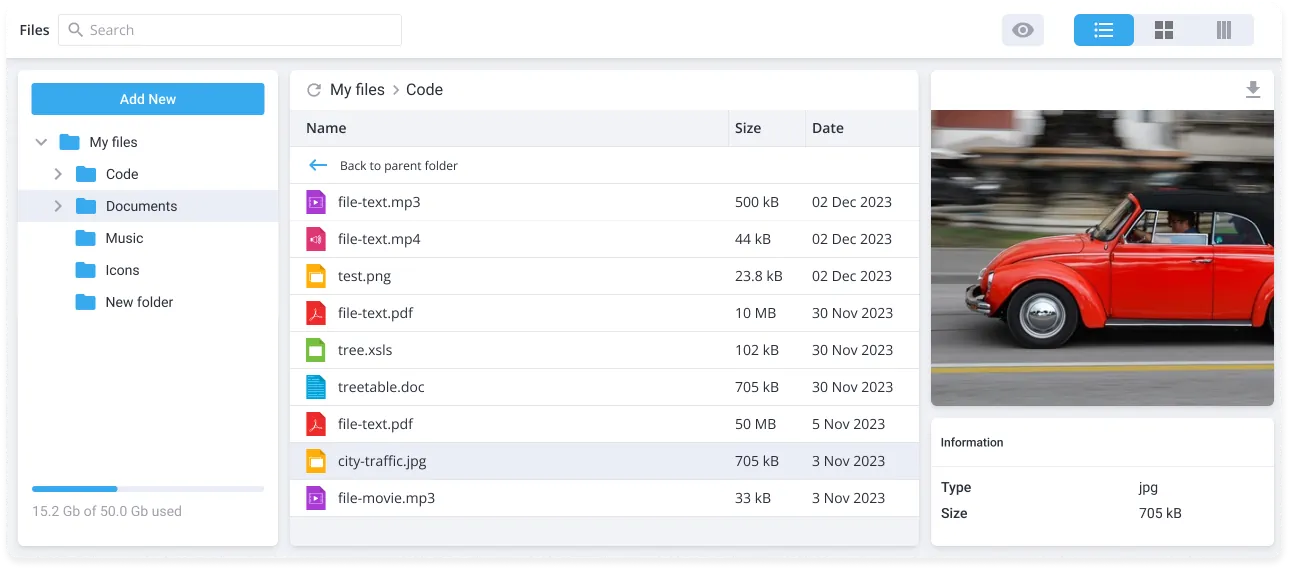
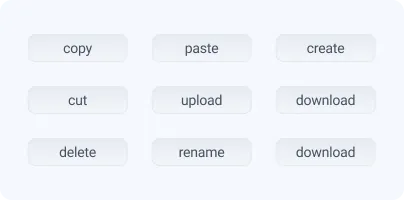
All necessary file operations are supported — upload, download, create, delete, copy, cut, paste and rename files with ease. Additionally, you can preview files and see file details, such as file size, date of creation or other meta info.

##

File tree & breadcrumbs

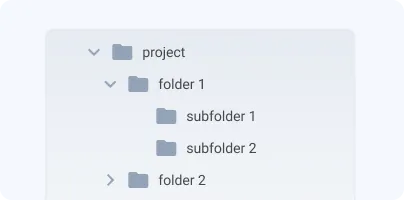
For easier navigation between a large number of folders, SVAR React File Manager has a tree view that shows folders in a hierarchical structure. Breadcrumbs at the top show your current location within a file system.

##

List and tiles views

In our React File Manager there are two layout options for displaying folder contents. You can opt for the tabular list view, which offers detailed file info, or choose the tiles view, with icons or thumbnails.

##

Split view

Additionally, there is a split view layout which can be very useful for copying or moving files between folders, comparing the contents of different directories, or organizing files more efficiently.

##

Sorting and searching

In the list view, you can easily sort the folder's content in ascending or descending order by simply clicking on the column header. Built-in search functionality allows locating files or folders by typing their names into the search box.

Star on GitHub

Try React File Manager in Action

Navigate folders, switch between list, tiles, and split views, preview files, and manage content using context menus and keyboard shortcuts. Test built-in search and sorting.

What's More in SVAR React File Manager

Lightning-fast performance

You can build a React file explorer UI with optimized initial loading by rendering only top-level folders first. Folder contents are fetched dynamically as users navigate through the directory structure.

Keyboard shortcuts

SVAR React File Manager offers keyboard shortcuts for all supported file operations, empowering you to browse and manage files with increased speed and efficiency.

Easy to integrate and customize

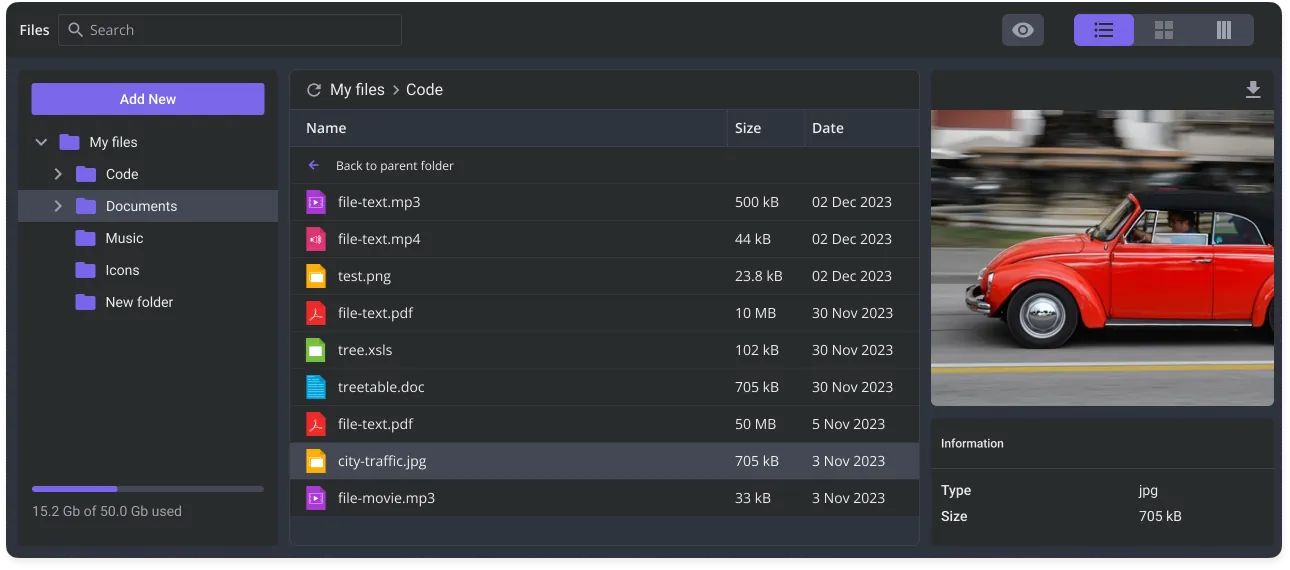
Built with TypeScript and a clean, predictable API, SVAR React File Manager ensures smooth integration into your app. You can easily customize its look with light or dark themes and tweak styles via CSS variables.

Storage tracking and refresh option

Monitor your available free space with storage space information feature. Additionally, in multi-user scenarios, use the 'refresh' button to dynamically update the folder's content as needed.

Professional support

Need custom features or integration help? Our experienced team provides priority support, custom development, and consulting services.

Frequently Asked Questions

SVAR React File Manager is a lightweight, backend-agnostic UI component written in React that provides a full-featured file explorer interface. The component allows users to browse, upload, download, preview, and organize files. It is fully TypeScript-ready, supports list, tiles, and split views, keyboard shortcuts, storage tracking, and is optimized for data-heavy React applications.
Yes, SVAR React File Manager is a free, open-source component available under the MIT license. See it on GitHub →.
Yes. The component is backend-agnostic and can integrate with cloud storage, local file systems, or custom APIs, making it flexible for any React project.
Absolutely. Users can create, delete, copy, cut, paste, rename, upload, and download files, with additional features like file previews and detailed metadata display.
Yes. Only top-level folders are loaded initially, and folder contents are dynamically fetched on demand, ensuring fast performance even with thousands of files.
Not currently. All file operations — copy, move, rename, delete, and others — are performed via the context menu or toolbar. Keyboard shortcuts are supported for all major operations.
Here are the steps for the quick start:
  • Install the package: npm install @svar-ui/react-filemanager
  • Import the Filemanager component and styles into your React app
  • Pass your file structure via the data prop
  • Wrap the component in a theme — Willow (light) or WillowDark — to apply built-in styles
Full TypeScript support ensures type-safe integration within your React or Next.js project. You can further customize the component's appearance, including colors, icons, and other visual elements, using CSS variables. See the Getting Started guide for a full setup walkthrough.

Resources