

Before We Begin: What a Gantt Chart Is
Let’s begin with a simple definition of what a Gantt chart is. At the most basic level, it’s a visual timeline that shows how project tasks progress. When you read it, you can immediately see who is responsible for each part, when different pieces of work start and finish, and how one task affects another.
This visibility is a key reason why Gantt charts have become a standard tool for project management and scheduling. Teams use them to structure their work, understand task dependencies, and maintain a clear, controlled timeline.
For Vue developers, adding a pre-made Gantt chart component to an app usually means choosing between a native Vue solution and a JavaScript component with a Vue wrapper — and the difference matters more than it might seem.
Understanding the Vue Gantt Landscape
The Vue.js ecosystem includes many UI libraries, however the number of dedicated, production-ready Gantt components is noticeably smaller than in React. Most Gantt libraries for Vue that you can find on the web are not initially written in Vue. They are JavaScript scheduling engines with a Vue wrapper.
In some cases this approach definitely makes sense, because a mature JS engine can offer capabilities that are extremely hard to rebuild natively in Vue. These engines have years of optimization behind them, and the wrapper is simply a way to expose that functionality inside a Vue application without the need to recreate the engine from the ground up.
Vue-native components are built to solve a different set of challenges. They fit naturally into the Vue ecosystem, follow its reactivity and lifecycle patterns, and help avoid minor integration issues you can come across when a JavaScript engine is adapted for Vue.
In this review, we’ll look at both native Vue solutions and JavaScript Gantt components that provide official or community-supported Vue integrations, so you can clearly see the differences between the two approaches.
Top Vue-Native Gantt Libraries
We start from Vue-native solutions that integrate naturally in Vue-based apps.
SVAR Vue Gantt is a native Vue 3 Gantt chart component built for modern project planning and scheduling. It follows Vue’s reactivity patterns, offers strong performance, and includes advanced features such as auto-scheduling, split tasks, slack visualization, critical path, and resource planning in the PRO edition.
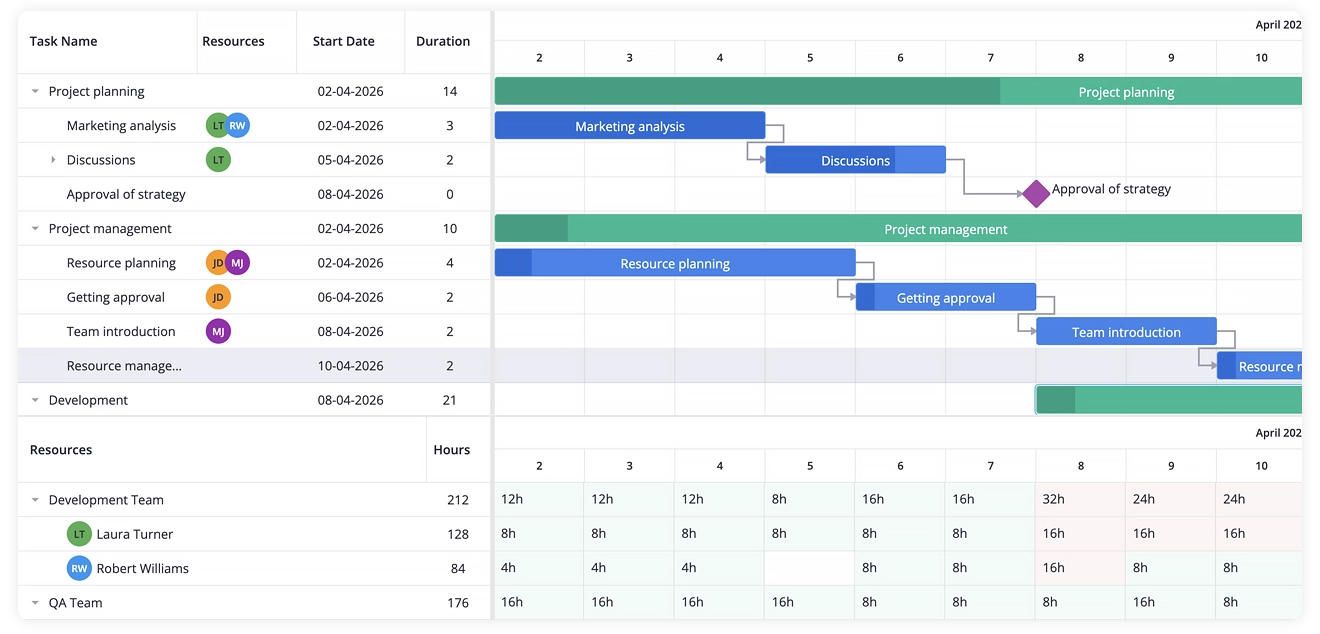
The core is available under the MIT license, making it easy to adopt for smaller projects and teams that want to start free. For more demanding workflows, PRO adds the scheduling depth needed for enterprise-grade project planning. The component also handles large datasets with virtualization, and the combination of demos, clear documentation and a straightforward API make it easy to get started, whether you’re building a simple timeline or a more complex planning interface.
Pros
- Truly native Vue component with TypeScript support
- Strong documentation and active maintenance
- PRO edition with enterprise-grade scheduling and resource planning
- Lightweight MIT-licensed core that’s easy to adopt
Cons
- PRO features require a commercial license
- Smaller ecosystem compared to long-established JS engines
Best For
- Teams building Vue applications that want a component written natively in Vue
- Projects that need complex scheduling logic (auto-scheduling, baselines, critical path) and resource planning feature
- Apps working with large datasets where performance and reactivity matter
- Developers who prefer an MIT core with the option to upgrade to PRO features
Installation
npm install @svar-ui/vue-ganttYou can also fork SVAR Vue Gantt on GitHub.
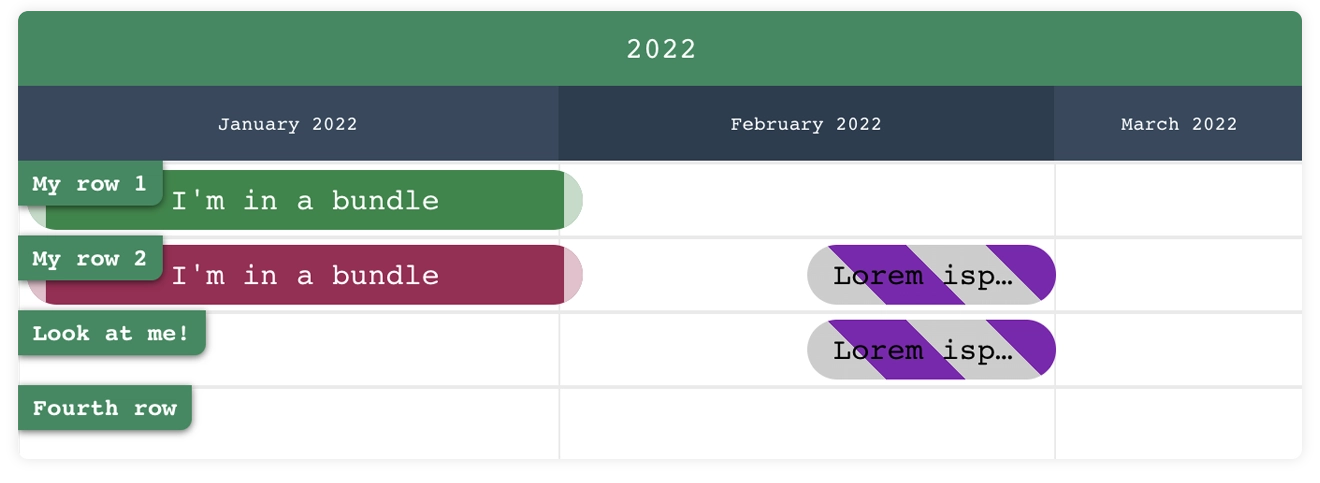
Vue-Ganttastic is another Vue-native Gantt chart component, and its appeal largely comes from how little effort it takes to start using it. You get the essentials – task bars, basic drag-and-drop, and a straightforward API.
The component doesn’t include advanced scheduling logic, but it remains a popular choice for prototypes and lightweight dashboards. It’s one of the most approachable Vue-native Gantt components, even though its release frequency has slowed in recent years.
Pros
- Easy to learn and integrate
- Good fit for prototypes and lightweight dashboards
- MIT-licensed
Cons
- No advanced scheduling logic
- Limited performance with large datasets
- Not suitable for enterprise workflows
- Not very active project (last commit was in 2024)
Best For
- Small Vue projects that need simple task timelines
- Prototypes and MVPs where speed of implementation matters
- Teams that prefer a minimal API without heavy scheduling features
Installation
npm install @infectoone/vue-ganttasticFork on GitHub.
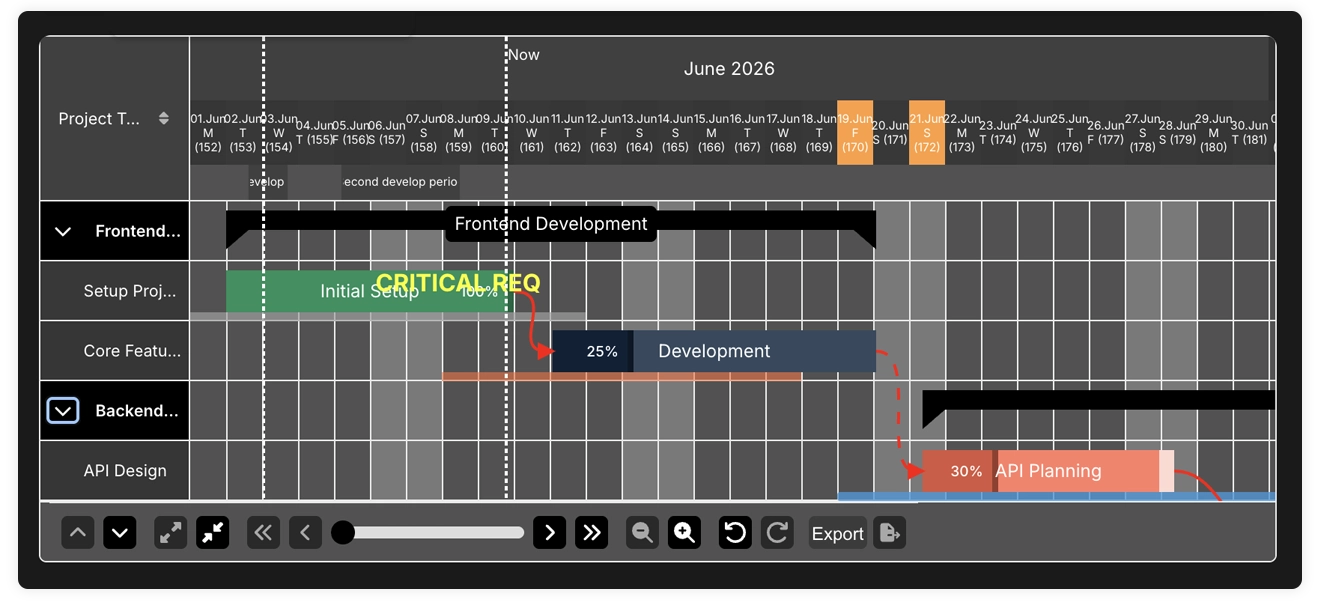
HyVueGantt is a relatively new Vue-native Gantt component, and it leans more toward a feature-rich UI than Vue-Ganttastic, though it still avoids the heavy scheduling logic you’d find in SVAR Vue Gantt. It supports flexible time units, custom styling, drag-and-drop, task grouping, bar connections, keyboard navigation, and even undo/redo – enough to make it feel noticeably more interactive than most lightweight Vue options.
The project is still young, so features like auto-scheduling or critical path aren’t part of it yet, but for teams exploring a modern, Vue-native Gantt, it’s a solid option to consider.
Pros
- More capable than lightweight alternatives
- Modern development approach
- Good balance of power and simplicity
- Suitable for internal tools
Cons
- UI-focused feature set (not a project scheduling engine)
- New and not widely adopted
- Not optimized for large datasets
Best For
- Projects that need basic timelines rather than advanced project-management features
- Teams needing a mid-tier Vue Gantt component that is more capable than Vue-Ganttastic but less complex than enterprise scheduling engines
- Vue apps requiring a modern, interactive timeline without heavy configuration overhead
Installation
npm install hy-vue-ganttFork on GitHub.
JS Gantt Charts with Vue Wrappers
The options below are the Gantt chart libraries written in JavaScript but shipped with Vue wrappers.
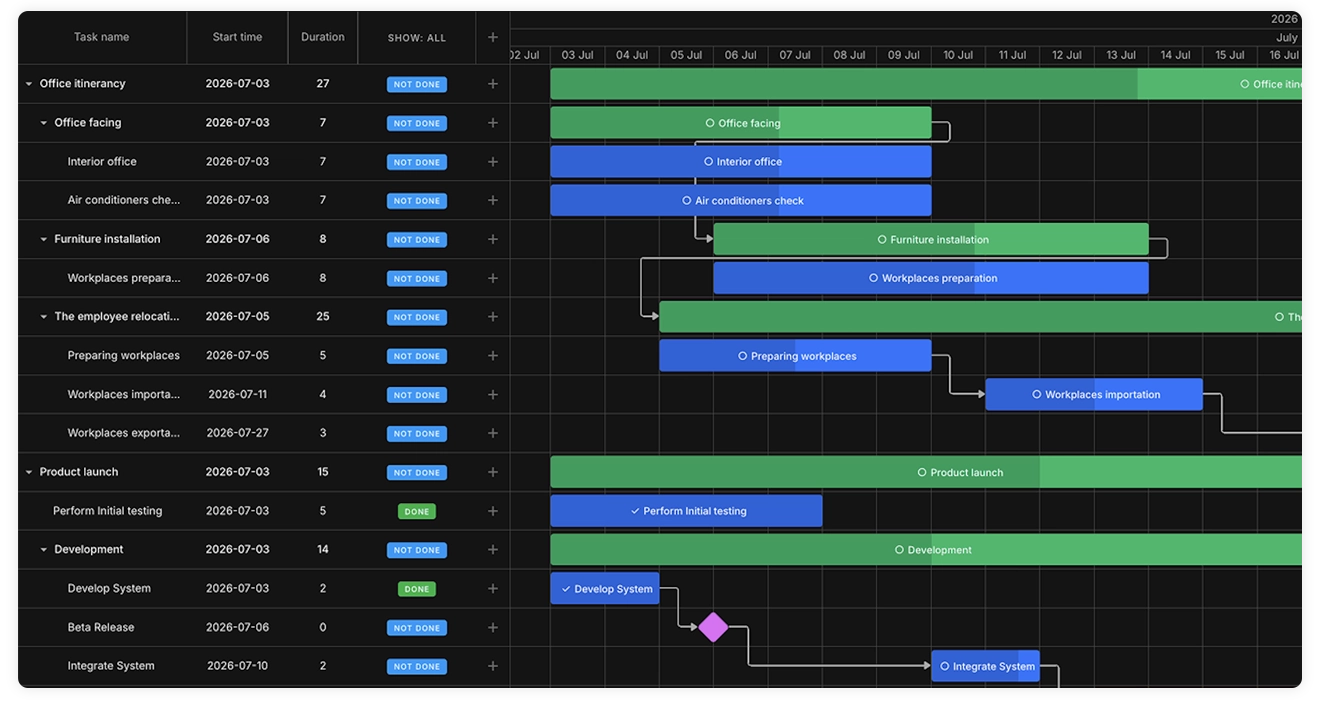
DHTMLX Vue Gantt provides an official Vue wrapper around its advanced JavaScript Gantt engine. Teams can configure and extend Gantt charts using familiar Vue patterns — props and Vue-driven APIs let you build Gantt-based scheduling solutions with working calendars, resources, baselines, auto-scheduling, and other extensions the engine supports.
Pros
- Well-documented API with numerous live samples
- Flexible data synchronization for different application architectures
- Vue-based hooks for extensive customization
- Typed helpers and composables for reusable integration patterns
Cons
- For rare customization scenarios with lesser-known methods and specific UI behavior patterns, it is necessary to access the original Gantt instance directly
- The Vue wrapper is available only for commercial licenses
Best For
- Enterprise-grade apps with a focus on handling massive datasets, rendering thousands of tasks smoothly
- Complex scheduling and planning systems powered by the advanced auto-scheduling algorithm and numerous task management options
- Planning dashboards with custom layouts, containing multiple Gantt charts on a single page and resource management diagrams
- SaaS projects with strong support for multi-user live updates and data export to popular formats
Installation:
npm install @dhtmlx/trial-vue-ganttBryntum Gantt is a JavaScript Gantt chart library that also provides an official Vue wrapper. It’s not a Vue-native component – the core is a standalone JS engine – but the wrapper provides access to most of its capabilities in Vue projects.
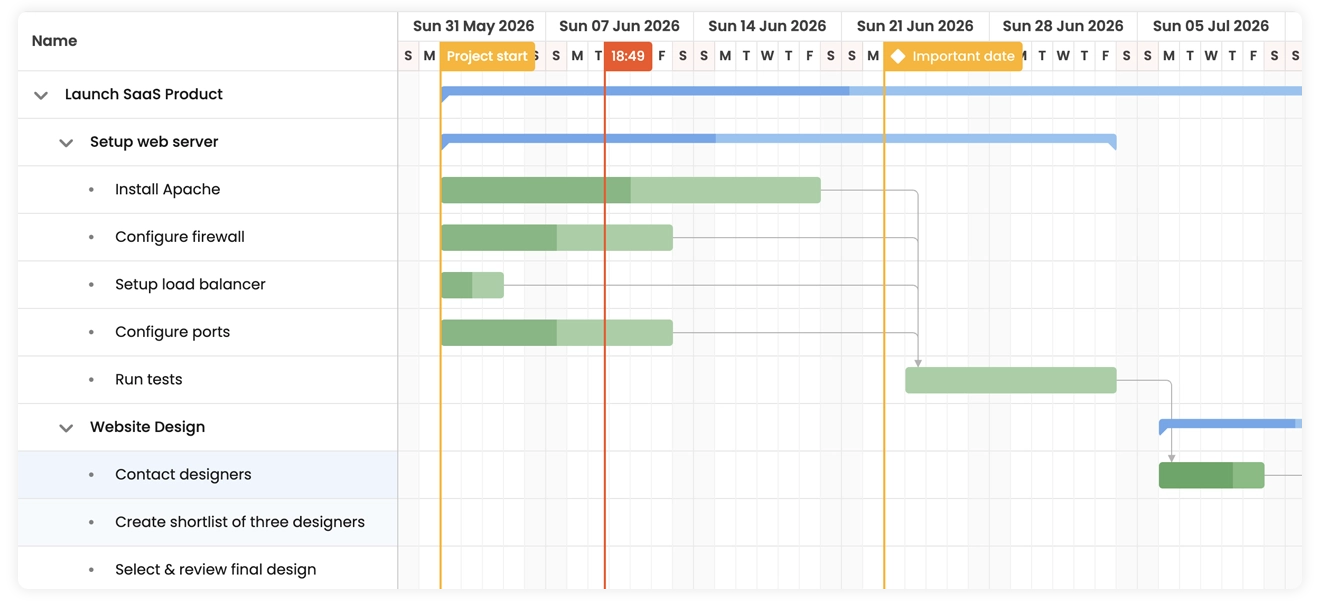
Bryntum includes a broad set of features – resource allocation, calendars, constraints, critical path, baselines, and more. The engine handles large datasets well, though the integration can feel heavier than with tools built directly for Vue. The documentation is thorough, but the API surface is big, and getting comfortable with it usually takes longer than with Vue-native components.
Pros
- Advanced scheduling engine
- Good performance on large and complex project data
- Long-standing product with plenty of documentation
- Official Vue wrapper that exposes most of the engine’s functionality
Cons
- Not Vue-native – the core engine is separate from Vue and relies on a wrapper
- Pricey commercial license required for production use, with no free core option
- Large and complex API that may feel heavy for typical Vue projects or smaller teams
Best For
- Enterprise teams that already work with Bryntum or need its full scheduling feature set
- Large applications where performance and depth of functionality matter more than framework alignment
Installation (Trial version)
npm install @bryntum/gantt@npm:@bryntum/gantt-trial@7.3.0 @bryntum/gantt-vue-3@7.3.0Syncfusion Vue Gantt is part of the larger Syncfusion UI suite, and it brings a broad set of robust features with it. You get task editing, resource management, baselines, critical path, exporting – a long list, and plenty of room for customization.
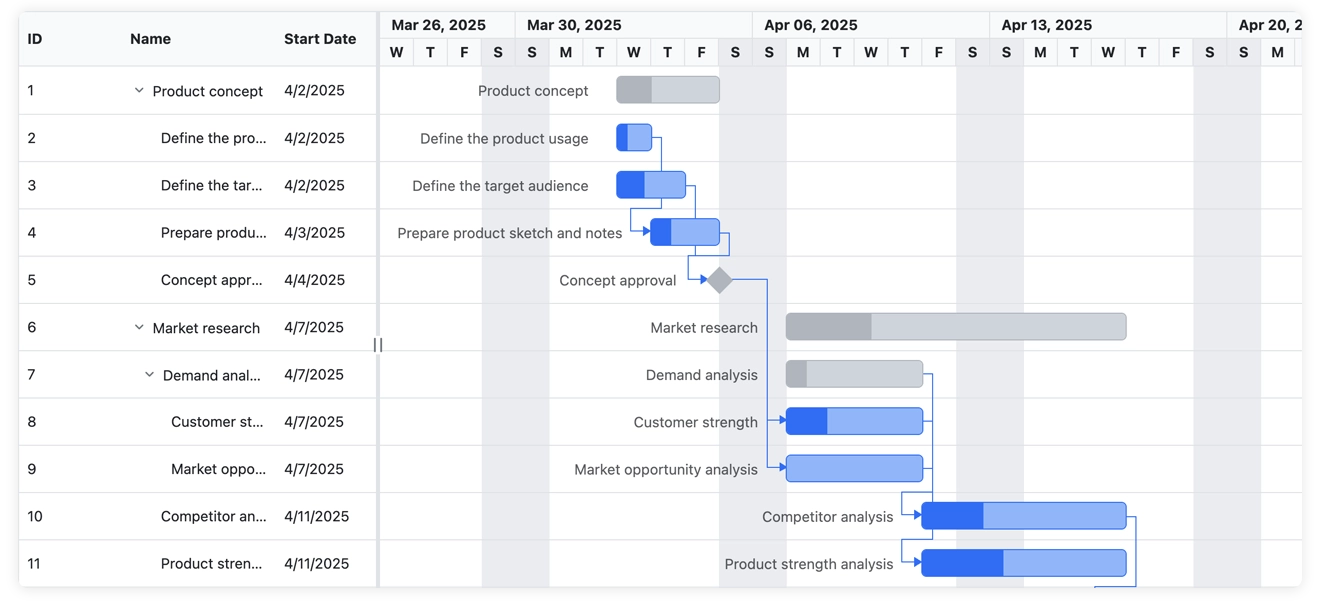
The component itself isn’t Vue-native; it runs on a standalone JavaScript engine, with the Vue wrapper on top. It’s a well-established option in enterprise environments, though its adoption usually comes from the strength of the underlying engine rather than from how it works specifically within Vue.
Pros
- Feature-rich component with extensive scheduling and editing capabilities
- Consistent API across the entire Syncfusion suite
- Good performance for mid-to-large projects
Cons
- Not Vue-native – uses a wrapper around a JS engine
- Commercial license required (except for community license eligibility)
- Heavier bundle size compared to lightweight alternatives
Best For
- Teams already using Syncfusion in their UI stack
- Projects that need ready-made UI patterns rather than building components from scratch
Installation:
npm install @syncfusion/ej2-vue-ganttGantt Schedule Timeline Calendar
GSTC is a flexible timeline and scheduling engine that can be adapted to work like a Gantt chart, although it isn’t a traditional Gantt component. It focuses on rendering large datasets and gives developers a lot of control over how items, rows, and time ranges are displayed.
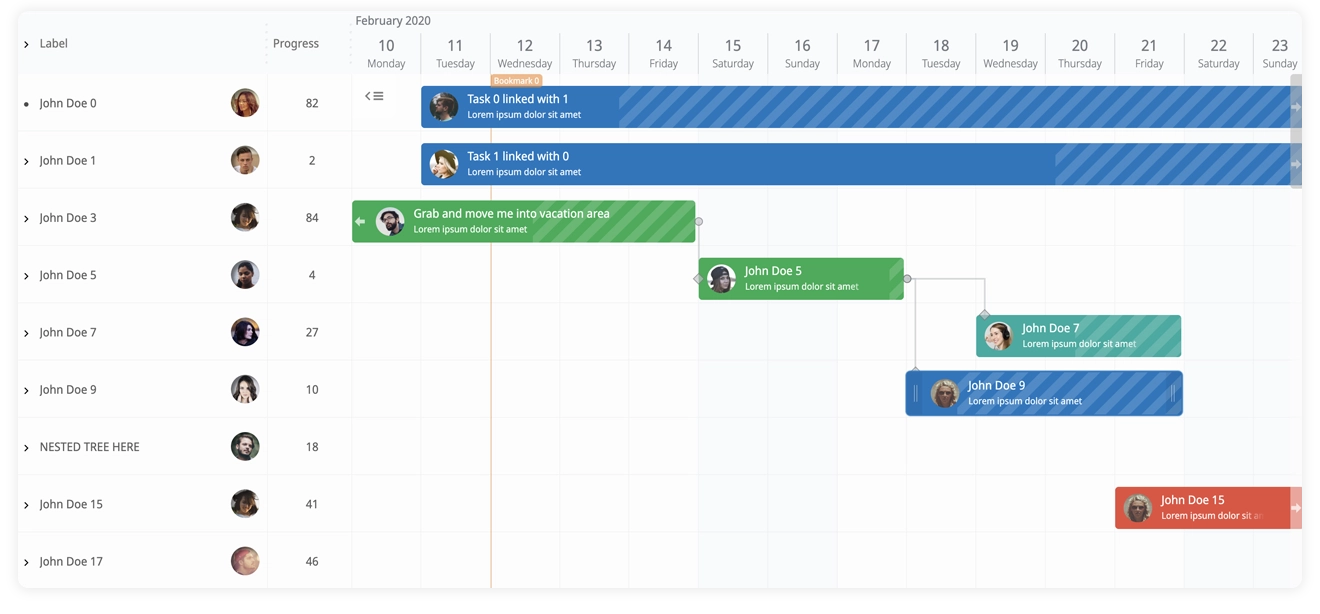
GSTC isn’t Vue-native, but it provides Vue example and can be integrated into Vue projects with some setup. Because it’s built as a general-purpose timeline engine, it’s better suited for custom scheduling interfaces than for classic project-management workflows.
Pros
- Highly flexible engine for building custom timeline or scheduling UIs
- Strong performance with virtualization for large datasets
- Customizable rendering that supports non-standard layouts
- Good fit for timeline-first designs rather than strict Gantt charts
Cons
- Not a traditional Gantt – requires more configuration to achieve Gantt-like behavior
- Not Vue-native – integration relies on examples rather than a dedicated wrapper
- Steeper learning curve due to its flexibility and lower-level API
Best For
- Teams building custom scheduling interfaces that don’t fit the standard Gantt model
- Projects needing timeline-centric visualization rather than full project-management features
Installation
npm i gantt-schedule-timeline-calendarConclusion
Choosing a Gantt component for a Vue application ultimately comes down to how much scheduling logic you need and how closely the library should follow Vue’s own patterns. The Vue ecosystem doesn’t offer many Gantt options, so the available libraries tend to fall into a few clear categories.
SVAR Vue Gantt stands out as a Vue-native option that combines modern Vue integration with advanced project-planning features such as resource planning, task grouping, calendars, and other scheduling capabilities available in PRO. For teams that want a component built specifically for Vue and ready to scale into more demanding project workflows, it offers a strong balance of framework fit and scheduling depth.
On the opposite end, DHTMLX Gantt, Bryntum Gantt, and Syncfusion Vue Gantt provide strong scheduling capabilities through wrapper-based architectures that come with heavier APIs and commercial licensing. DHTMLX in particular is a mature project-management engine with official Vue integration, while Bryntum and Syncfusion are also strong options for teams that need deep scheduling features and are comfortable working with wrapper-based setups.
Finally, GSTC fills a different niche altogether: it isn’t a classic Gantt chart, but a flexible timeline engine suited for highly customized scheduling interfaces and large datasets.
To make the differences clearer at a glance, here’s a summary of how the main Vue Gantt libraries compare.
| Library | Vue-native | Advanced scheduling | Resource planning | Speed | License | Best for |
|---|---|---|---|---|---|---|
| SVAR Vue Gantt | ✔️ | ✔️ (PRO) | ✔️ (PRO) | High | MIT / PRO | Vue-first apps, SaaS tools, project scheduling solutions |
| Vue-Ganttastic | ✔️ | ✖️ | ✖️ | Medium | MIT | Small apps, prototypes, MVPs |
| HyVueGantt | ✔️ | ✖️ | ✖️ | Medium - Low | MIT | Internal tools, UI-focused timelines |
| DHTMLX Vue Gantt | Wrapper | ✔️ | ✔️ | High | Paid | Enterprise-grade project management apps |
| Bryntum Gantt | Wrapper | ✔️ | ✔️ | High | Paid | Project management apps with precise scheduling |
| Syncfusion | Wrapper | ✔️ | Partial | Medium | Paid | Teams already using Syncfusion |
| GSTC | Wrapper | Partial | ✖️ | High | Free for non-profit / Paid | Custom timeline UIs, large datasets |