

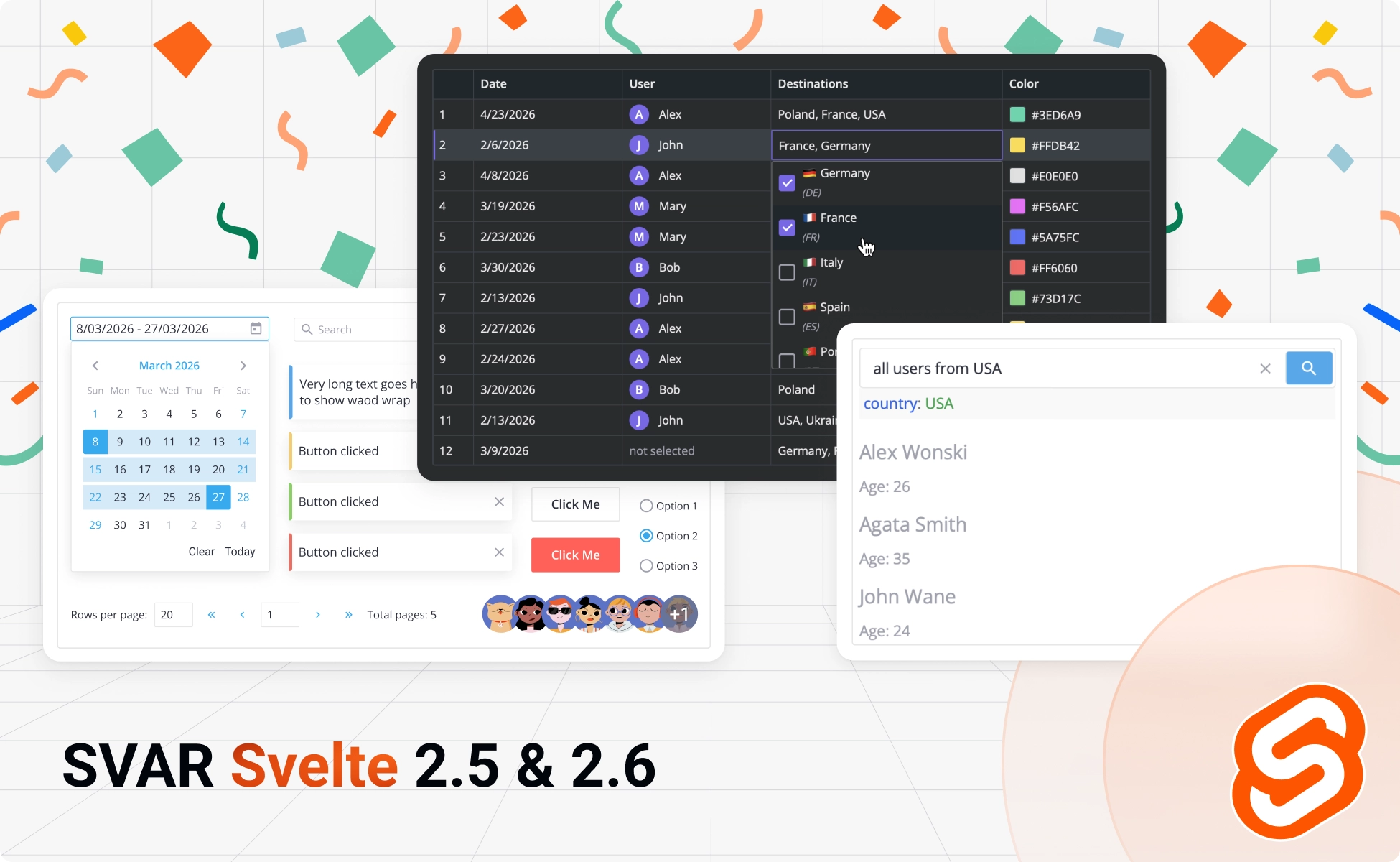
We’re excited to announce three powerful updates to the SVAR Svelte library: Core v2.5, Filter v2.5, and DataGrid v2.6. This release delivers dynamic rendering for dropdowns, a new Avatar component, an AI-powered filter that understands natural language queries, and more flexible editing for data grid. Let’s dive in.
Svelte Core v2.5
In this update we focused on the performance and UI improvements that make our Svelte Core components better align with the modern app interfaces.
Dynamic Rendering for Dropdowns & Selects
Large datasets no longer mean sluggish performance. Combo, RichSelect, and MultiCombo components now use dynamic loading. Now only visible items render in the DOM, so you can handle hundreds or thousands of options without performance drawbacks. Users get instant, fluid interactions whether they’re browsing 10 items or 10,000.
🔹 Check snippet: Virtualized drowdown lists (with 10k items)
New Avatar Component
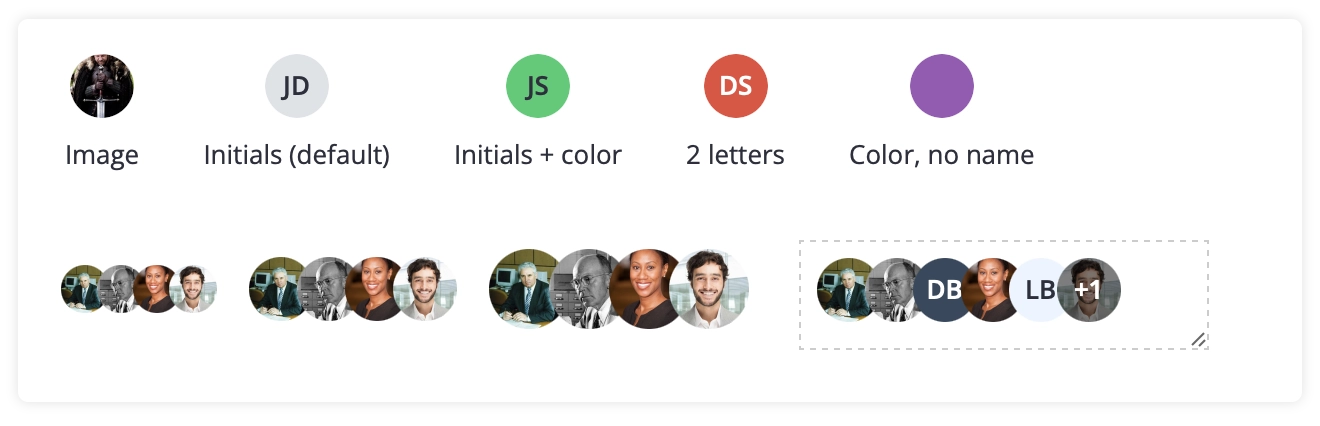
We’ve added a new Avatar component. You can now display single profiles or group avatars with pictures, colors, initials, or any combination. Customize sizes, set a max number of displayed avatars, and let the component handle the rest. Perfect for team views, user lists, and collaborative features.
🔹 See demo: Avatar component
Dropdowns Positioning Fix
We’ve resolved a long-standing frustration: dropdowns getting clipped at container edges or triggering unwanted scrolling. In this update, dropdowns behave predictably in any context (modals, scrollable containers, nested layouts) without the need for workarounds.
You now have two options for positioning:
- dropdowns can attach to the document body for unrestricted positioning (the new default),
- or render inline to stay visually connected to their input during scrolling.
Choose based on your use case: body attachment works great for most layouts, while inline mode keeps dropdowns anchored to their inputs.
Get started with SVAR Svelte Core 2.5:
- Install via npm:
npm install @svar-ui/svelte-core - Getting started guide
- Github repo
Svelte Filter (Query Builder) v2.5
We’ve released the major update to our SVAR Svelte Filter library that can be used for filtering in DataGrid and Gantt Chart components, as well as a standalone query builder.
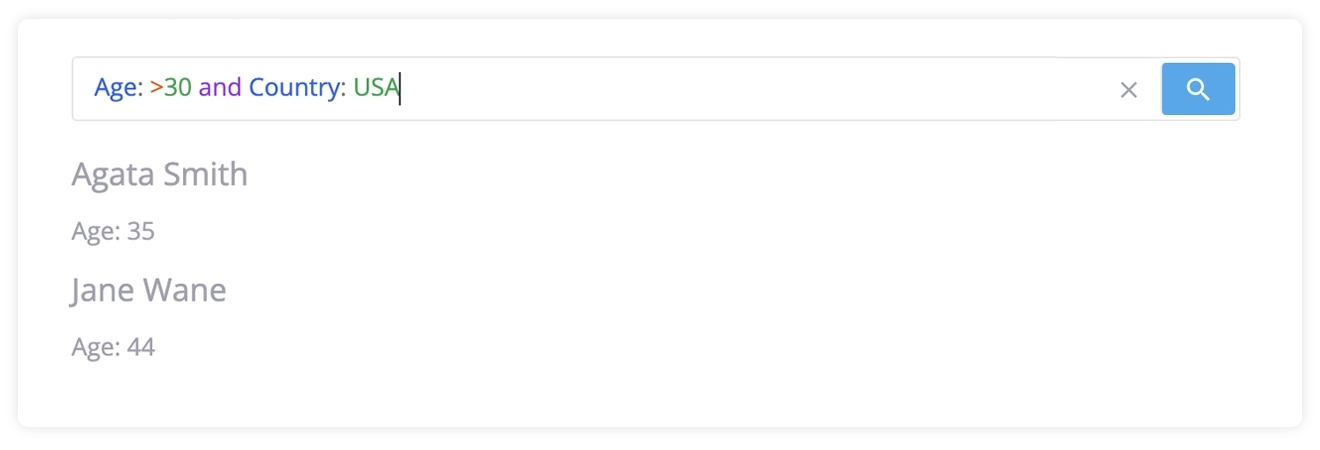
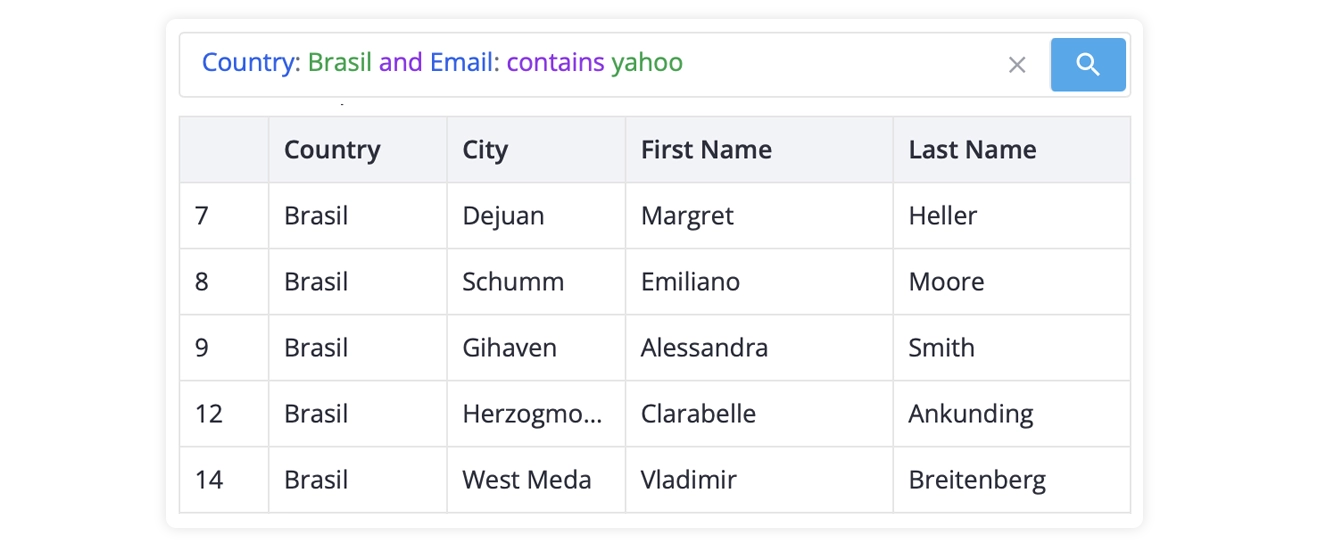
The library now includes the brand-new FilterQuery component, a powerful YouTrack-style search bar that supports the following input styles:
- structured syntax, like
Name:John or Age:>30 - text in natural language, like
show me everyone over 30 - mix of both
This new approach gives users a more intuitive way to extract data they are looking for by using one input field instead of clicking through multiple dropdowns. FilterQuery intelligently understands both precise queries and conversational requests, with optional AI support for natural language.
FilterQuery component works in three modes:
Mixed Mode (Used by Default)
By default, FilterQuery is used in a mixed mode, which means users can type either structured queries or free text. Type assignee:John priority:High for precision, or show me John's high priority tasks for simplicity.

If query syntax is unrecognized, the filter intelligently falls back to natural language mode. The AI provider is optional, so this mode can work offline with zero network overhead.
🔹 See demo: Filtering in mixed mode
Structured Query Syntax
For power users and strict data validation, FilterQuery enforces query syntax only, like: assignee:John due:<2026-03-01 priority:High. Real-time syntax highlighting guides users, parsing directly to filter rules. If someone enters a free text, it will be considered an error and ignored.
🔹 See demo: Filtering with query syntax
AI-Powered Natural Language Mode
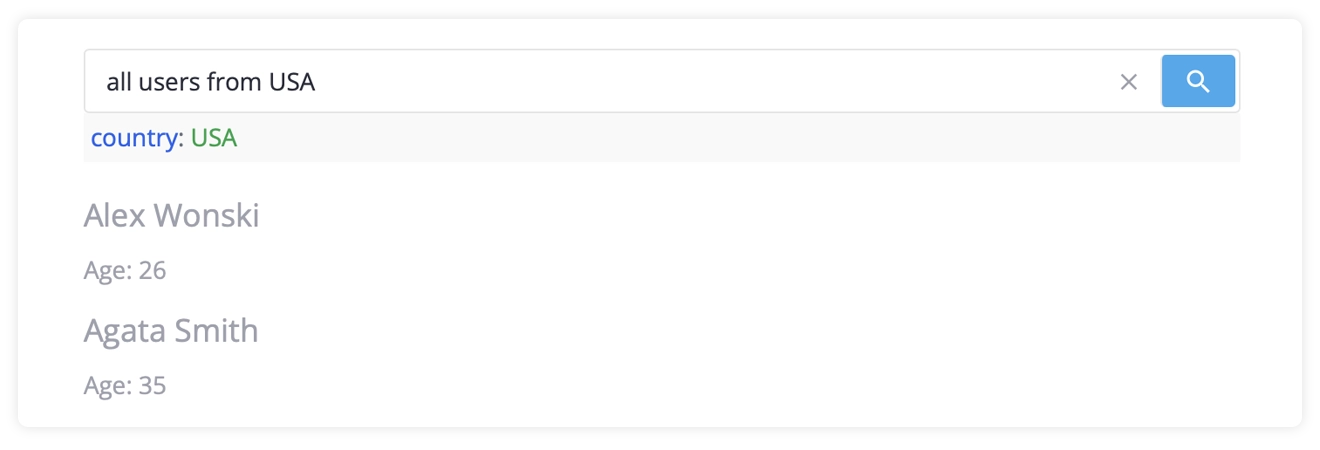
In this mode, you can set up an AI backend (OpenAI, Anthropic, etc.) and allow users to simply tell the filter what data they want to see, and get what they want in seconds. Users can type casually: tasks assigned to John due this week, high priority.
FilterQuery sends the text to your AI provider, which converts it to structured rules. The results are displayed as a readable query string – users see exactly what’s being filtered and can edit it instantly.
🔹 See demo: Filtering with natural language
Key benefits of SVAR FilterQuery:
- One field, infinite flexibility: structured syntax, natural language, or both at once
- See what you’re filtering: all results display as readable query syntax
- Edit with confidence: edit queries as text, no need to re-enter from scratch
- Offline-first: structured and mixed modes work without any backend
- LLM-agnostic: integrate with any AI provider: OpenAI, Anthropic, Google, etc.
- Works everywhere: use with DataGrid, Gantt, or anywhere you need filtering
Get started with SVAR Svelte Filter 2.5:
- Install via npm:
npm install @svar-ui/svelte-filter - Getting started guide
- FilterQuery docs
- Github repo
SVAR Svelte DataGrid v2.6
Our Svelte data grid component gets even more powerful with natural language filtering integration and a brand new way to build custom in-cell editors. Whether you need quick searches or specialized editing experiences, this release has you covered.
DataGrid with Natural Language Filtering
SVAR Svelte DataGrid now integrates seamlessly with the new FilterQuery component of SVAR Svelte Filter. It lets users filter massive datasets using natural language, switch to structured syntax when they need precision, or mix both types of queries.
🔹 See demo: Filtering in AI-powered mode
New In-Cell Editor: Multi-Select
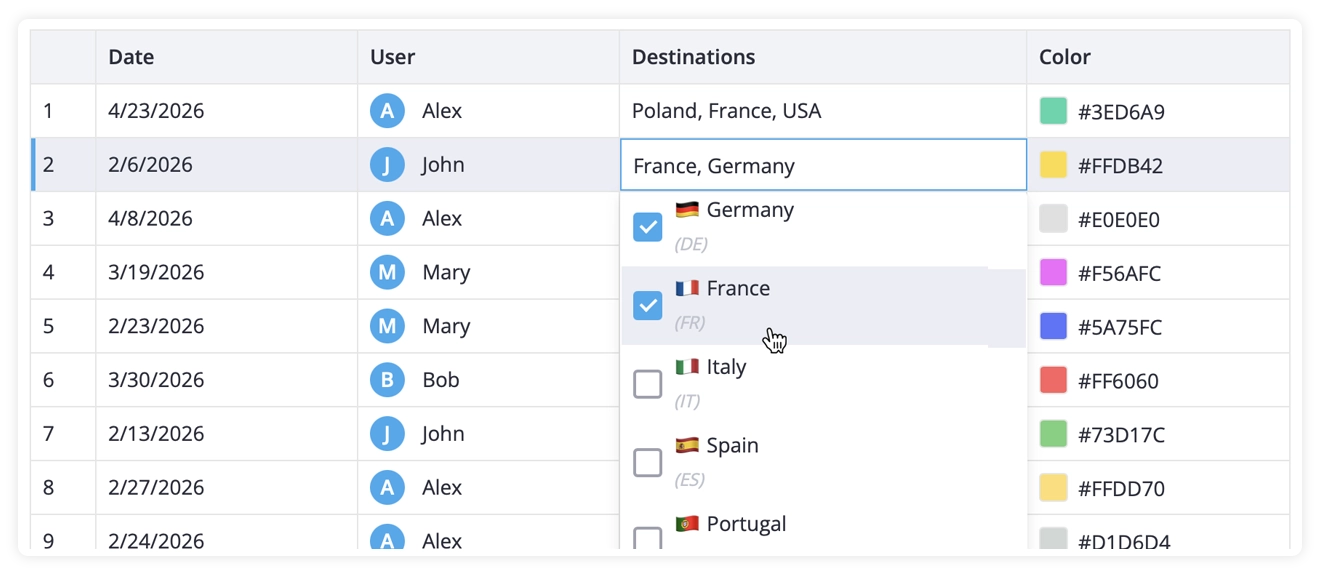
The new in-cell editor is introduced – multiselect – that displays a dropdown with several options. Users can select multiple options by clicking the checkboxes. By default, a comma separated list of selected values is visualized in the grid cell.
You can also provide custom components for the editor field to display options, add icons or customize how the text looks. And like any DataGrid cell, the cell view itself can be customized to match your design.
🔹 See demo: In-cell editors in datagrid
More Flexibility for Custom In-Cell Editors
SVAR Svelte DataGrid v2.6 provides a more flexible way to add a custom in-cell editor to your data grid. You can now register a cell editor globally with registerInlineEditor() and use fully custom in-cell editors in the grid cells.
Custom editors receive all necessary context (row/column data, current value, and lifecycle callbacks), allowing you to build editors for any data type while leveraging the grid’s built-in autofocus, interception, and event handling.
Get started with SVAR Svelte DataGrid 2.6:
- Install via npm:
npm install @svar-ui/svelte-grid - Getting started guide
- Github repo
Summing Up
In addition to all the new features and improvements listed above, we’ve also made our demo environment look great on mobile screens too. You can now explore the demos right on your smartphone.
Ready to try the new version? Update your projects and start building smarter, faster interfaces today. And if you find these improvements useful, we’d love a star on GitHub, it genuinely helps us stay motivated and keep shipping features like these.
We’re grateful for every piece of feedback and every star. Let’s keep pushing this forward together!