

Introduction
Gantt charts are among the most state-heavy interface elements that can be implemented within a React application. A single interaction – moving a task, resizing a bar, editing a date – influences multiple sections across the timeline at once. Tasks depend on one another, parent items expand and collapse, while the interface must stay responsive even as the dataset grows.
Taken together, this implies that Gantt’s behavior depends heavily on how the app manages state. At an enterprise-level scale, choosing the right state-management tool becomes an important architectural choice. And when you look at real modern planning apps, you’ll notice that teams most often choose Redux as the primary tool for handling this intricate state logic.
In this article, we’ll show you how SVAR React Gantt and Redux interact in practice and how to build a clean, scalable integration. But before we break it down, let’s step back and look at the bigger picture: what makes Gantt charts uniquely demanding, why Redux remains a popular solution for managing complex state, and how SVAR React Gantt fits into this model with its “stateful island” approach.
Why Gantt Charts Need Thoughtful State Management
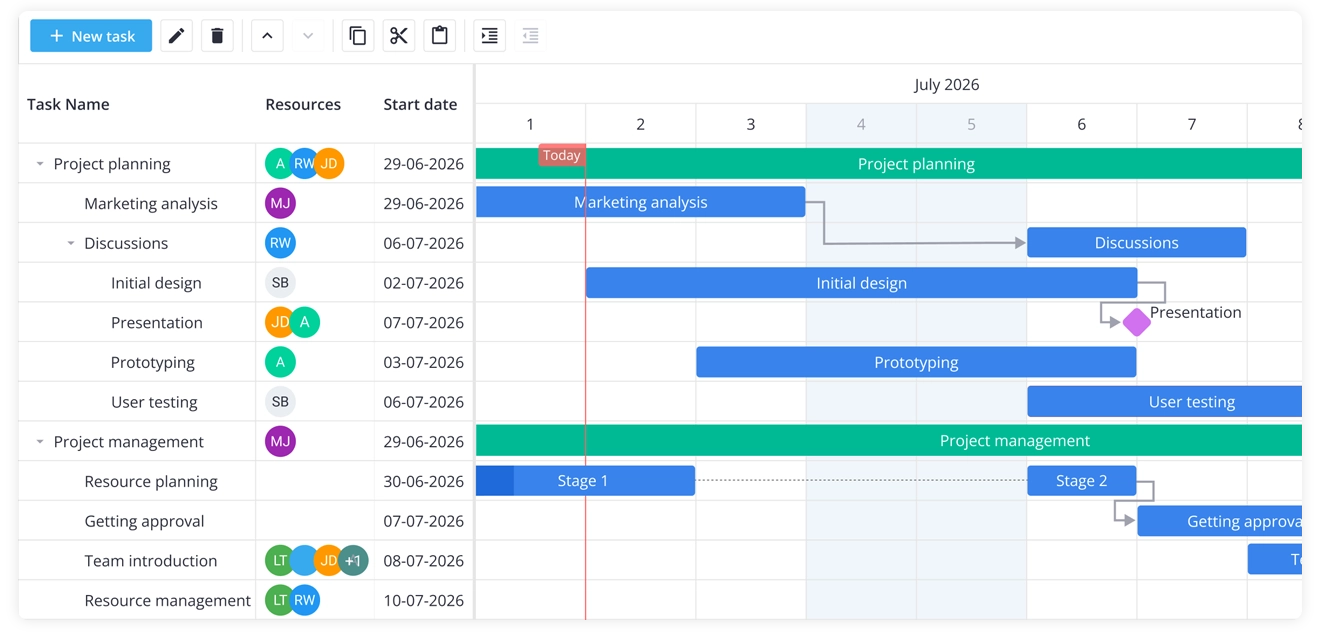
A Gantt chart isn’t just a list of tasks – it’s a living system where many pieces move together. Each task has its own start and end dates, may depend on others, and can be changed through drag-and-drop interactions or inline editing. Users assign resources, switch zoom levels, select items, undo actions, and expect everything to stay in sync. The chart also needs to reflect updates from the backend so the UI always shows the latest data.
These elements all relate to each other. When we update a task via the UI, the rest of the application needs to react. When new data arrives, we expect the timeline to adjust accordingly. And when a user selects a task, other components – like side panels or detail views – should refresh their content.
This constant coordination is exactly where a single source of truth becomes critical. It keeps the state unified across all components in the app, even as the timeline evolves and receives continuous updates.
Why Redux Is a Popular Choice for Planning Apps
When you integrate a Gantt chart into a large application, the real challenge goes beyond handling user interactions – it’s about keeping state consistent across every part of the system. Panels, toolbars, editors – all rely on a shared data structure and must process updates in a coordinated manner.
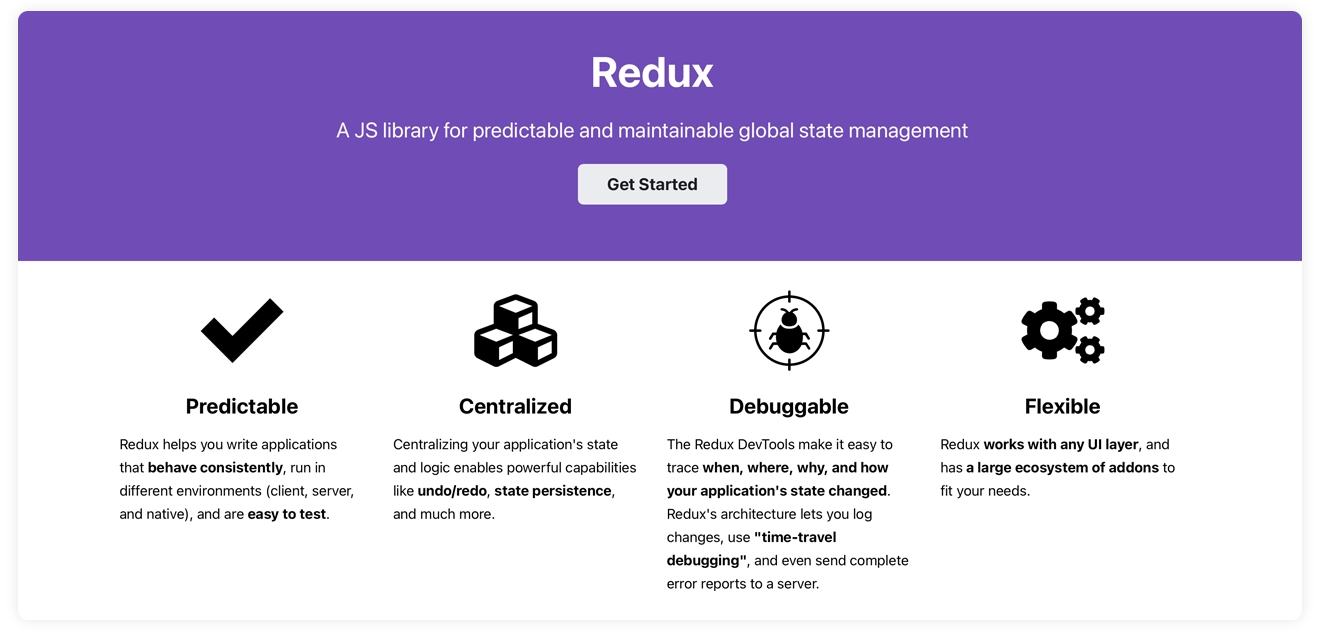
Many planning tools adopt Redux because it provides a single authoritative store, enforces a unidirectional data flow, and uses predictable reducer logic that keeps cross-component updates stable and straightforward to track.
Why Redux is a good match for Gantt-driven interfaces:
🔹 Predictable state transitions – Redux uses simple, pure functions (reducers) to update state. It means that every change follows a clear, predictable rule, making it easy to understand what happened and why.
🔹 A single source of truth – All tasks, links, and timeline data live in one shared place (the Redux store). Every part of the app reads from the same data, so panels, toolbars, and the Gantt chart always stay in sync.
🔹 Reduced boilerplate with Redux Toolkit – Modern Redux uses Redux Toolkit, which automatically creates slices, actions, and reducers. This removes most of the repetitive setup and keeps your code clean and consistent.
🔹 Smooth backend coordination – Redux middleware can listen for changes (like a task being edited) and send updates to your server. It also helps keep the UI updated when new data arrives from the backend.
🔹 A large ecosystem and community – Redux has been around for years and is used by thousands of teams. If you run into a problem, there are tutorials, examples, libraries, and community solutions for almost everything.
Where Redux has trade-offs:
🔹 It adds structure and ceremony – Redux gives you a very organized way to manage state, but that structure comes with extra steps. You need to create slices, reducers, actions, and selectors. This is great for large apps, but for small or simple features it can feel like more setup than you actually need.
🔹 It’s not ideal for highly transient UI state – Some interactions happen extremely quickly, like dragging a task across the timeline. These rapid changes update dozens of values per second. Sending all of those updates through Redux would slow the app down, so this kind of “high-frequency” state is better kept inside the Gantt component itself.
These trade-offs lead directly into the architectural idea behind SVAR React Gantt: a “stateful island” that handles fast, internal UI updates efficiently while still integrating cleanly with Redux for global application state.
How SVAR React Gantt Manages State Inside Your App
As soon as you plug SVAR React Gantt into an actual project, it stops feeling like a simple widget and starts acting like a small app embedded in your main one. It has its own internal logic, and its own performance requirements. This is why SVAR React Gantt follows what’s often called the stateful island model – a pattern shared by complex components like grids, editors, and map views.
Inside this island, the Gantt chart manages everything that needs to feel instantaneous. As you drag a task bar across the timeline, the component updates drag positions on every pixel. When you scroll through a long project, it recalculates scroll offsets and applies virtualization to keep rendering fast.
While you resize a task or type into an inline editor, the Gantt component holds onto intermediate edit states and updates visual feedback immediately. These operations happen dozens of times per second, and they simply cannot wait for Redux to dispatch actions and update global state.
What SVAR React Gantt handles internally
To stay responsive, SVAR React Gantt keeps all high-frequency UI state inside the component itself. This includes:
- Drag positions – updated continuously as a task moves
- Scroll offsets – recalculated while navigating large timelines
- Intermediate edit states – held during resizing or typing
- Visual feedback – hover states, active handles, and live UI reactions
- Virtualization – rendering only what’s visible
- Rendering optimizations – keeping the timeline smooth during fast interactions
All of this happens inside the island – a fast, self-contained engine designed for responsiveness.
But of course, the Gantt component doesn’t live alone. It still needs to talk to the rest of your application. When a task is selected, other components may need to react. When a change is saved, the backend needs to know. When new data arrives, the timeline needs to update. This is where Redux steps in, handling the shared, durable state that connects the Gantt to the rest of the app.
What Redux handles around the Gantt
Redux takes responsibility for the stable, shared state that other components rely on:
- Initial data loading from your API
- Saving changes through middleware
- Cross-component communication for toolbars, side panels, and detail views
- Selected task ID so other components know what the user is focused on
- Zoom level when controlled externally
- Backend synchronization to keep the UI aligned with server data
Redux focuses on shared application state – it doesn’t duplicate Gantt’s fast internal updates; instead, it manages the stable data that must be coordinated across the rest of the UI.
Why this separation works so well
By letting each layer do what it’s best at, you get a system that feels both fast and predictable. The Gantt remains incredibly responsive because it owns the high-frequency UI state. Redux keeps the rest of the application consistent because it owns the durable, shared state. Together, they create a balance between a fast, responsive UI and a centralized, reliable data flow – exactly what planning apps need.
How SVAR Gantt and Redux Start Talking to Each Other
Once you understand how SVAR React Gantt and Redux relate to each other, the actual integration turns out to be much simpler than it looks. You don’t need a large architecture or dozens of files to get started.
Most applications begin with a very small pattern – a single Redux slice, a connected Gantt component, and a couple of event handlers. Everything else (middleware, serialization, editor panels, toolbars) builds on top of this foundation.
1. Create a Redux slice for your Gantt data
Fundamentally, Redux organizes the primary state elements that the broader application depends on: the list of tasks, the list of links, and any updates that should be synchronized across components. Here’s what a minimal slice looks like:
const ganttSlice = createSlice({ name: "gantt", initialState: { tasks: [], links: [] }, reducers: { setTasks(state, action) { state.tasks = action.payload; }, updateTask(state, action) { const updated = action.payload; state.tasks = state.tasks.map(t => t.id === updated.id ? updated : t ); }, addLink(state, action) { state.links.push(action.payload); } }});This slice provides the definitive state for the Gantt and stores the long-lived data needed by the rest of the interface.
2. Connect SVAR React Gantt to Redux
With the slice defined, the Gantt component can pull its data from Redux and push updates back into the store. What you get here is the smallest functional integration cycle:
export function GanttWithRedux() {  const dispatch = useDispatch();  const tasks = useSelector(state => state.gantt.tasks);  const links = useSelector(state => state.gantt.links);
  return (    <Gantt      tasks={tasks}      links={links}      onTaskChange={task => dispatch(updateTask(task))}      onLinkCreate={link => dispatch(addLink(link))}    />  );}
This minimal pattern reflects the full interaction process:
- Redux supplies the Gantt component with tasks and links
- The user performs actions on the chart
- The Gantt emits events like
onTaskChangeandonLinkCreate - Redux updates its store based on those events
- React re-renders Gantt with the new data
This is the heart of the integration. Everything else – persistence middleware, date serialization, editor panels, toolbars, cross-component communication – builds on top of this simple loop.
By starting with this minimal pattern, you get a clean, predictable data flow while letting SVAR Gantt remain the fast, responsive stateful island it’s designed to be.
How Redux Handles Gantt Updates
Once the Gantt is up and running, the next question is: how do you keep Redux in sync with what the user is doing inside the chart?
SVAR React Gantt makes this surprisingly straightforward. Every meaningful interaction inside the component – editing a task, creating a link, selecting an item – triggers a corresponding Gantt event. And these events bridge the Gantt’s self-contained state with Redux’s unified application state.
Whenever the user manipulates the chart, the Gantt component sends out continuous event notifications – updating tasks, creating or deleting them, adding or modifying links, removing links, and even reporting which task has been selected – giving your application clear entry points for syncing those changes back into Redux.
Each of these events carries the information you need – the task, the link, the ID – and you can intercept them to dispatch the appropriate Redux action. This is where the two systems meet: the Gantt handles the fast UI updates, and Redux records the durable changes your app cares about.
A minimal example looks like this:
useEffect(() => {  if (!api) return;
  api.on("update-task", ({ id, task, inProgress }) => {    if (inProgress) return; // skip intermediate drag states    dispatch(updateTask(task));  });
  api.on("add-task", ({ task }) => {    dispatch(addTask(task));  });
  api.on("delete-task", ({ id }) => {    dispatch(deleteTask(id));  });
  api.on("add-link", ({ link }) => {    dispatch(addLink(link));  });
  api.on("delete-link", ({ id }) => {    dispatch(deleteLink(id));  });}, [api]);
This simple pattern is enough to keep your Redux store in sync with user-driven changes. The Gantt remains the responsive stateful island, and Redux serves as a reliable source of truth for the rest of your application.
Practical Integration: Full Demo and Documentation
This article focused on the core ideas – the structural logic behind the stateful island, the role Redux plays around it, and the minimal integration loop that ties everything together. If you’re ready to dive deeper into the topic and see how a full production-ready setup looks, there’s a lot more you can explore.
👉 SVAR React Gantt + Redux Integration Guide
👉 Full demo project on GitHub (Redux branch)
The complete demo shows how all the moving parts come together in a real application, including:
- Middleware for persistence
- Date serialization
- The built-in editor panel
- The toolbar
- Zoom levels
- Undo/redo
- Cross-component communication
The demo and integration guide contain all the details that didn’t fit into this article, and they’re the perfect companion if you’re building a real project planning app with SVAR React Gantt and Redux.
Final Thoughts
Timeline-based components like Gantt charts come with significant state complexity – and Redux offers a reliable, scalable structure for keeping that complexity under control. This allows SVAR React Gantt to manage its own internal interface state while delegating application-wide state to Redux, which results in a clean architecture that stays fast, organized, and easy to maintain.
In this article we gave you the conceptual foundation and the minimal integration pattern. The full docs and demo will take you the rest of the way.