

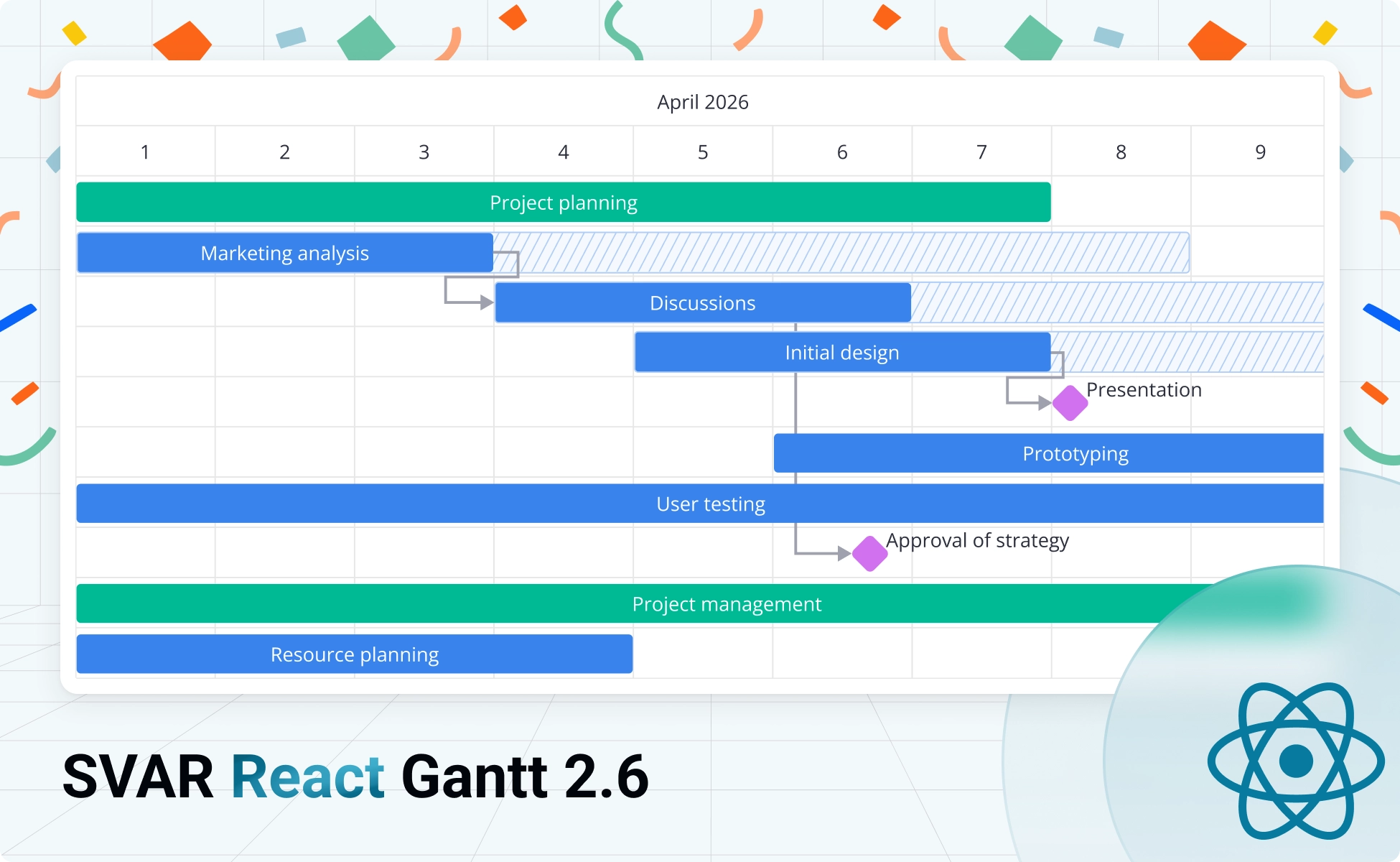
We’re happy to announce a new version 2.6 to SVAR React Gantt, a React-native Gantt chart library for project management and task visualization. The update introduces powerful task filtering, improved scheduling metrics, and enhanced UX. Whether you’re building basic project trackers or enterprise-grade management tools, this release delivers features that matter.
Here’s what’s new:
- Task filtering: multiple integration options for finding tasks in large projects
- Scroll and zoom improvements: predictable behavior and better control
- Rollups (PRO): cleaner visualization for nested tasks
- Slack visualization (PRO): schedule flexibility metrics and critical path insights
What’s New in Open-Source Edition
You can install the latest free version of SVAR React Gantt from npm:
npm install @svar-ui/react-gantt
Or check it out on GitHub – if you find it useful, star the repo 🌟 Your feedback helps us move forward and add new features.
Here’s what we’ve added to version 2.6:
🔹 Task Filtering: Multiple Filter Options
Version 2.6 introduces the filter-tasks action, a new API for filtering tasks in your Gantt chart. This opens up multiple integration options, from simple inline filters to AI-powered natural language queries.
The filter-tasks action accepts a filtering function that runs for each task and returns true to show it or false to hide it:
import { useRef } from "react";import { Gantt } from "@svar-ui/react-gantt";
function MyGantt() {   const apiRef = useRef(null);
   function filterByName(searchText) {       apiRef.current.exec("filter-tasks", {           filter: (task) => task.text.toLowerCase().includes(searchText.toLowerCase()),       });   }
   return <Gantt ref={apiRef} tasks={tasks} links={links} scales={scales} />;}
With this API, you can now integrate filtering in several ways:
Inline Column Filters
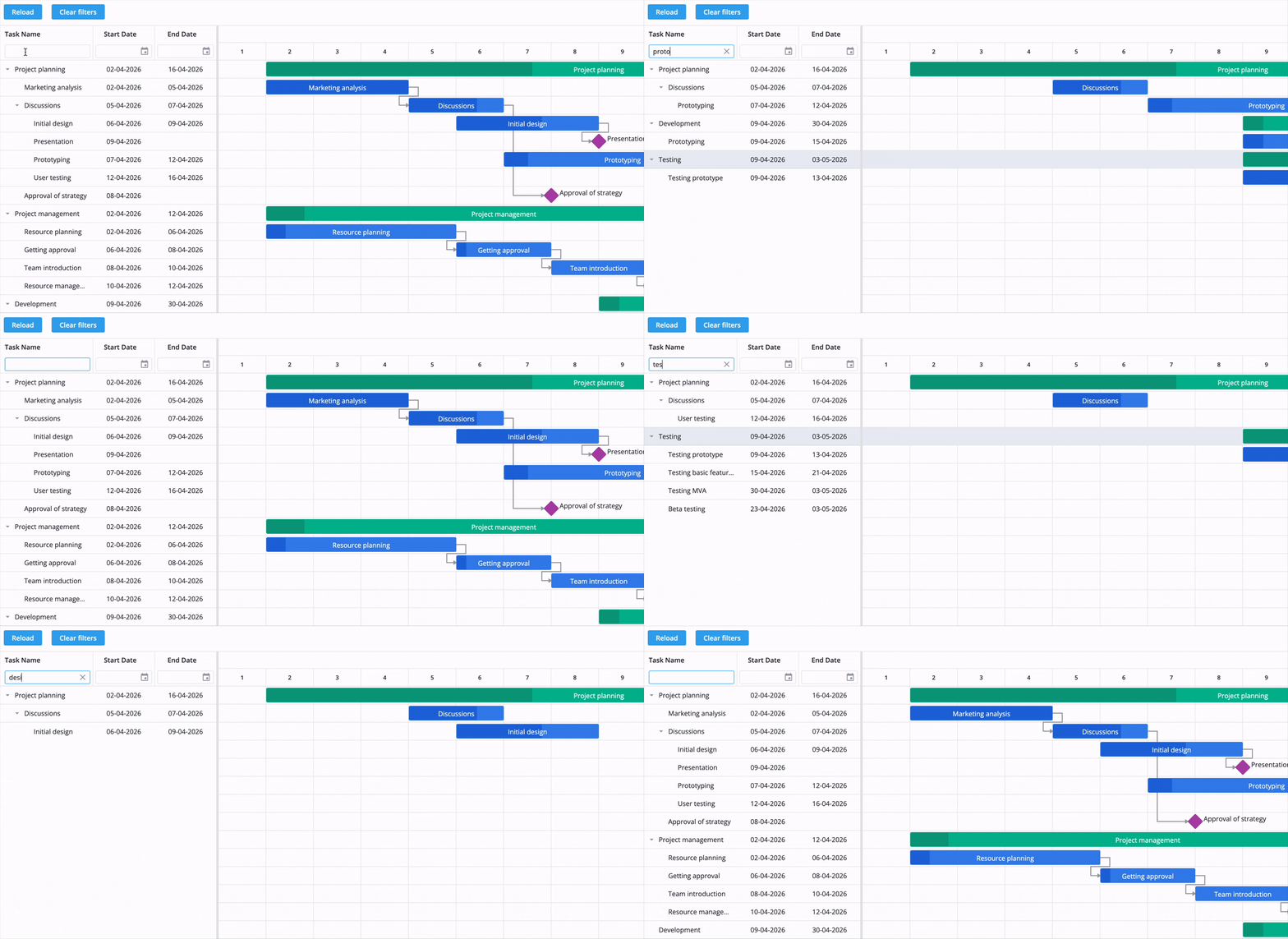
Add filter inputs directly to grid headers. Users type in the column header, and the filter-tasks action fires automatically:
const columns = [ { id: "text", header: ["Task name", { filter: { type: "text", config: { clear: true } } }], width: 200, }, { id: "start", header: "Start date", width: 130 },];View demo: in-column filters
External Filter Controls
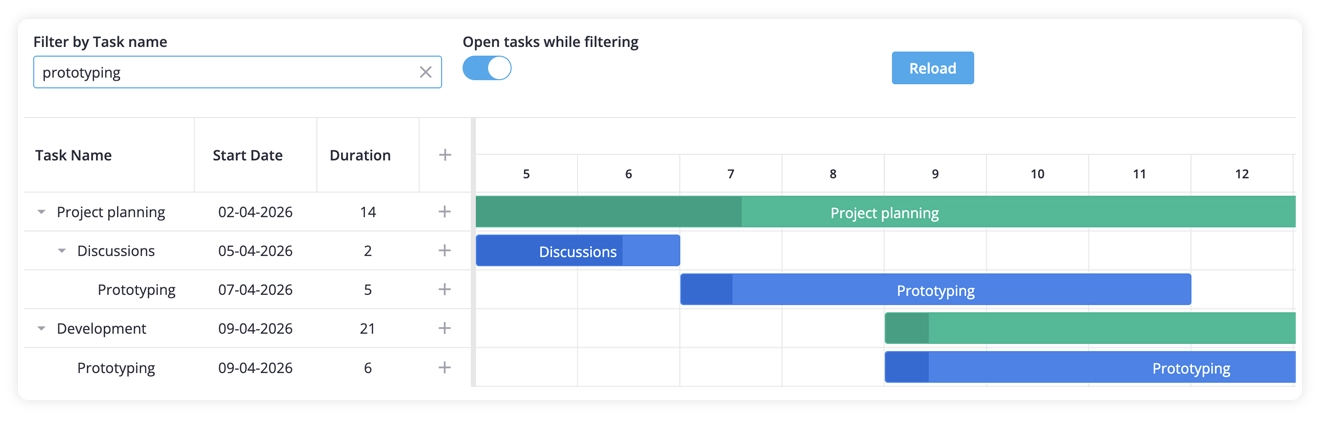
Connect any custom input to Gantt using the filter-tasks action. Build your own search boxes, dropdowns, or completely custom filter UI.
View demo: external filters
Advanced Query Builder Integration
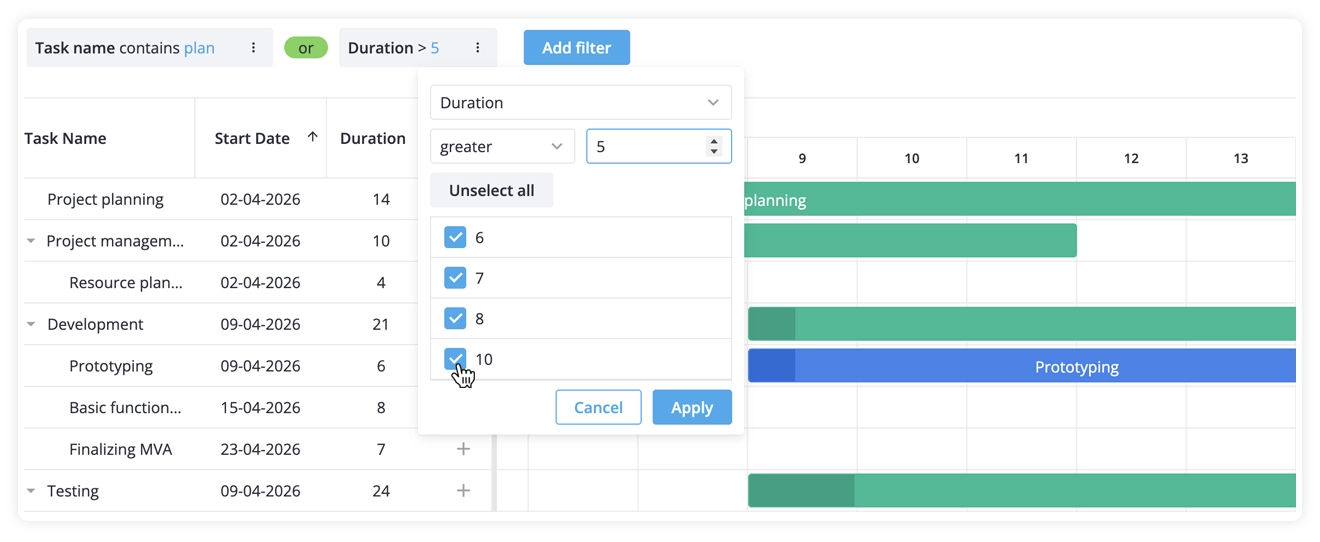
Integrate with the FilterBuilder component from SVAR React Filter for multi-condition queries with AND/OR logic. Users build complex filter rules through a visual interface, and you convert them to a filter function using createFilter.
View demo: filter with query builder
FilterQuery: Structured Syntax and Natural Language
The most powerful option is integrating with FilterQuery from SVAR React Filter. This gives users three ways to filter:
- Structured syntax:
assignee:John due:<2026-04-01 - Natural language:
show me John's tasks due this week - Mixed mode: combine both approaches in one input
FilterQuery intelligently handles all three input styles. For natural language queries, connect your AI provider (OpenAI, Anthropic, etc.) to convert conversational text into structured filter rules.
View demo: FilterQuery with AI support
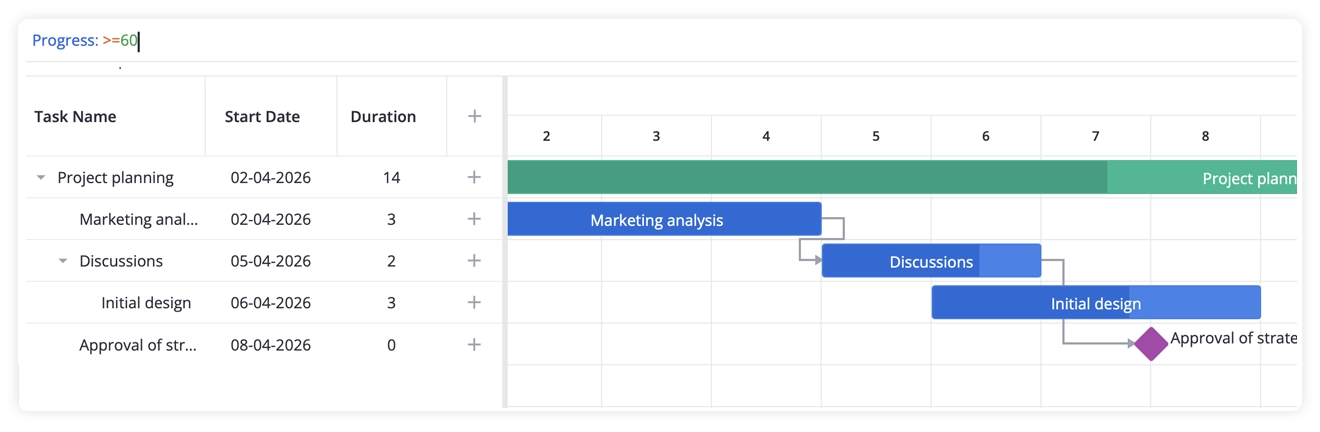
The filtering API is flexible and extensible. Whether you need simple column searches or AI-powered natural language queries, you can now add exactly the filtering functionality your Gantt charts need.
🔹 Scroll and Chart Navigation
The scroll-chart action now properly scrolls to specified coordinates. Previous versions had unreliable scroll behavior and grid/chart synchronization issues – those are fixed. This update improves scroll logic stability and maintainability. You can now specify a target date and programmatically scroll to it at any time.
🔹 Zoom Behavior Enhancements
Zoom scrolling is now smooth and consistent. The chart automatically centers your cursor position when zooming in or out. The zoom-scale action includes a new ratio parameter that tracks cell width changes, giving you precise control over zoom behavior and enabling smarter UI responses.
New Features in PRO Edition
The PRO Edition of SVAR React Gantt now includes enterprise-grade features commonly found in tools like Microsoft Project.
🔹 Rollups: Cleaner Project Visualization
Rollups simplify complex project visualization by rolling up individual tasks into their parent summary tasks. Subtasks and milestones appear as compact bars beneath summary tasks, automatically repositioning as child tasks change. Hover for task details via tooltip.
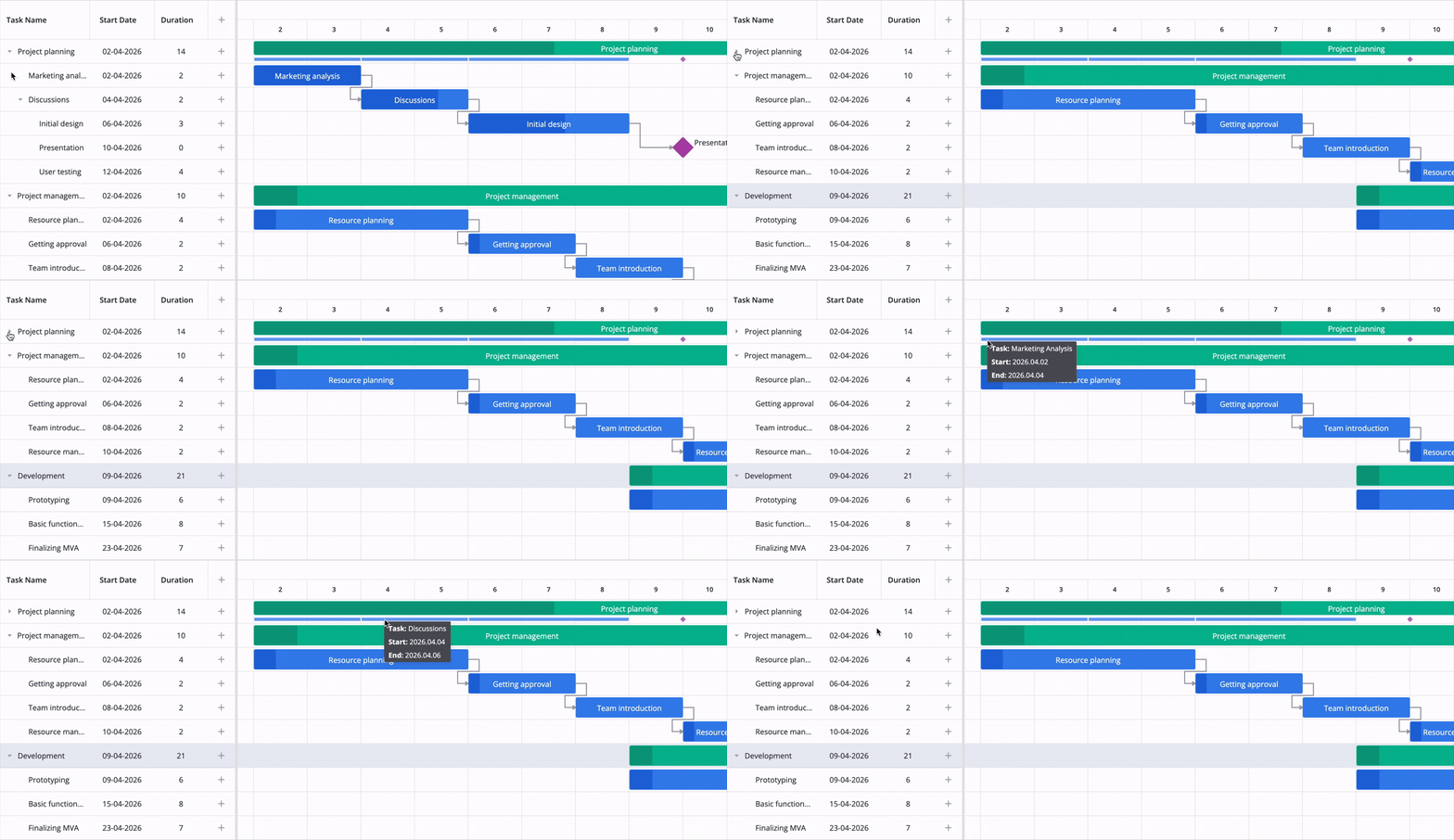
View demo: Gantt chart with rollups
Rollups reduce visual clutter and make high-level timelines instantly clear. Users grasp overall project structure without expanding every summary task. Any subtask or milestone can be enabled as a rollup via checkbox in the edit form:
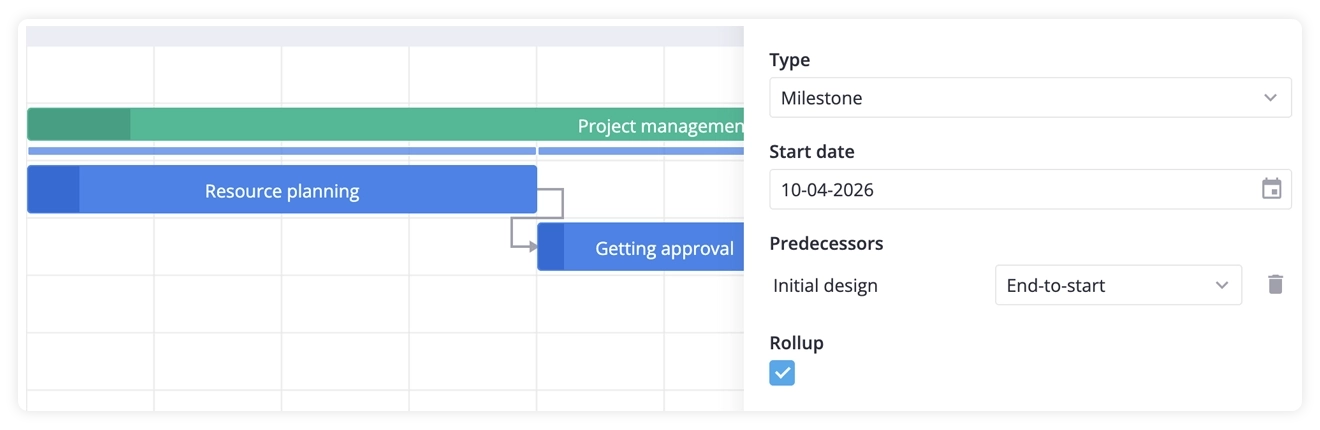
🔹 Slack (Float) Visualization
Beyond critical path analysis, SVAR React Gantt PRO v2.6 adds slack (float) visualization – a scheduling metric showing how much delay a task can tolerate without affecting dependent tasks or the project deadline.
When enabled, slack calculates automatically alongside critical path analysis, revealing which tasks have schedule flexibility and which are truly critical.
View demo: Gantt chart with slack
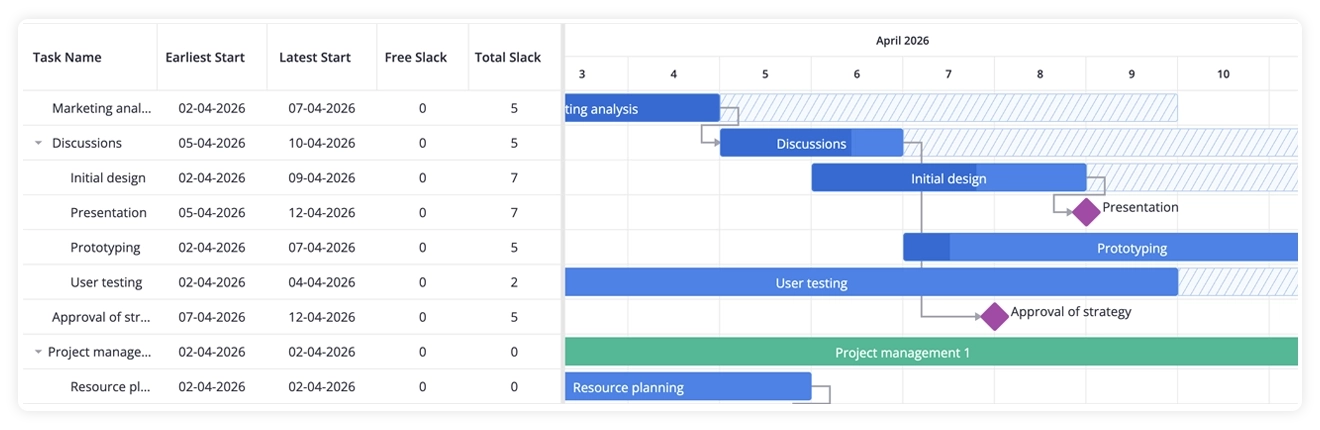
Two key metrics:
- Total Slack – how long a task can be delayed without pushing the final deadline
- Free Slack – how long a task can be delayed without affecting the next dependent task
Total slack appears directly on task bars, making critical versus flexible tasks instantly recognizable.
🔹 PNG/PDF Export Fix
We’ve fixed incorrect link positioning in PNG/PDF exports. Gantt charts now render perfectly in exported files.
What’s Next
SVAR React Gantt is actively maintained and continuously improving. We’re committed to keeping both free and PRO editions modern, performant, and aligned with real developer needs.
Ready to upgrade? Install the latest version from npm or grab it from GitHub. For enterprise project management tools, the PRO Edition unlocks advanced scheduling logic, critical path analysis, and all the features above.
Try SVAR React Gantt PRO 👉 Get free trial
Questions or feedback? We’d love to hear from you. Your input helps shape SVAR Gantt’s future: share thoughts on the forum or submit an issue on GitHub.