

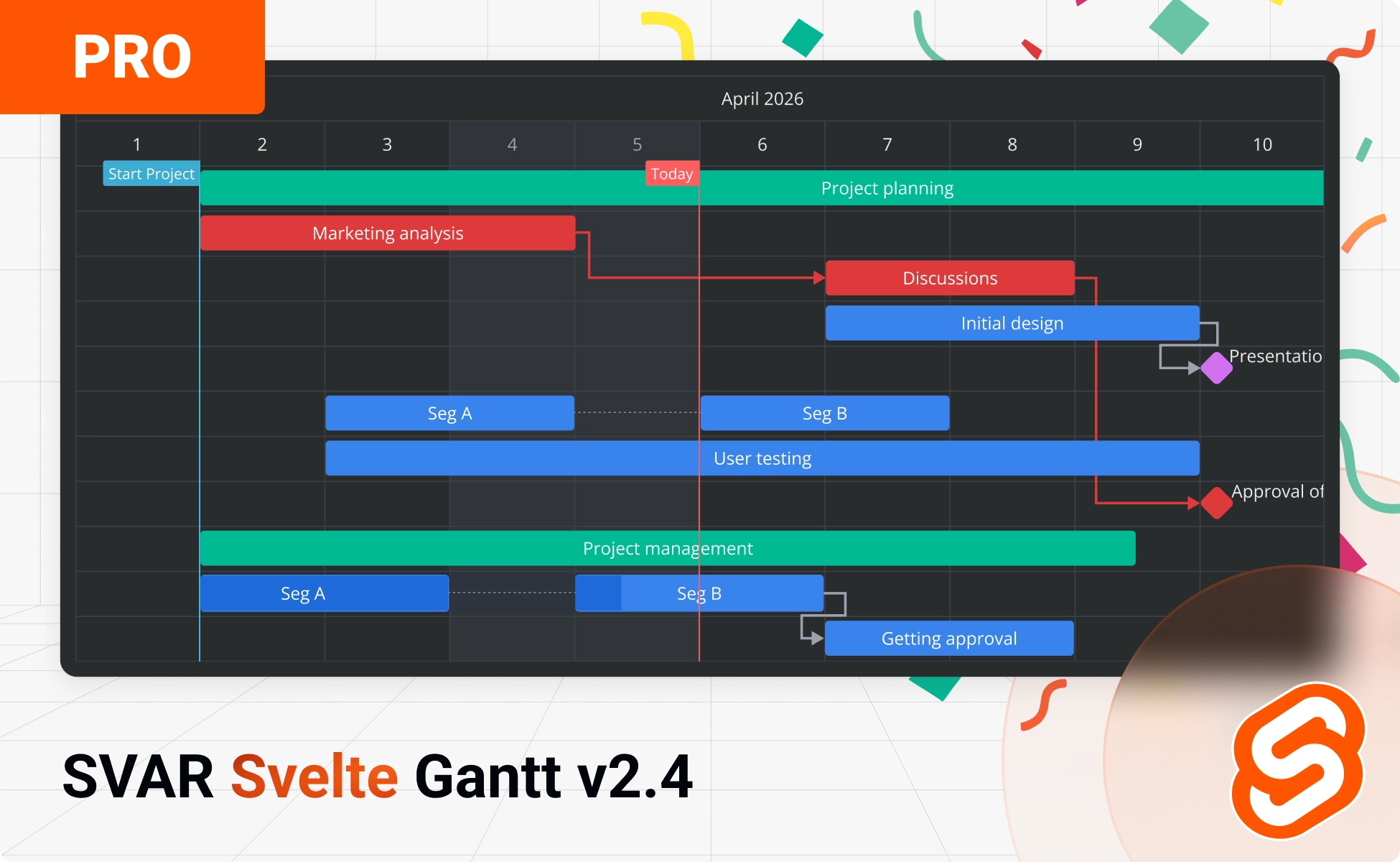
We’re happy to announce the release of SVAR Svelte Gantt v2.4, which brings improvements to the open-source package and introduces a new PRO Edition for teams that need advanced scheduling logic.
Everything that was previously available in the free version is now released under the permissive MIT license (instead of the previous GPLv3). The PRO Edition sits on top of the existing API and adds features typically found in enterprise-grade project planning tools.
Why We’re Introducing the PRO Edition
Building and maintaining a production-ready Gantt chart requires continuous development, testing, support, and documentation. Introducing a PRO Edition enables us to invest in sophisticated features and gives us the resources to:
- maintain and update both free and PRO versions
- add new features without slowing down our roadmaps
- keep the project stable and actively developed
- provide timely support for our community and paying users
The open-source version remains fully functional for many use cases. The PRO Edition expands it with additional features and logic that are usually required in more complex projects.
This model allows us to invest in both editions long-term — delivering the sophisticated functionality modern Gantt charts demand while ensuring the open-source version stays maintained and improved.
What’s New in Open-Source Edition
That being said, the free edition of SVAR Svelte Gantt continues to evolve – version 2.4 includes performance refinements, and some UI/UX adjustments. Installation stays the same:
npm install @svar-ui/svelte-ganttThe updated source code is available on GitHub. Here are a couple noticeable improvements:
Remove Dependencies Directly on the Chart
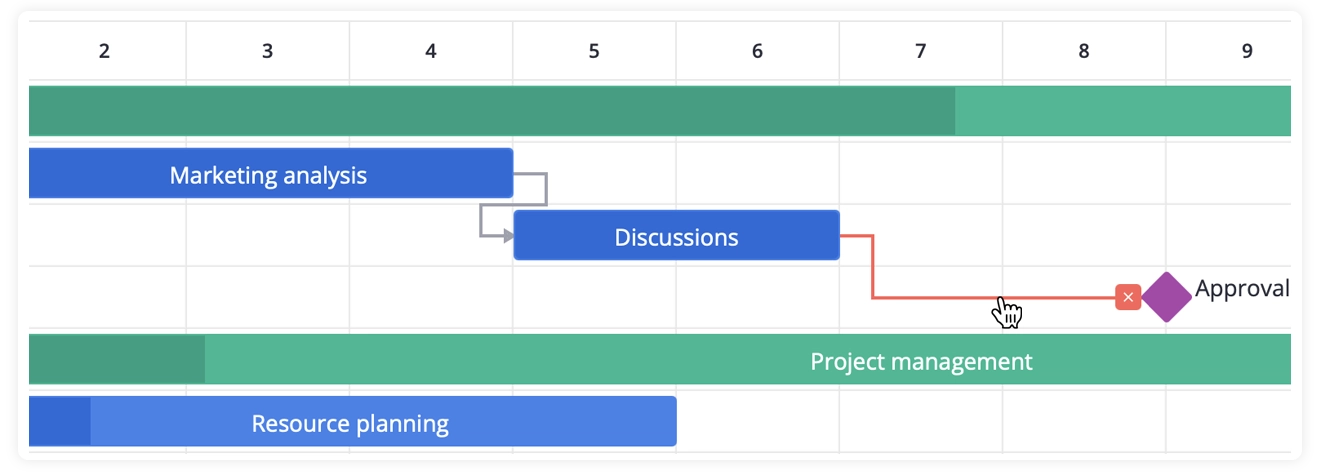
You can now remove task dependencies right from the timeline by clicking a dependency line and then a “remove” icon. This makes it easier to manage task relationships right on the chart.
Locale-Based Scales Formatting
SVAR Svelte Gantt chart now uses SVAR’s own locale-aware formatting for scale labels instead of date-fns. As a result, labels automatically adapt when the locale changes.
👉 See the full changelog in the docs.
What’s in the PRO Edition?
The PRO Edition adds advanced features for complex project planning, with automatic calculations and scheduling logic that go beyond basic timeline visualization.
Work Days Calendar
SVAR Svelte Gantt PRO supports a non-linear calendar that excludes weekends and holidays from task duration calculations. This gives you calendar-aware scheduling: when a task is set to 5 days, it means 5 working days, not 5 calendar days.
The Gantt chart automatically adjusts task bars to span only work days, giving you more realistic project timelines.
Markers
Visual markers let you highlight important dates (releases, deadlines, or milestones) directly on the timeline. Instead of tracking critical dates separately, they’re always visible in context alongside your tasks.

Baselines
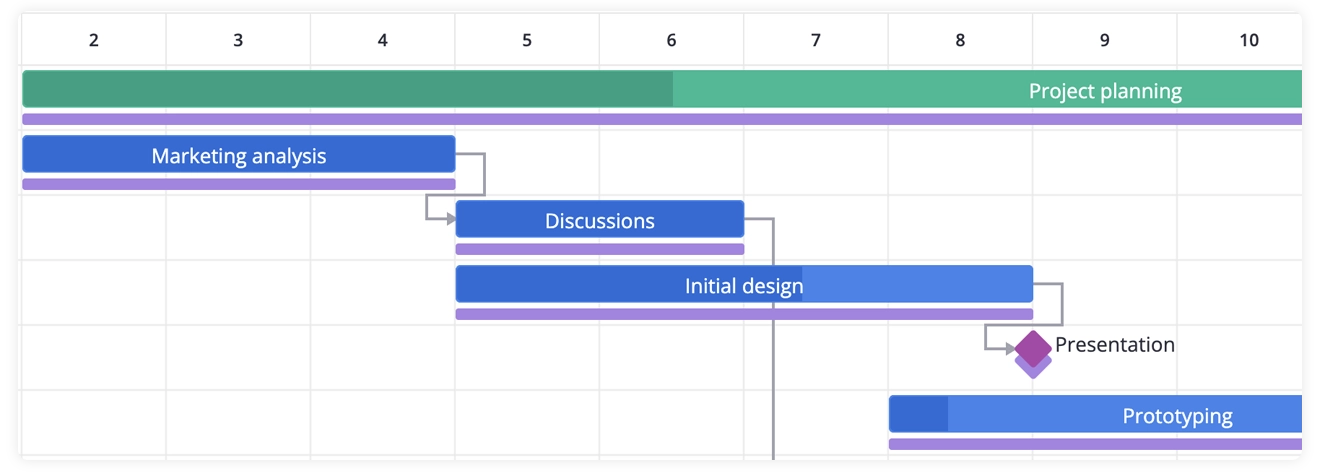
Baselines can be added to display the “planned vs actual” timeline for each task. This feature is essential when tracking changes throughout long-running projects. You can set baselines for tasks programmatically or allow users to add them via task edit form.
Critical Path
The critical path feature automatically identifies tasks that directly impact the project’s final deadline. If a critical task slips, the whole timeline shifts. The critical path feature helps catch those risks early.
By highlighting the critical path on your Gantt chart, you can immediately see which tasks require the closest monitoring.
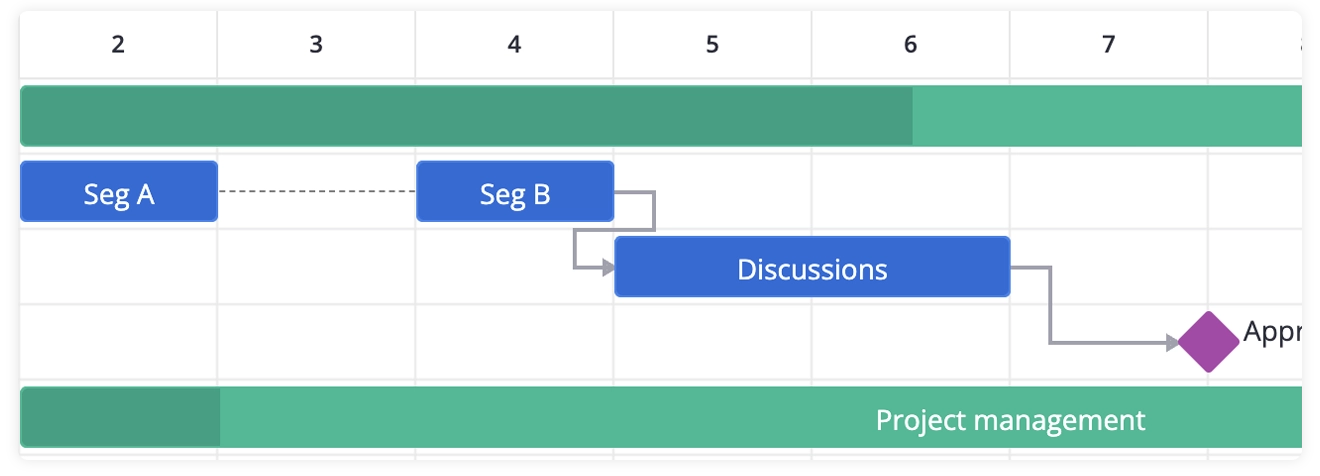
Split Tasks
The PRO Edition lets you split a single task into multiple segments on the same row. This is useful for visualizing work that gets paused and resumed – common in construction projects, manufacturing workflows, or any scenario where tasks are interrupted by dependencies, resource constraints, or scheduled breaks.
Instead of creating separate task entries for each work period, you maintain one task with multiple bars on the timeline, keeping your project structure clean and logical.
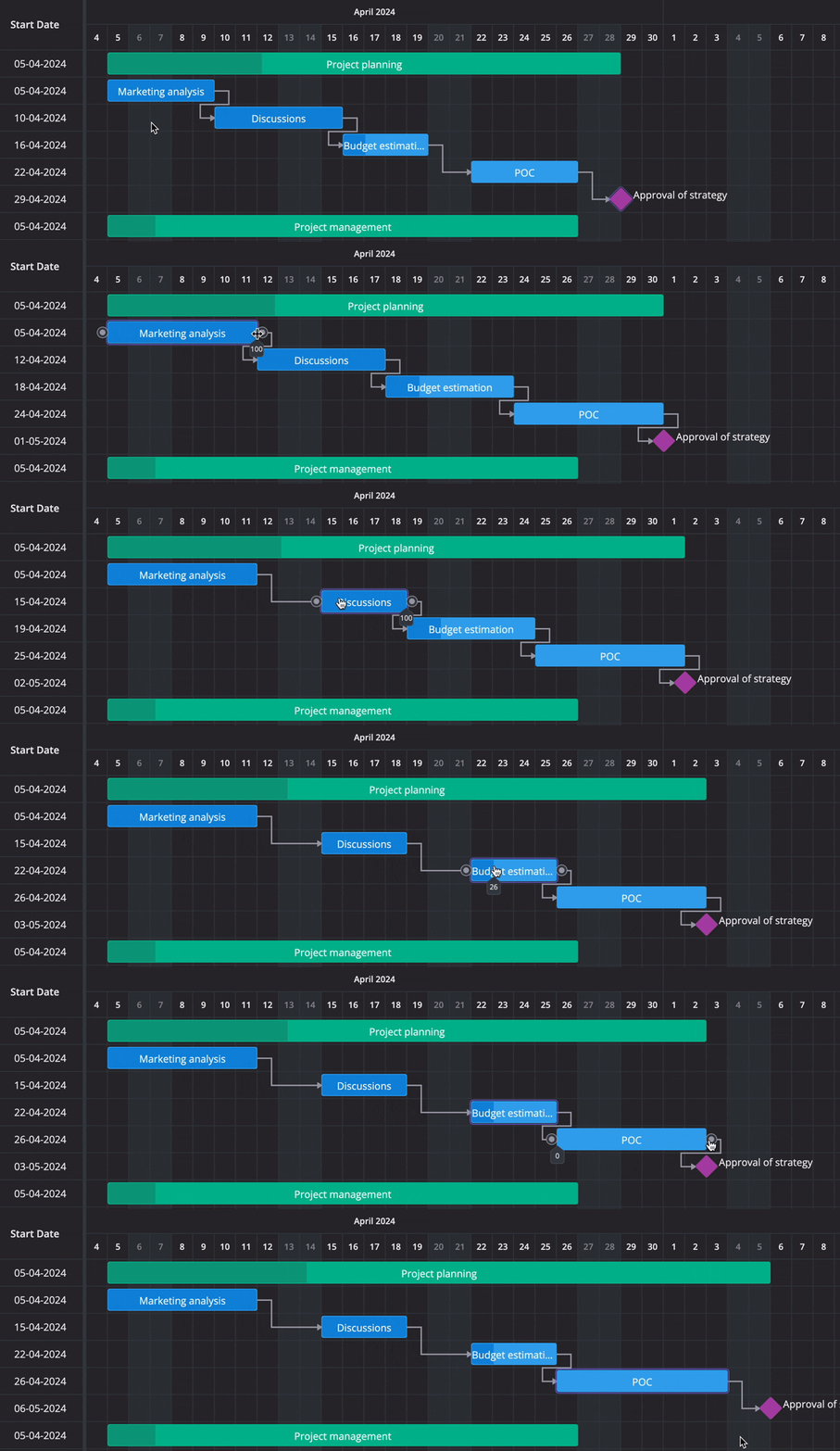
Auto-scheduling
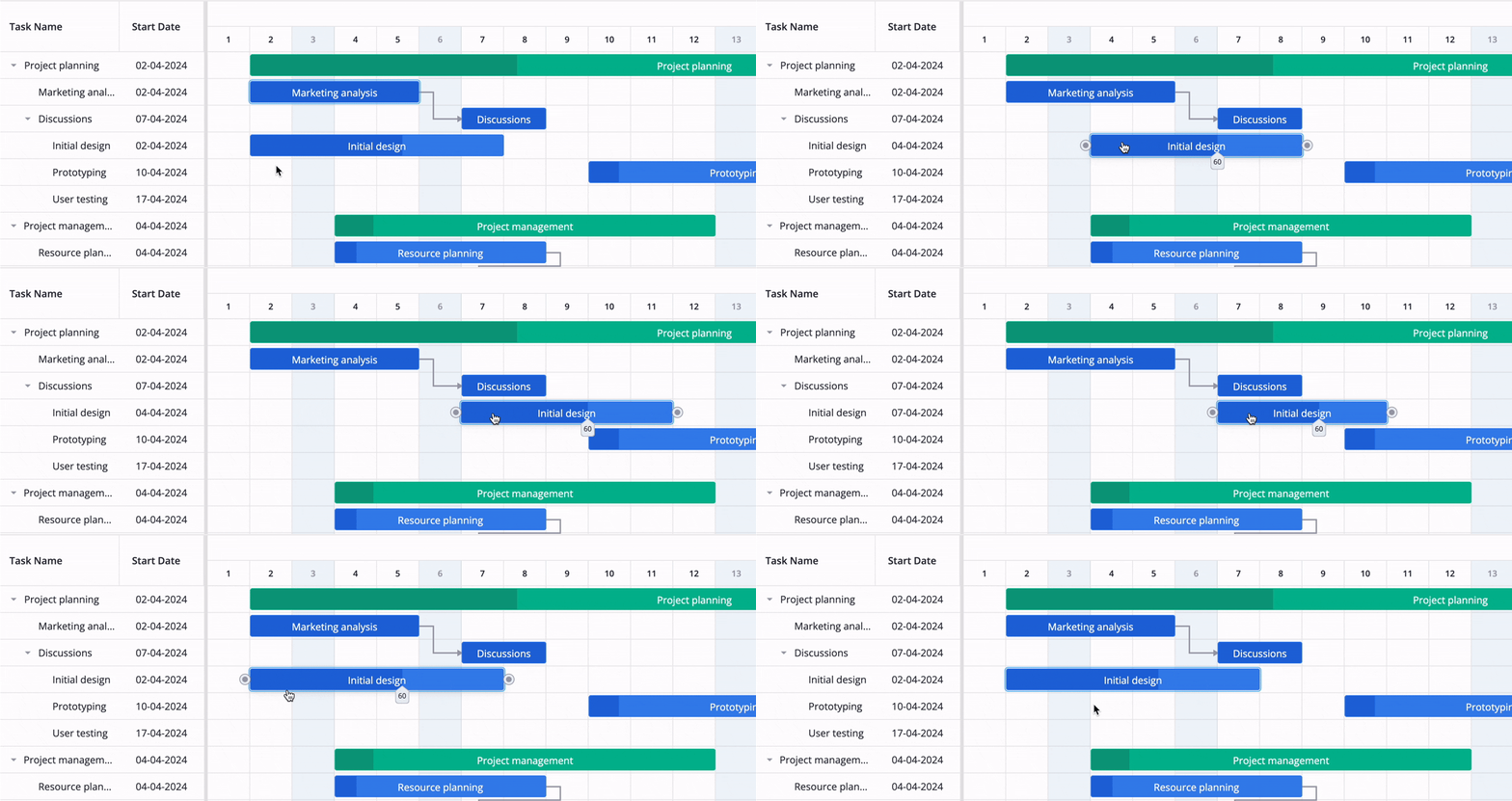
The auto-scheduling feature supports forward mode and Finish-to-Start dependencies. When a predecessor shifts, its successors adjust automatically, which removes a lot of manual recalculation.
And when you try to move a task backward, the Gantt prevents shifts that break the dependency rules, since a task linked with an end-to-start dependency can’t start earlier than its predecessor finishes.
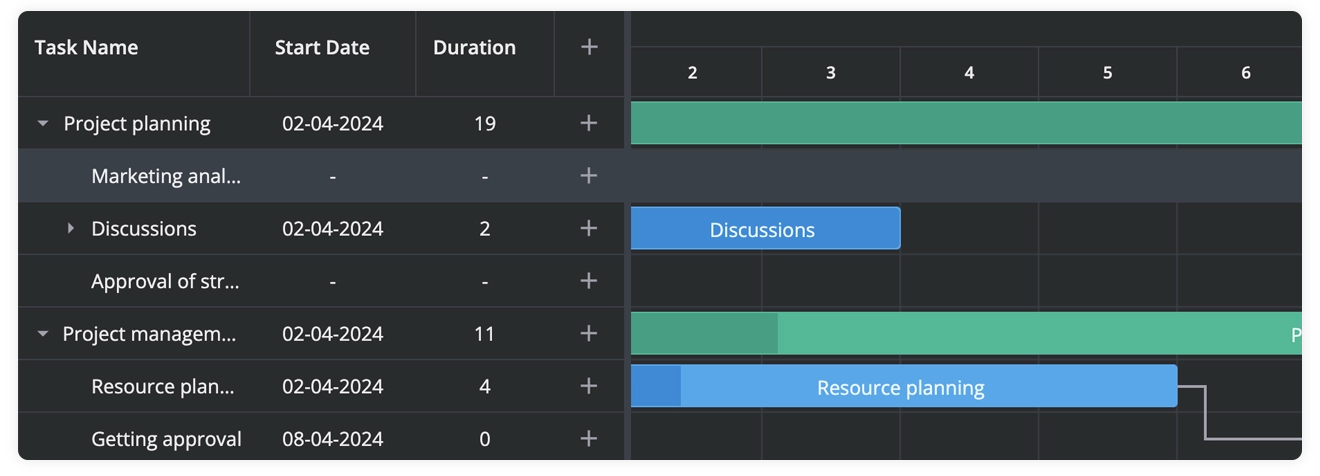
Unscheduled Tasks
You can now add unscheduled tasks on the chart and assign start/end time later. This is useful for backlog items, future work packages, or tasks that have dependencies but no confirmed start date.
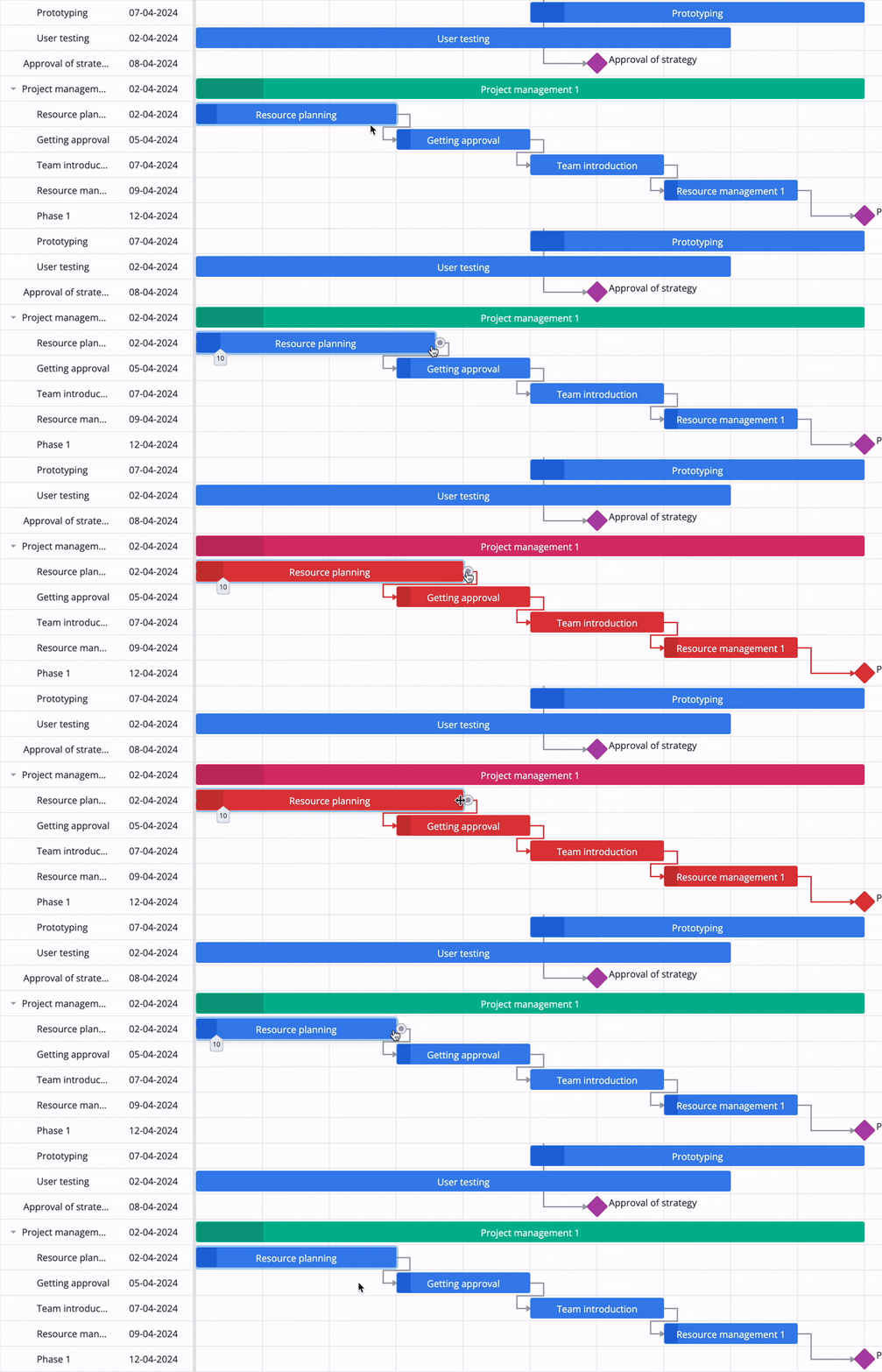
Undo/Redo
With the new undo/redo feature, users can make changes confidently, experiment freely, and revert recent actions at any time. Being able to undo and redo edits helps users feel safe while working with the Gantt chart.
Licenses & Free Trial
The PRO Edition is available under commercial licenses - see full details here. Early Bird pricing is currently available for a limited time.
Pricing starts from $524 for the Developer License, which allows you to use SVAR Svelte Gantt PRO in one internal or commercial application (non-SaaS). All licenses are perpetual and include 1 year of support and updates.
Join early adopters and explore the PRO Edition with a free 30-day trial — just fill out the form to get access.
To learn more about new features, check out demos and documentation. All PRO features are marked with PRO tag:
Whether you work with the open-source or PRO edition, we truly appreciate everyone who tries SVAR Svelte Gantt, shares feedback, or asks questions. Your support helps us continue developing a stable, modern Gantt chart for the Svelte ecosystem.